
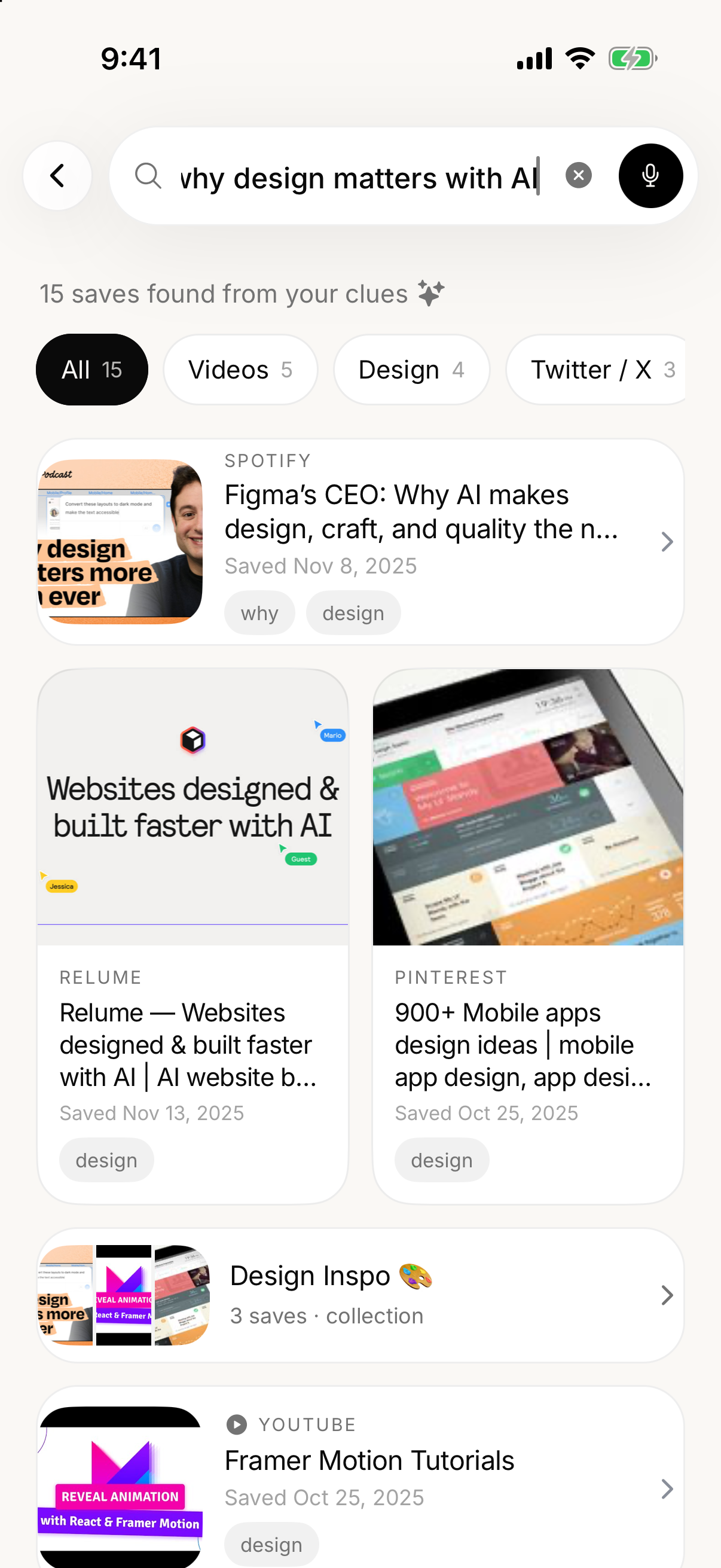
01Natural-language search
Search with a thought
Type “why design matters with AI” or use an exact title, source, note, or tag. SavedIt searches by words and meaning, so a remembered idea is enough.
Live on iPhone, Android,
Chrome, Firefox & webLive on iPhone, Android, Chrome, Firefox & web
Bookmark Instagram posts, TikToks, recipes, articles and more. SavedIt keeps the links in one searchable place.
The problem
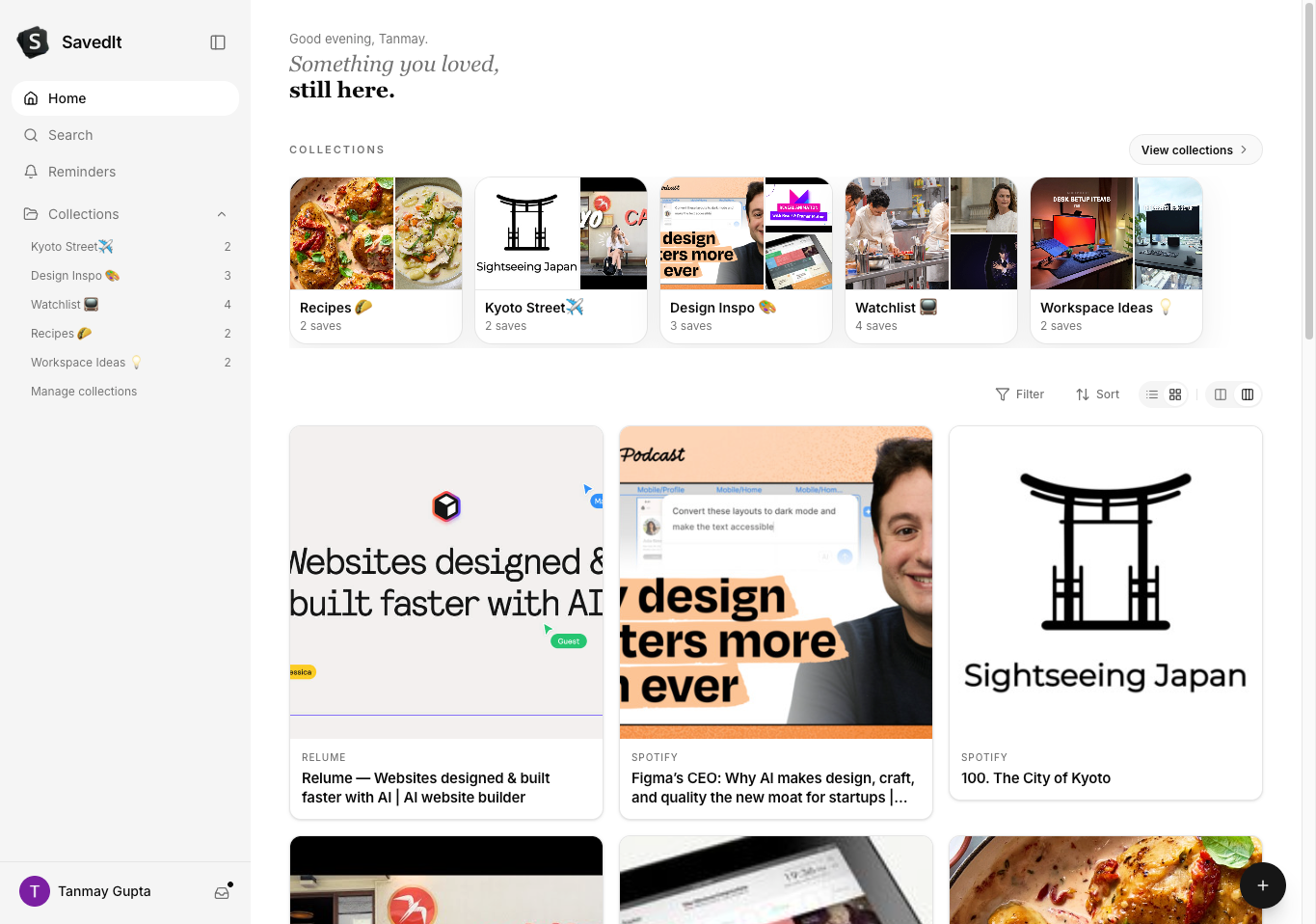
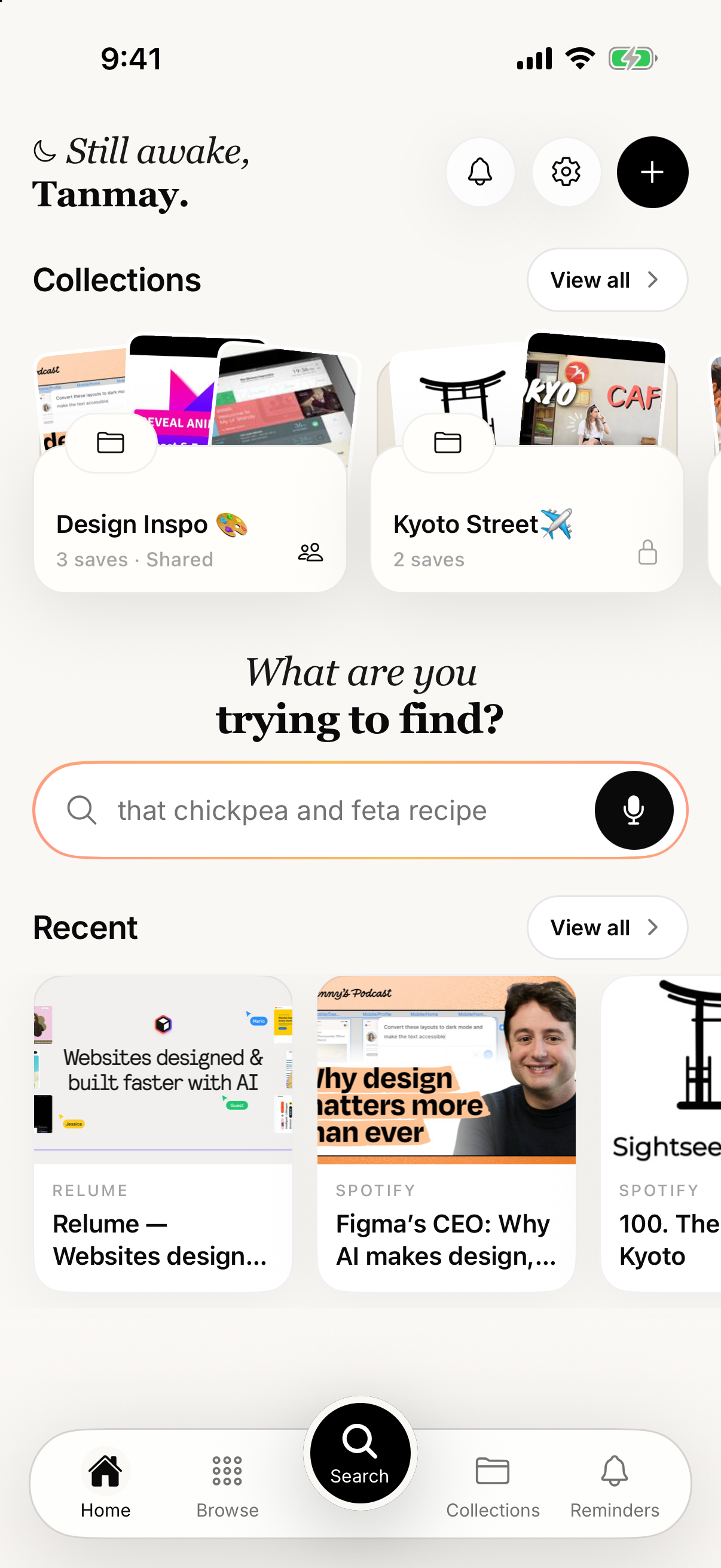
The good stuff is everywhere — across apps, open tabs, and messages to yourself. SavedIt gives those fragments one reliable home, so finding what you saved feels as easy as saving it.
One library. Every source.
Inside SavedIt
A quick look at the pieces that make a save useful later — not just another place links go to die.
Swipe to explore
01Natural-language search
Type “why design matters with AI” or use an exact title, source, note, or tag. SavedIt searches by words and meaning, so a remembered idea is enough.
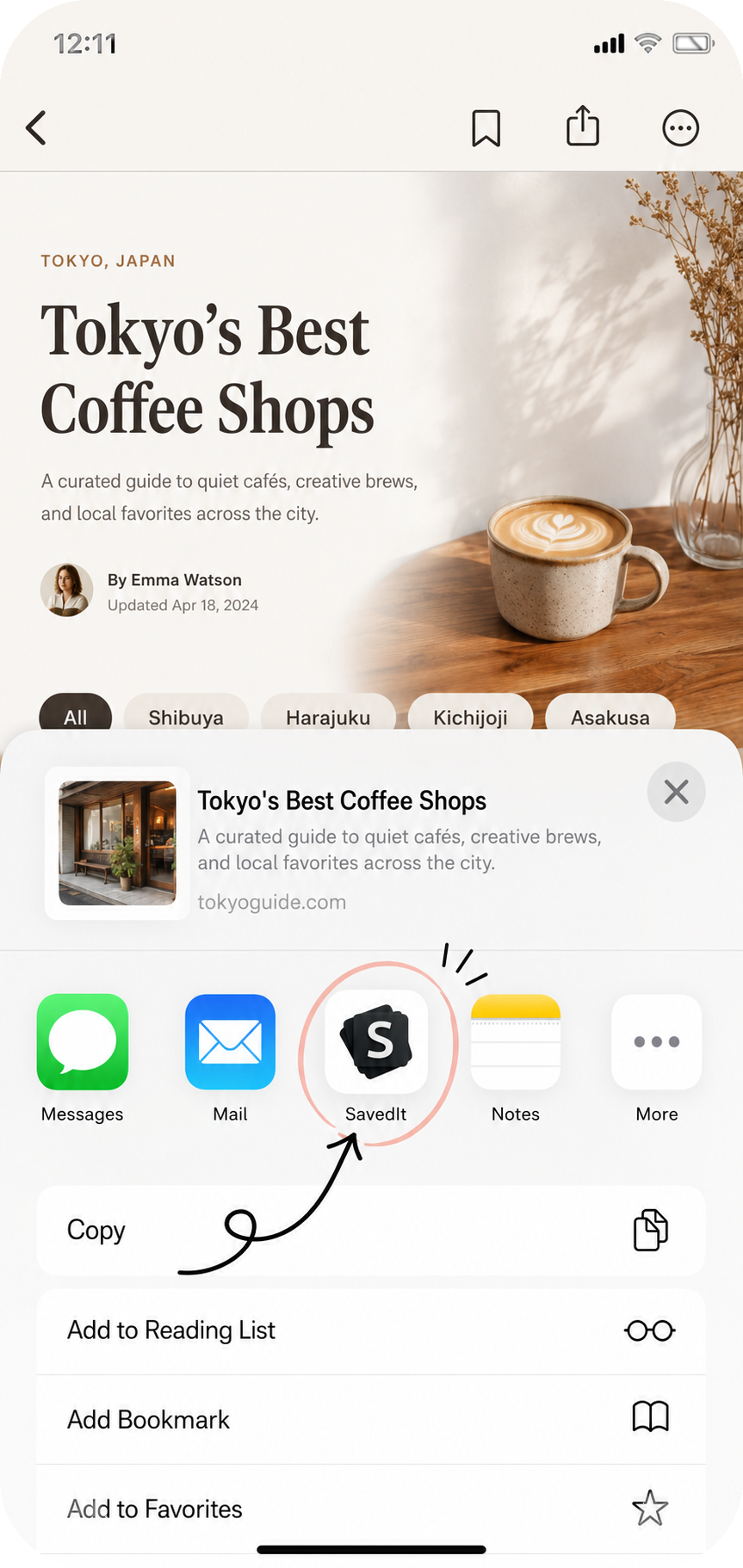
02Capture
Found something worth keeping? Share it to SavedIt from any mobile app, or save the page you are viewing with the Chrome or Firefox extension.
03One home
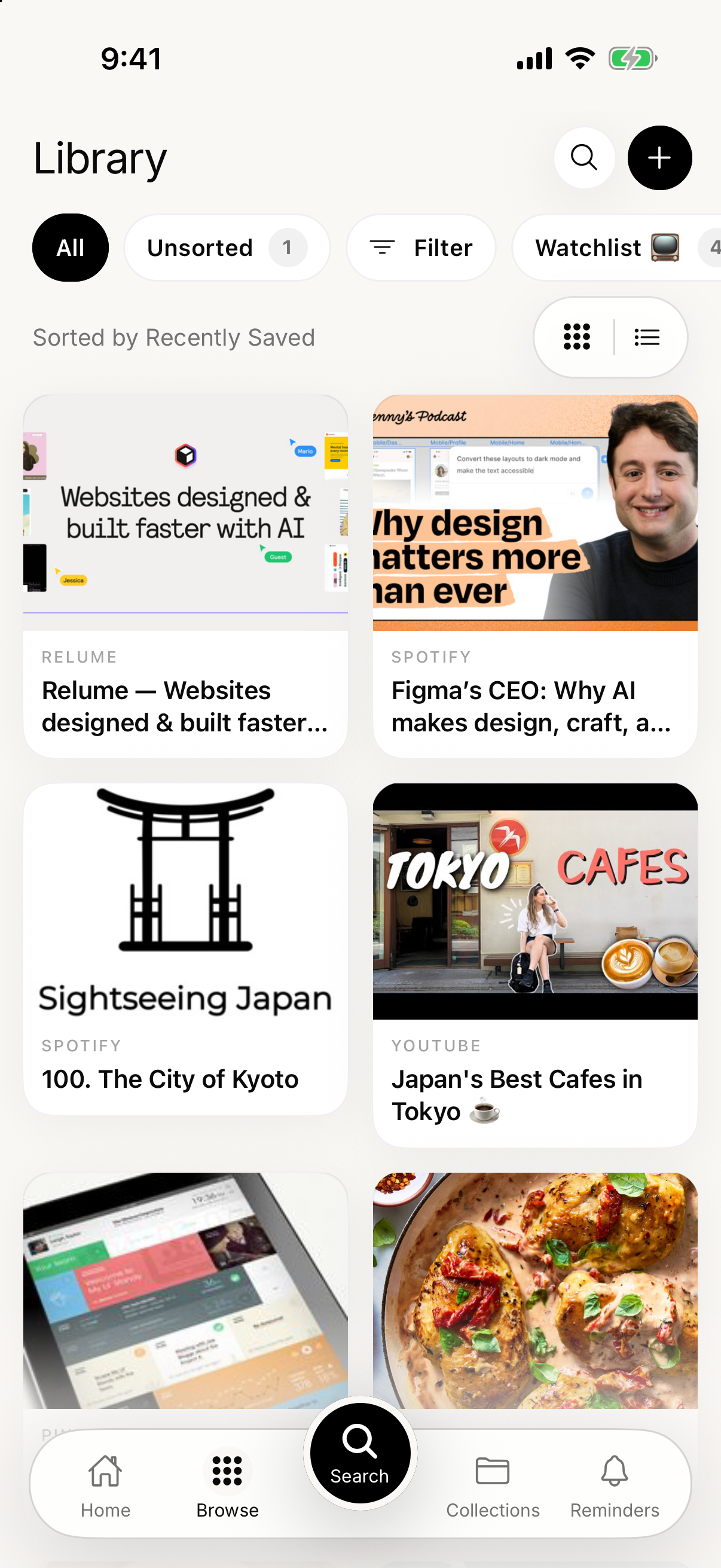
Articles, posts, videos, products, places, and ideas become clear cards with their title, image, and original source attached.
04Every device
Browse, search, filter, and open everything from the web app. What you save on your phone or in Chrome is already there.
05Smart organization
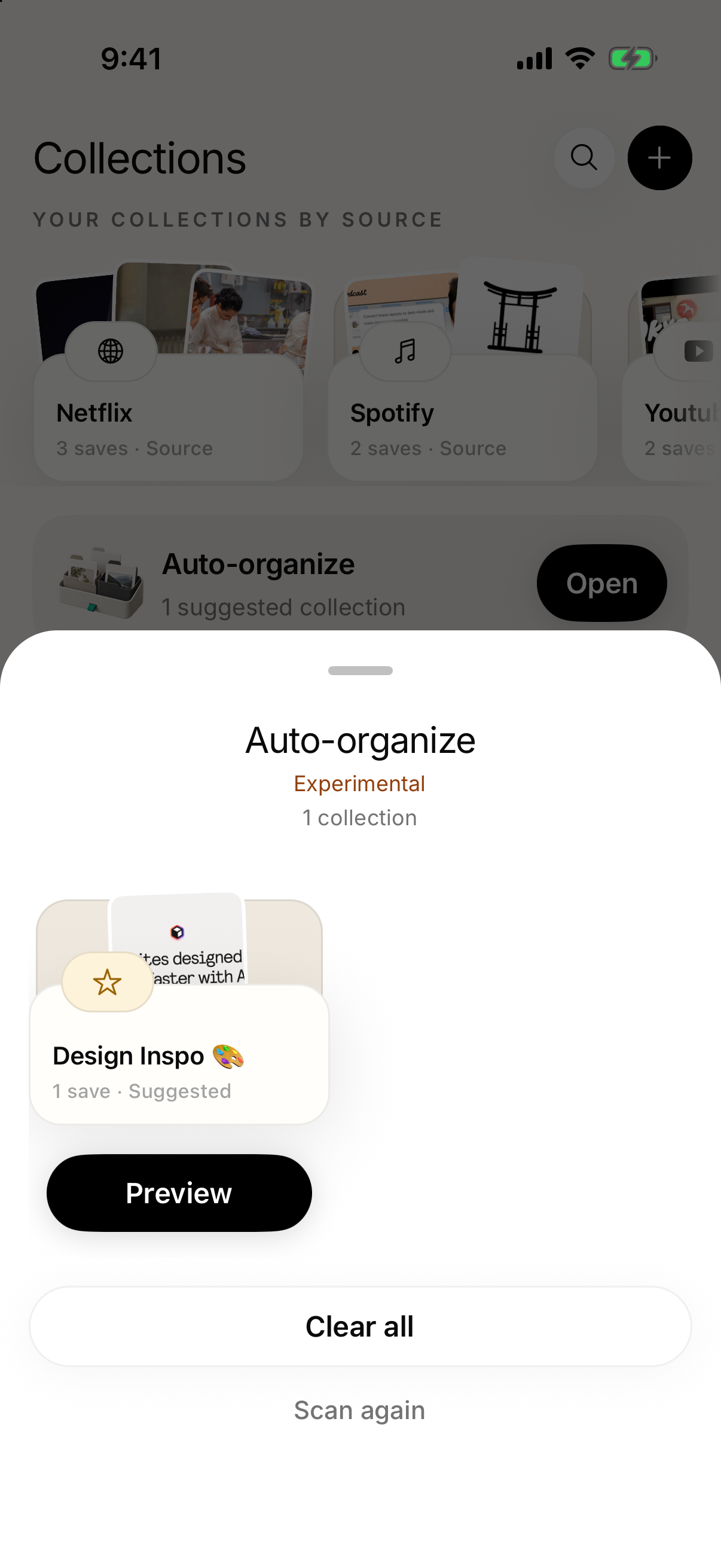
SavedIt suggests collection matches for loose saves. Preview each suggestion, then choose what gets organized.
Where available. Automatic organization is still experimental.
06Shared collections
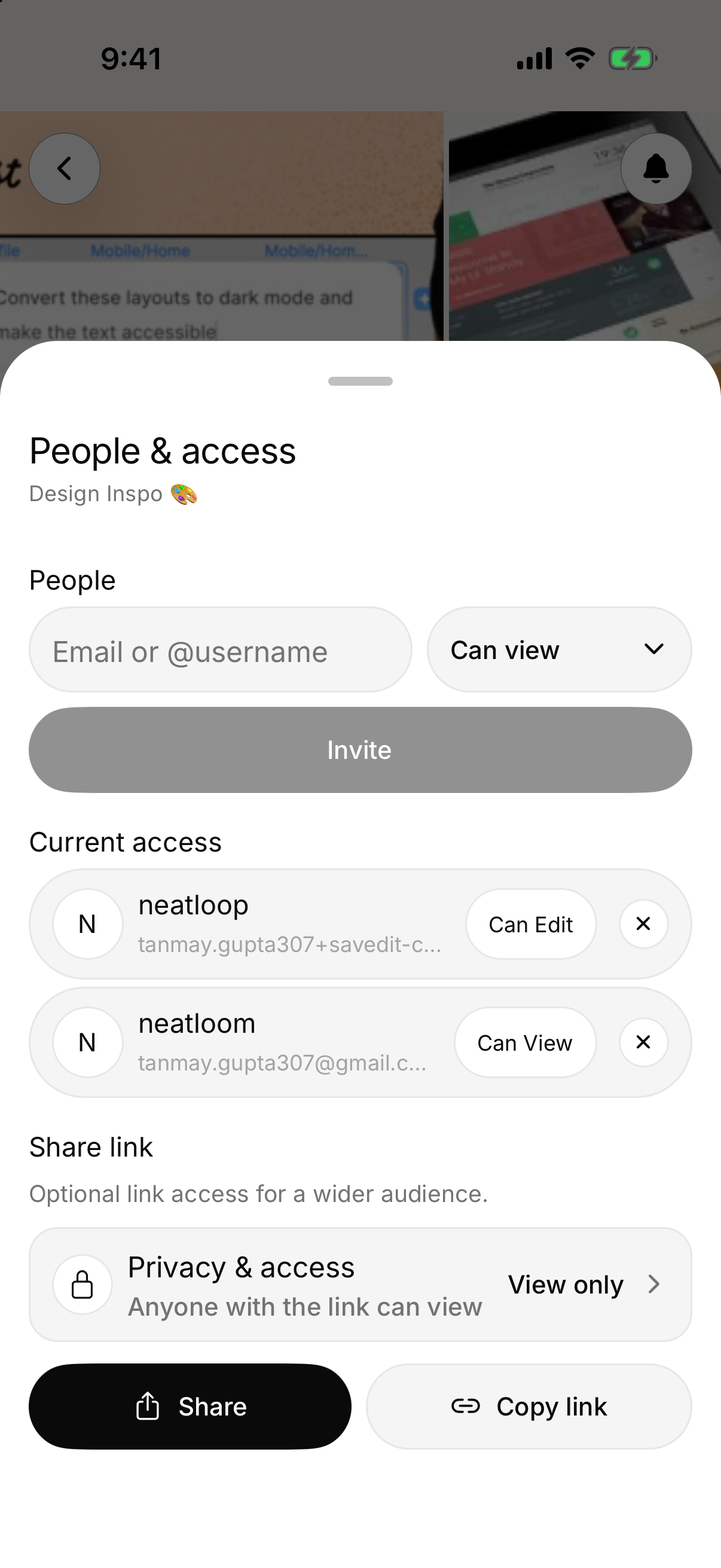
Invite people to a collection so the links, ideas, and next steps stay together.
07Votes and comments
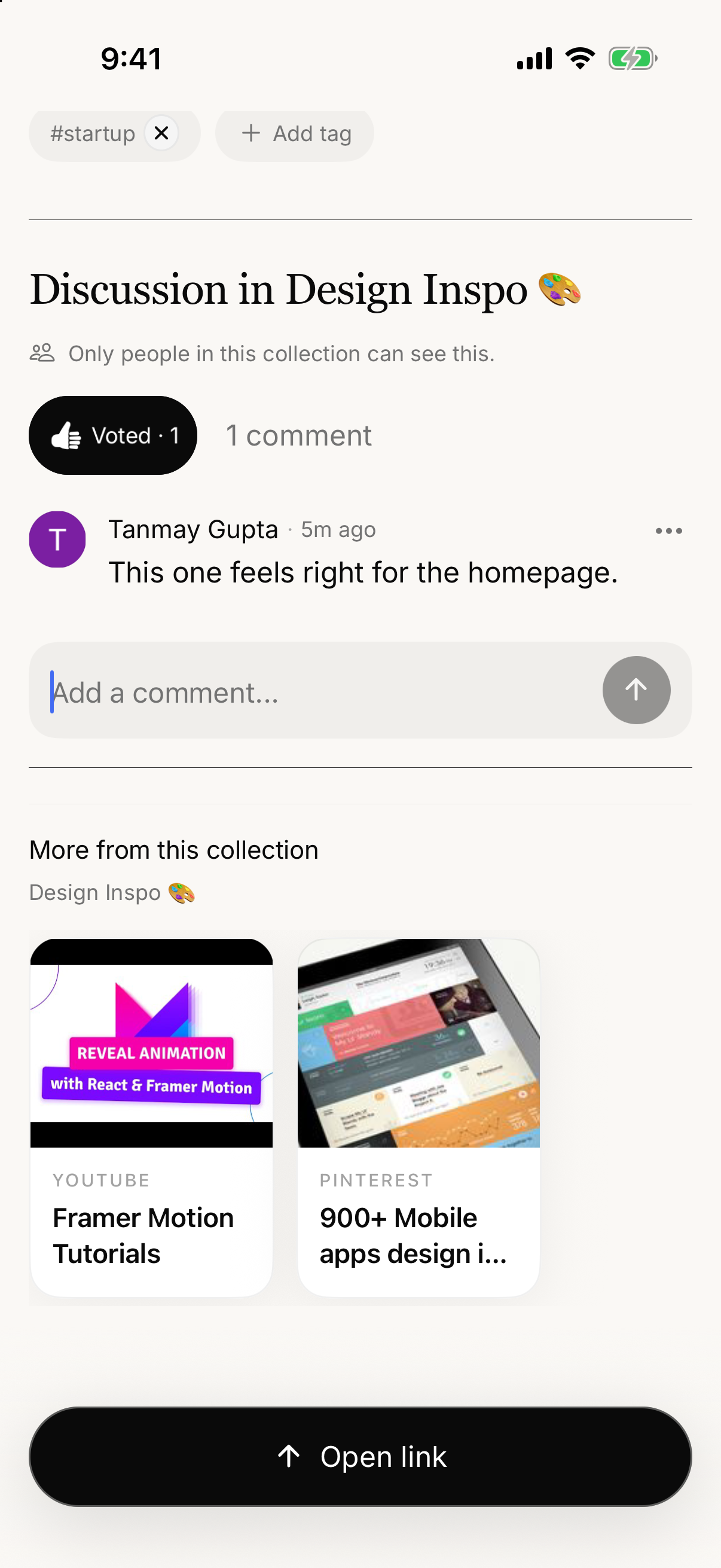
Vote on a save and keep the conversation attached to the thing everyone is reviewing.

08Make it useful
Add a note, tag it, set a reminder, or share it with someone. The context stays attached until you are ready to use it.
 ChatGPT
 ClaudeCodex
 Cursor
ChatGPT, Claude, Codex, and Cursor are trademarks of their respective owners. SavedIt is not affiliated with, endorsed by, or sponsored by OpenAI, Anthropic, or Cursor.
09AI assistants
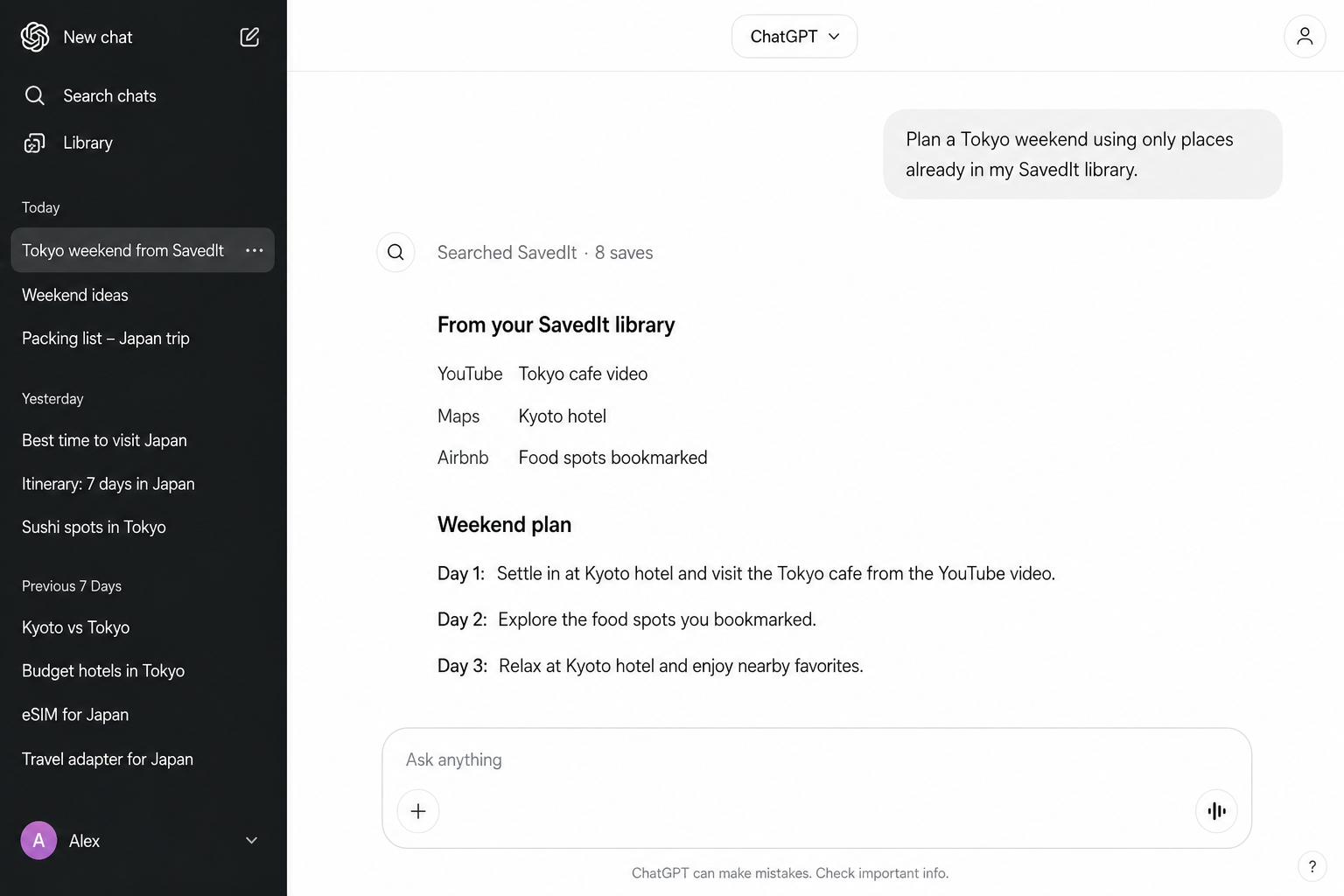
Ask your AI to search your SavedIt library and build from what you already kept — a trip, a list, a decision — without starting from scratch.
Highly experimental. Connect from Settings → AI assistants.
01Natural-language search
Type “why design matters with AI” or use an exact title, source, note, or tag. SavedIt searches by words and meaning, so a remembered idea is enough.
02Capture
Found something worth keeping? Share it to SavedIt from any mobile app, or save the page you are viewing with the Chrome or Firefox extension.
03One home
Articles, posts, videos, products, places, and ideas become clear cards with their title, image, and original source attached.
04Every device
Browse, search, filter, and open everything from the web app. What you save on your phone or in Chrome is already there.
05Smart organization
SavedIt suggests collection matches for loose saves. Preview each suggestion, then choose what gets organized.
Where available. Automatic organization is still experimental.
06Shared collections
Invite people to a collection so the links, ideas, and next steps stay together.
07Votes and comments
Vote on a save and keep the conversation attached to the thing everyone is reviewing.
08Make it useful
Add a note, tag it, set a reminder, or share it with someone. The context stays attached until you are ready to use it.
ChatGPTClaudeCodexCursorChatGPT, Claude, Codex, and Cursor are trademarks of their respective owners. SavedIt is not affiliated with, endorsed by, or sponsored by OpenAI, Anthropic, or Cursor.
09AI assistants
Ask your AI to search your SavedIt library and build from what you already kept — a trip, a list, a decision — without starting from scratch.
Highly experimental. Connect from Settings → AI assistants.
Wherever you are next
Save on your phone. Search on the web. Keep the Chrome or Firefox tab. SavedIt follows the thread across the places you actually use the internet.
Chrome & Firefox
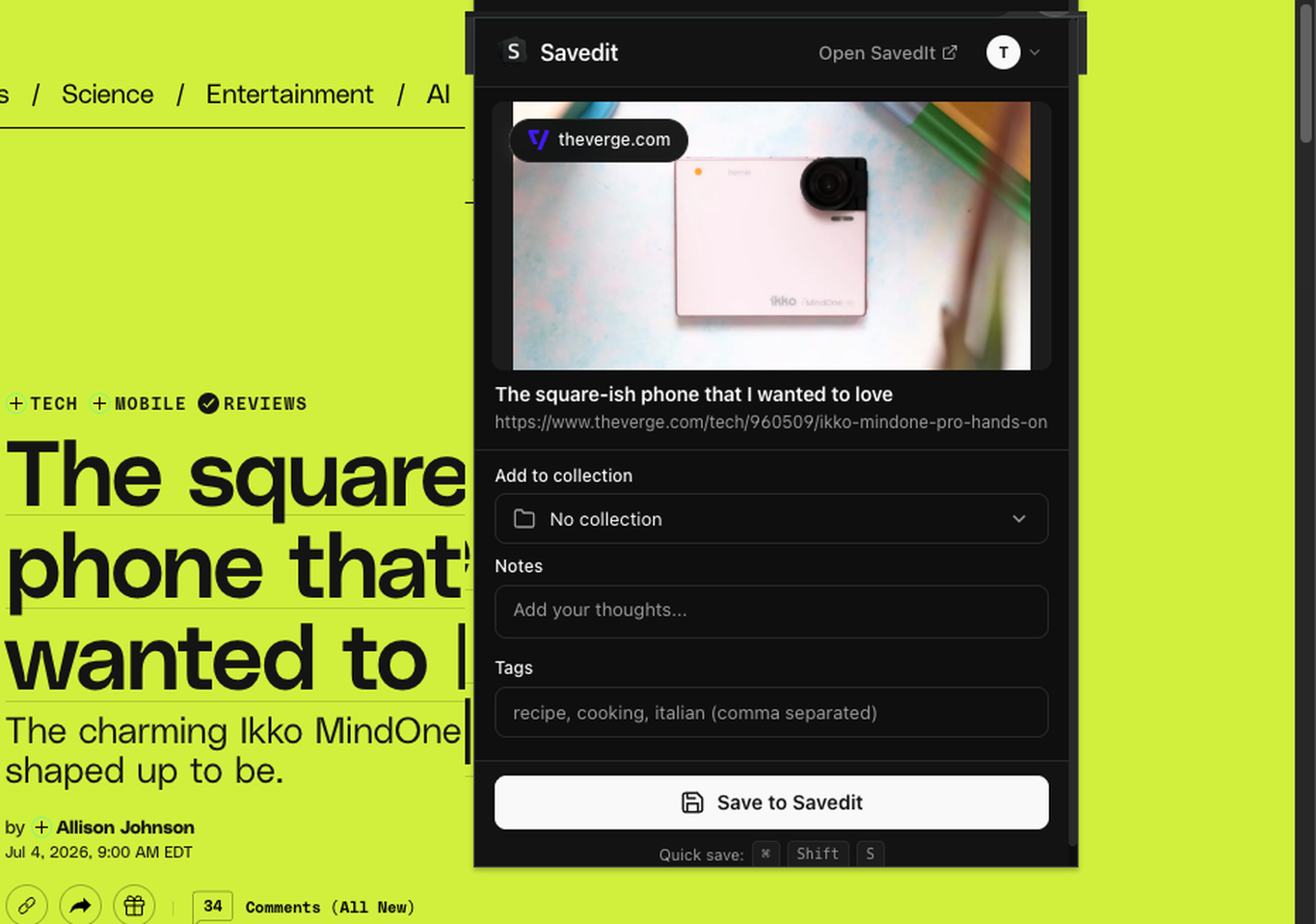
Save the current tab with its title and source already attached. Add a collection, note, or tag before you move on.



Web app
Browse every save, search by words or meaning, manage collections and reminders, and open the original source from any computer.
Pricing
Saving stays free. SavedIt Plus smart features are included during public beta.
Swipe to compare
Everything you need to save and find what you keep.
Free
Forever for core saving
Smart features that help you recover and organize faster.
Free
During public beta
No credit card required
Plus is free during public beta with no credit card required. Launch pricing is subject to change and may begin when public beta ends. We'll email you before billing is required so you can decide whether to continue with Plus.
Your library, your data
Your saves are private by default. We collect only what SavedIt needs to run your library, and we do not sell your data.
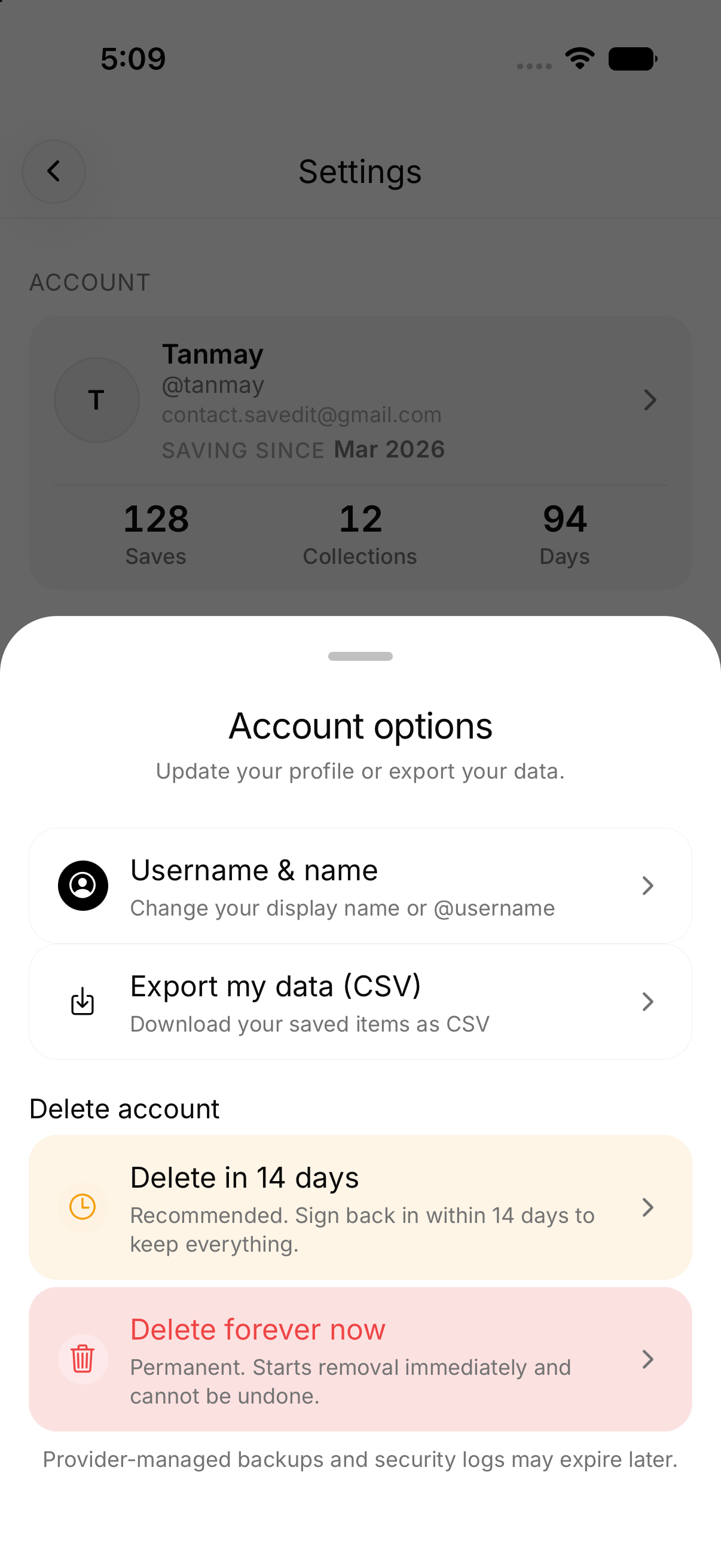
Export your library or permanently delete your account from Settings whenever you choose.
About
The good stuff is everywhere. A dozen apps, open tabs, messages to yourself — and then it disappears.
SavedIt is built around a simple belief: anything worth saving should be easy to keep, easy to find, and available wherever you are.
I’m Tanmay, founder of SavedIt. I built it because I kept losing the best things I saved — and I use it every day. We ship fast and listen closely, and I read every message. If SavedIt can work better for you, tell me.
Your saved internet deserves more than a pile of browser tabs.



Already have an account? Log in to the web app