SavedIt guide · Instagram
How to organize saved Instagram Reels
Open Instagram and check Saved on your profile first. If a Reel is buried, recall what it showed—a recipe, place, outfit, or idea—before you scan the list.
4 min read Last checked August 2026
The short answer
- Instagram Saved and Collections stay in Instagram.
- Share important Reel links to SavedIt when you want them beside other useful links.
- A short note such as “try this weekend” makes the link easier to retrieve.
A library made from chosen links
The good things can live together.
Recipes, places, products, and plans—side by side.
Instagram Reel
Beginner pottery class
Instagram Reel
Pasta worth making Friday
Each bookmark keeps the original link, available metadata, and any note you add in one searchable SavedIt library.
The problem
Saving is easy. Finding it again is not.
A long Saved list
The same kind of post can be scattered across old and new saves.
A useful Reel needs context
A note can say why you saved it without changing the original post.
The handoff
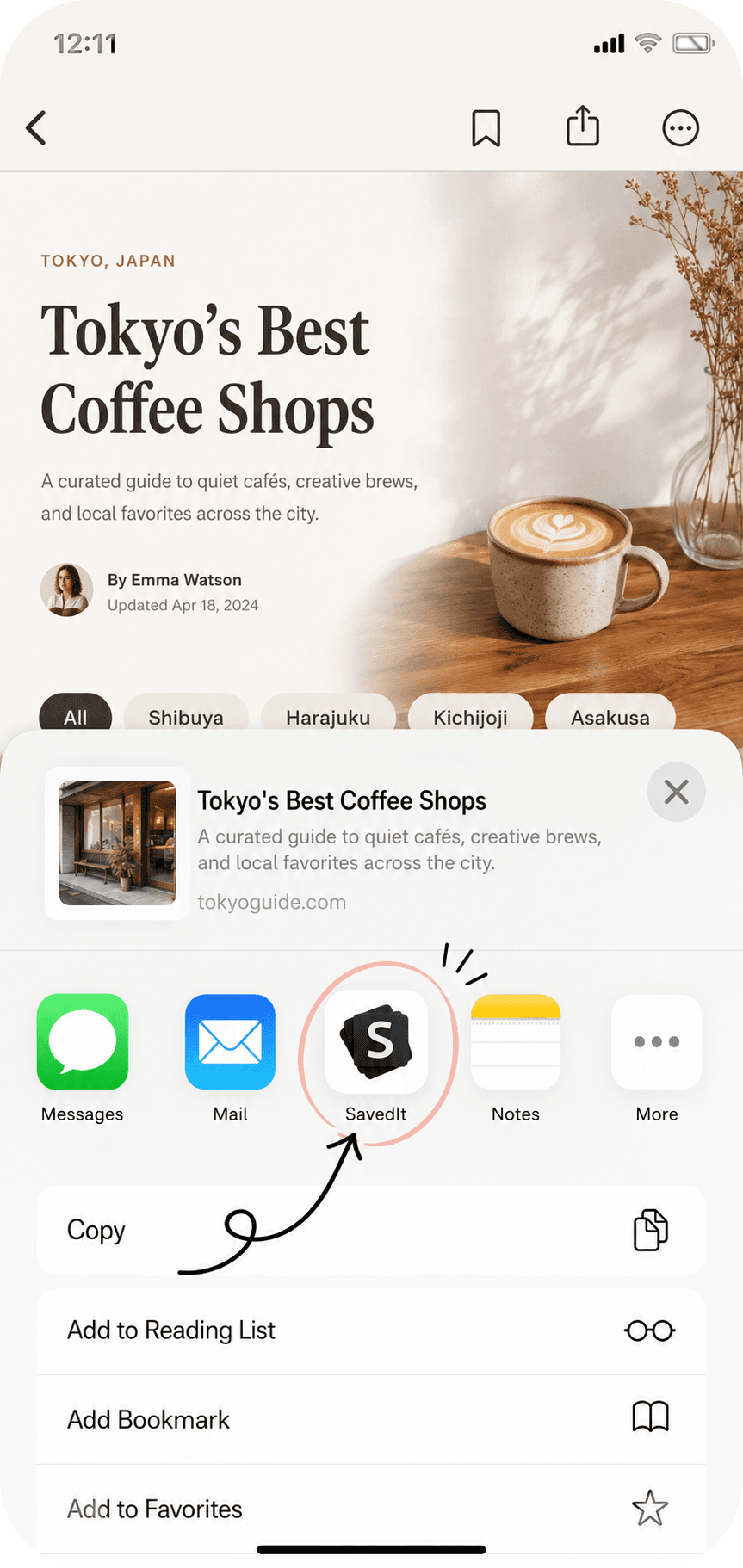
Share one useful link to SavedIt.
Check Instagram Saved
Native Saved is the first place to look for the original Reel.
Copy or share the link
Choose the individual Reel you want outside Instagram too.
Add it to SavedIt
Keep the original link with a note or collection you control.
Share the Reel link
Before you choose it
Good fit. Known limits.
Good fit
- You save Reels for plans, recipes, or ideas.
- You want to search across links you chose to keep.
Know the limits
- Native saves stay in the app where you made them.
- SavedIt keeps links you intentionally share; it does not bulk-import private saves.
- A removed or private source post may stop opening.
Common questions
Clear answers, before you start.
Can SavedIt import every Reel in Instagram Saved?
No. SavedIt does not automatically import private Instagram Saved.
Does SavedIt keep a copy of the Reel?
No. It keeps the original link and available saved details.
Continue with a focused guide
A calmer way to keep what matters
Keep the useful Reel, not another mystery save
Share the link and leave yourself a clear clue.