
SavedIt vs GoodLinks. Your saves, on any phone.
GoodLinks is built for reading links on Apple devices. SavedIt is built for everything you save, on any phone or laptop.
For reading on Apple devices
Pick GoodLinks if
you only use Apple devices, want to pay once with no account, and mostly save articles to read.
For everything you save, anywhere
Pick SavedIt if
you have an Android phone or use the web, and save videos and posts as well as articles.
What decides it: The devices you use, and what you save. GoodLinks is for iPhone, iPad and Mac, and for articles. SavedIt works on iPhone, Android and the web, and keeps videos and posts too.


Save it, then use it.
Share it.
Tap Share in any app, then SavedIt. Here, a Kyoto travel guide on YouTube.
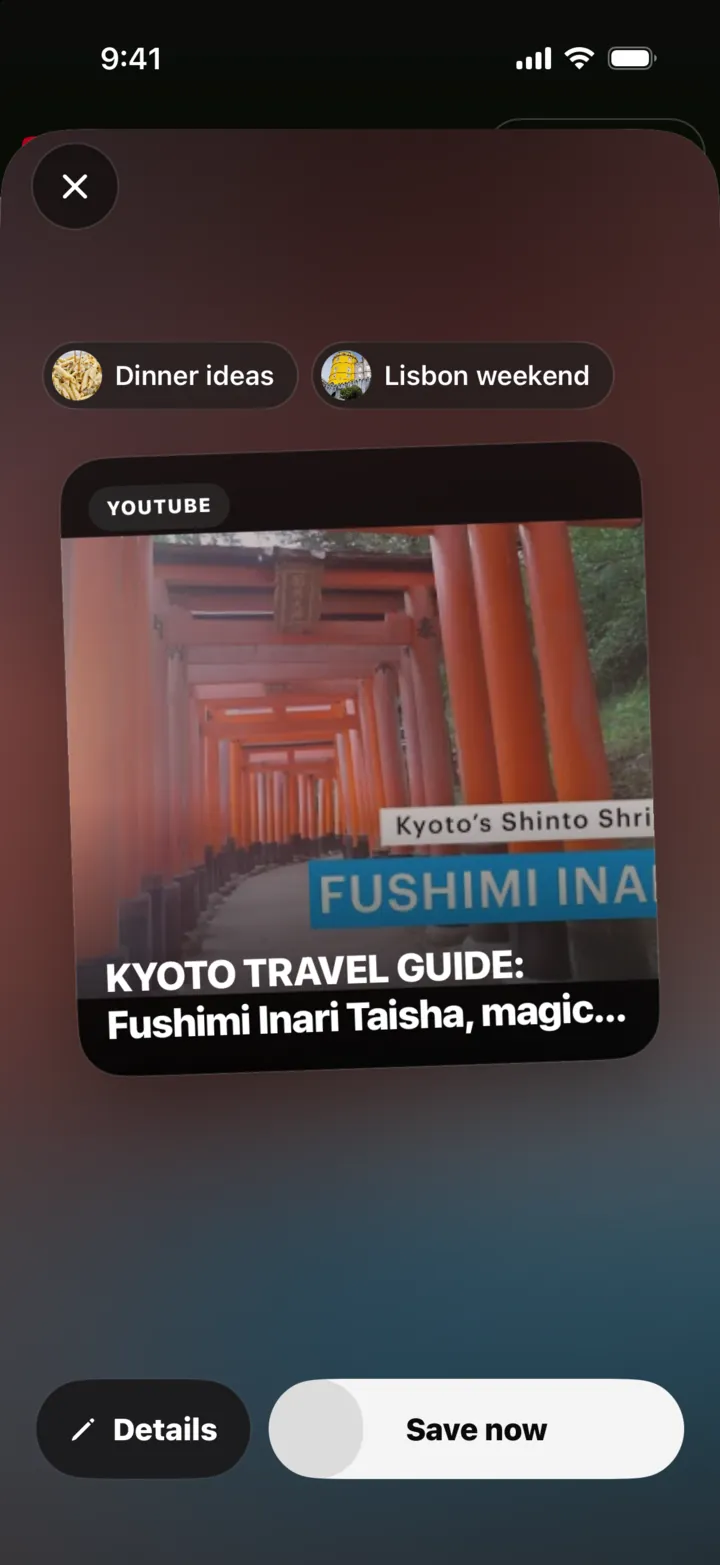
Saved, ready to file.
It saves itself after three seconds. Tap a collection first, like Weekend in Kyoto, to file it.
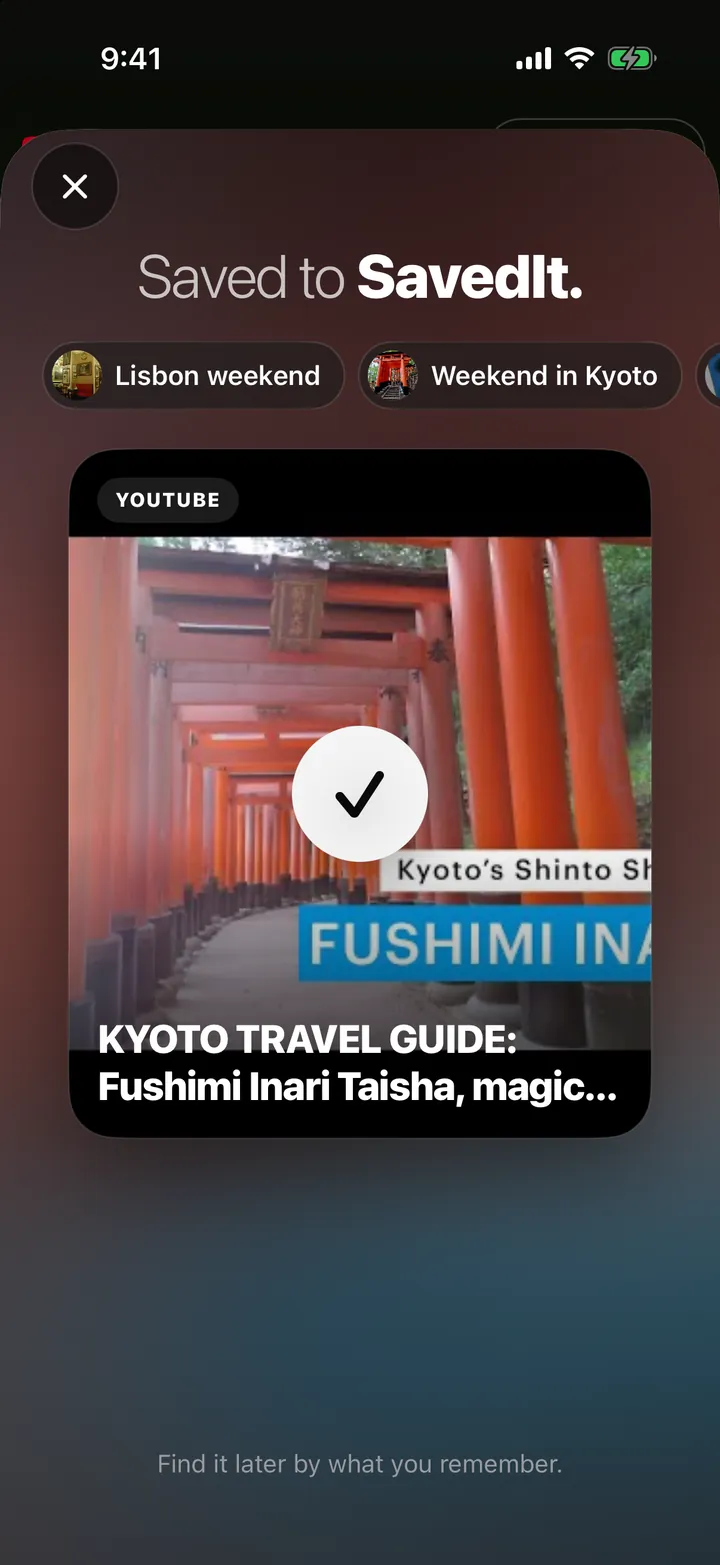
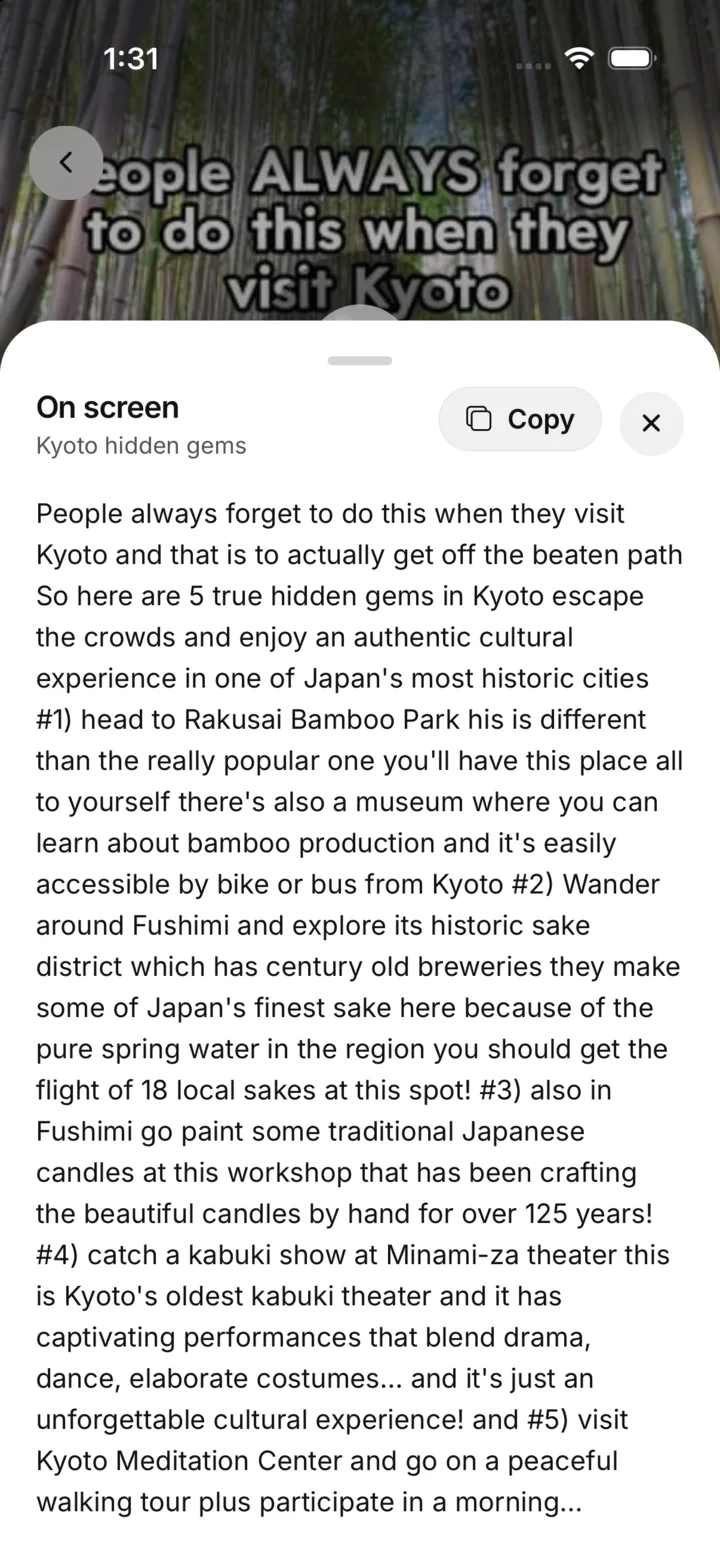
It reads videos.
When a video has no speech, the words shown on screen come out as text. Here, a Kyoto hidden gems video.
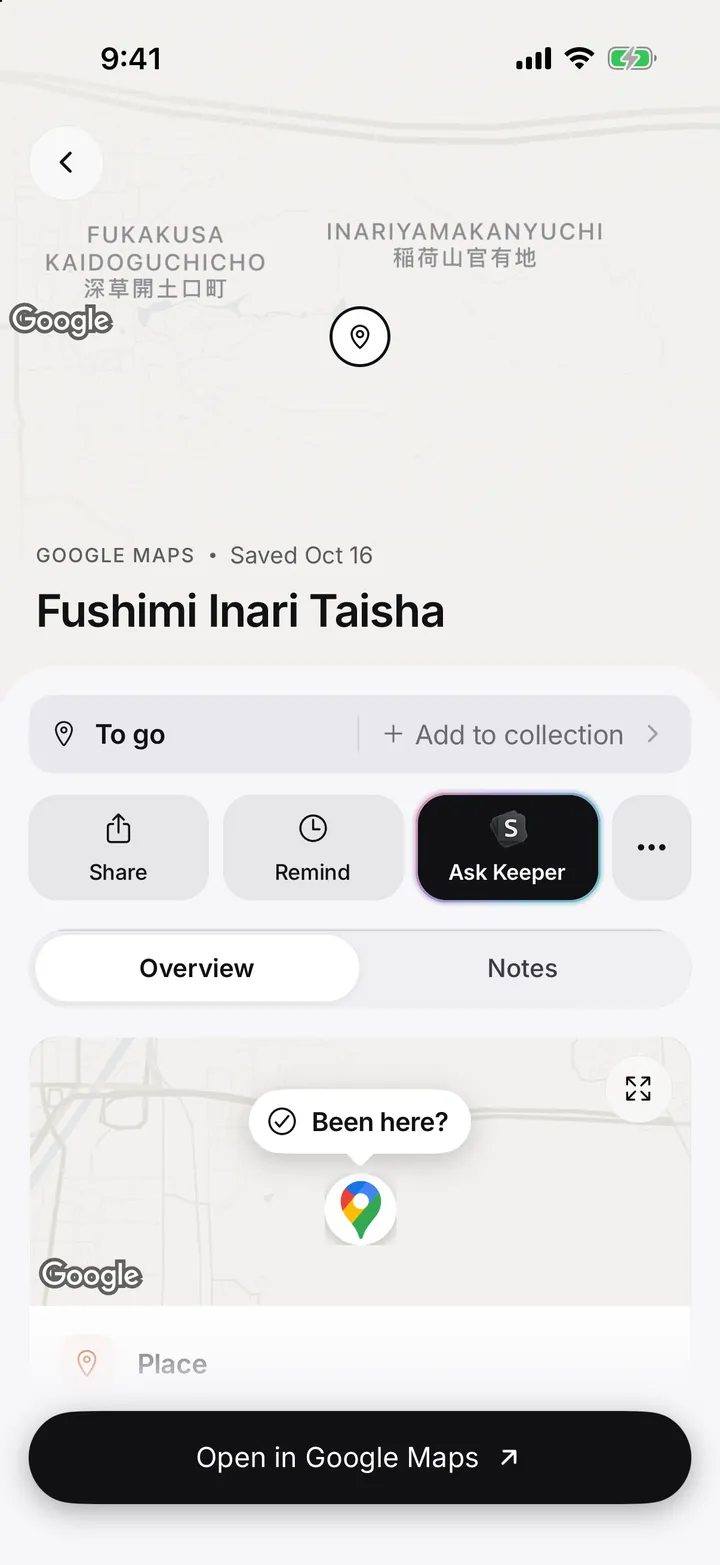
Places, ready to go.
A place gets its map and opens in Google Maps. Here, Fushimi Inari, saved from Google Maps.


GoodLinks and SavedIt, row by row.
What GoodLinks offers comes from its own pages, read on November 26, 2026.
| SavedIt | GoodLinks | |
|---|---|---|
| Price | Free, no cap on savesPlus is US$7.99 a month or US$39.99 a year, with 14 days free. | US$9.99 onceOne purchase covers iPhone, iPad and Mac. New features after the first year are US$4.99 a year.App Store (opens in a new tab), GoodLinks help: Premium (opens in a new tab), Nov 26, 2026 |
| What you can save | Anything, from any appLinks, videos, posts, photos, PDFs and notes, from the Share button or Chrome and Firefox. | Web links and articlesFrom the share menu, or extensions for Safari, Chrome and Firefox.GoodLinks help: saving (opens in a new tab), Nov 26, 2026 |
| Reading | A clean Reader, freeHighlights, notes and PDFs, with no monthly limit on notes. | Built for readingA clean article view with highlights, notes and themes. It can download images for reading offline.goodlinks.app (opens in a new tab), GoodLinks release notes (opens in a new tab), Nov 26, 2026 |
| Finding it again | By what you rememberMagic search finds a save from a few words you remember. Free and unlimited. | Words in the textSearch titles, authors and the full text of articles.goodlinks.app (opens in a new tab), Nov 26, 2026 |
| Organising | Sorted for youEach save gets the reason you kept it and its tags. Collections are yours to make. | Tags and starsOnes you add yourself. With Premium, an AI action you write can add tags.goodlinks.app (opens in a new tab), GoodLinks help: AI actions (opens in a new tab), Nov 26, 2026 |
| AI | Reads what you savePulls out the key points, recipe or place. Keeper answers from your saves (5 asks a month free). | Article summariesWith Apple Intelligence on newer devices, or another AI using your own key.GoodLinks release notes (opens in a new tab), App Store (opens in a new tab), Nov 26, 2026 |
| Sharing | Shared collectionsInvite people to view or add to a collection, free. A public page too. | Share a link outSend an article to other apps. We found no shared lists.goodlinks.app (opens in a new tab), Nov 26, 2026 |
| Where it works | Phone and laptopiPhone, Android and the web, with Chrome and Firefox extensions. | iPhone, iPad and MacExtensions for Safari, Chrome and Firefox. Its pages show no Android or web app.GoodLinks help: FAQ (opens in a new tab), App Store (opens in a new tab), Nov 26, 2026 |
| Bringing saves in | From other apps and filesBrowser bookmarks, Raindrop.io, Readwise, Pocket, Instapaper, Instagram and TikTok. | From many appsPocket, Instapaper, Raindrop, Readwise, Matter, Omnivore and browser bookmarks.GoodLinks help: FAQ (opens in a new tab), Nov 26, 2026 |
| Privacy | Private unless you shareNever sold. The AI services it uses never train on your saves. | No account neededIts App Store label says Data Not Collected. Sync runs on your own iCloud.App Store (opens in a new tab), GoodLinks privacy (opens in a new tab), Nov 26, 2026 |
Three differences, in the app.
On any phone or laptop.
GoodLinks is for iPhone, iPad and Mac. SavedIt is on iPhone, Android and the web, with Chrome and Firefox extensions, so one library follows you to any phone or laptop.

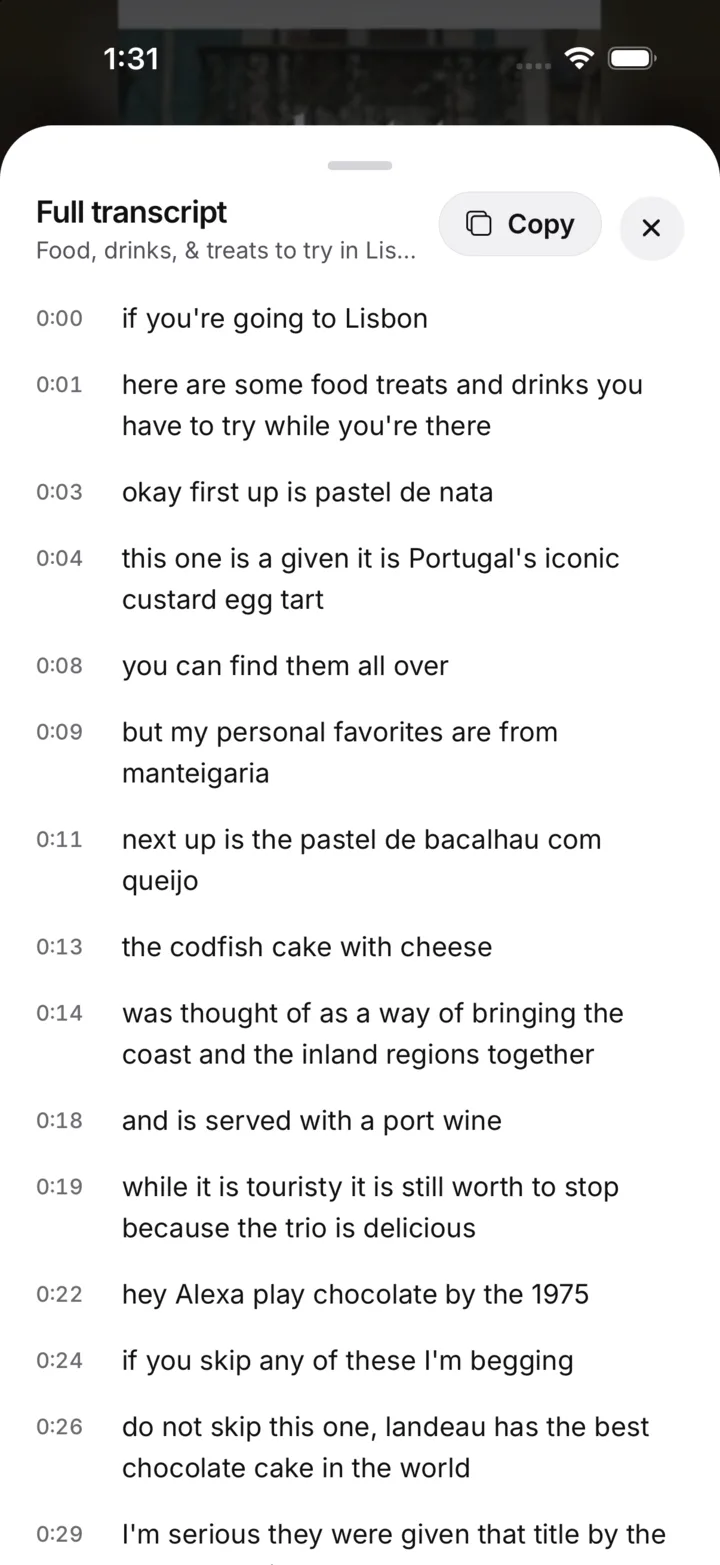
Read a video like an article.
GoodLinks pulls the text out of articles. SavedIt also reads the videos you save and gives you every word that was said, so you can skim it in seconds. Free covers 12 videos a month.
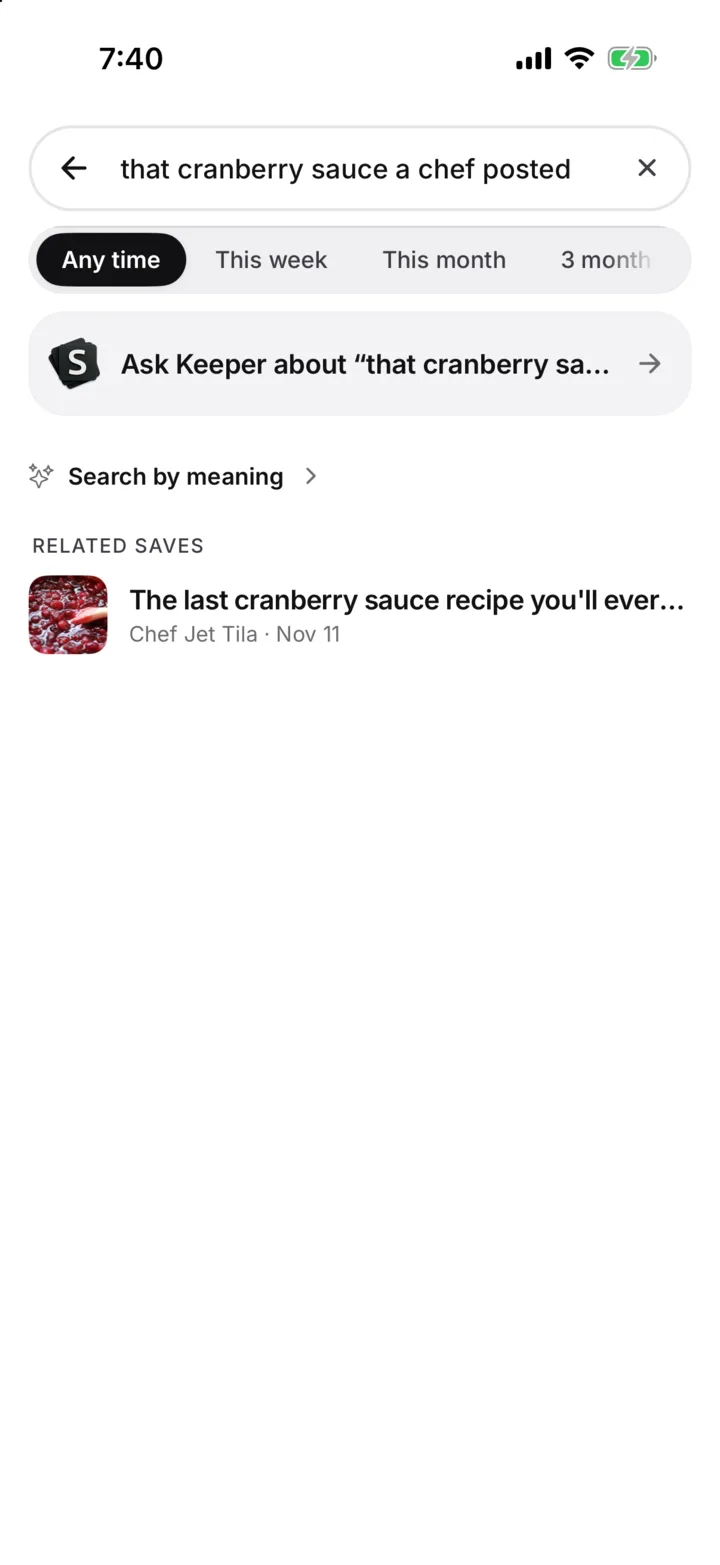
Find it by what you remember.
GoodLinks searches the words in your articles. In SavedIt you type what you remember, like “that cranberry sauce a chef posted”, and it finds the save even when the title says something else. Free and unlimited.
Questions, answered.
All comparisonsHow is SavedIt different from GoodLinks?
SavedIt works on iPhone, Android and the web. It saves videos, posts, photos and PDFs as well as articles, reads what you save and finds a save when you describe it. Saving is free.
What does GoodLinks do better?
GoodLinks is a polished reader for Apple devices, with a Mac app, Shortcuts and widgets. You pay once and need no account. Its Premium plan keeps a permanent copy of each article in your iCloud.
Can I bring my GoodLinks links to SavedIt?
Not in one step yet. GoodLinks’ help pages don’t describe an export of your whole list, so we can’t promise one. Share the links you still need from GoodLinks to SavedIt.
Does SavedIt work on Android?
Yes. SavedIt is on iPhone and Android, and on the web at saveditapp.com with Chrome and Firefox extensions.
Is SavedIt free?
Yes. Saving is free with no cap, and so are collections, sharing, reminders, the Reader and Magic search. Free also reads short videos (12 a month) and Keeper, its AI helper, answers questions (5 asks a month). Plus raises each of these and adds Keeper memory, more file storage, Magic sort, all your places on one map and X bookmarks that arrive on their own. Plus is US$7.99 a month or US$39.99 a year in the US, and CA$7.99 a month or CA$39.99 a year in Canada, with 14 days free.
Is my data private?
Yes. Your saves are private unless you share them. SavedIt doesn’t sell your data, and the AI providers it uses don’t train on your saves. You can export or delete everything from Settings.
Your first save takes about ten seconds.
 Scan to get the app.
Free to start. Or use SavedIt on the web at saveditapp.com.