Save
Save from your phone or computer
The quickest ways to save with SavedIt on iPhone, Android, Chrome, and Firefox.
Updated September 20, 2026
Save on iPhone or iPad
- Open the post, page, video, product, or place you want to keep.
- Tap Share.
- Choose SavedIt. If it is hidden, tap More, then add SavedIt to your favourites.
- Add a note, tags, or a collection if you want, then tap save.
Save on Android
- Open the thing you want to keep and tap Share.
- Choose SavedIt from the share menu.
- Add any extra details you want, then save.
Or paste a link in SavedIt
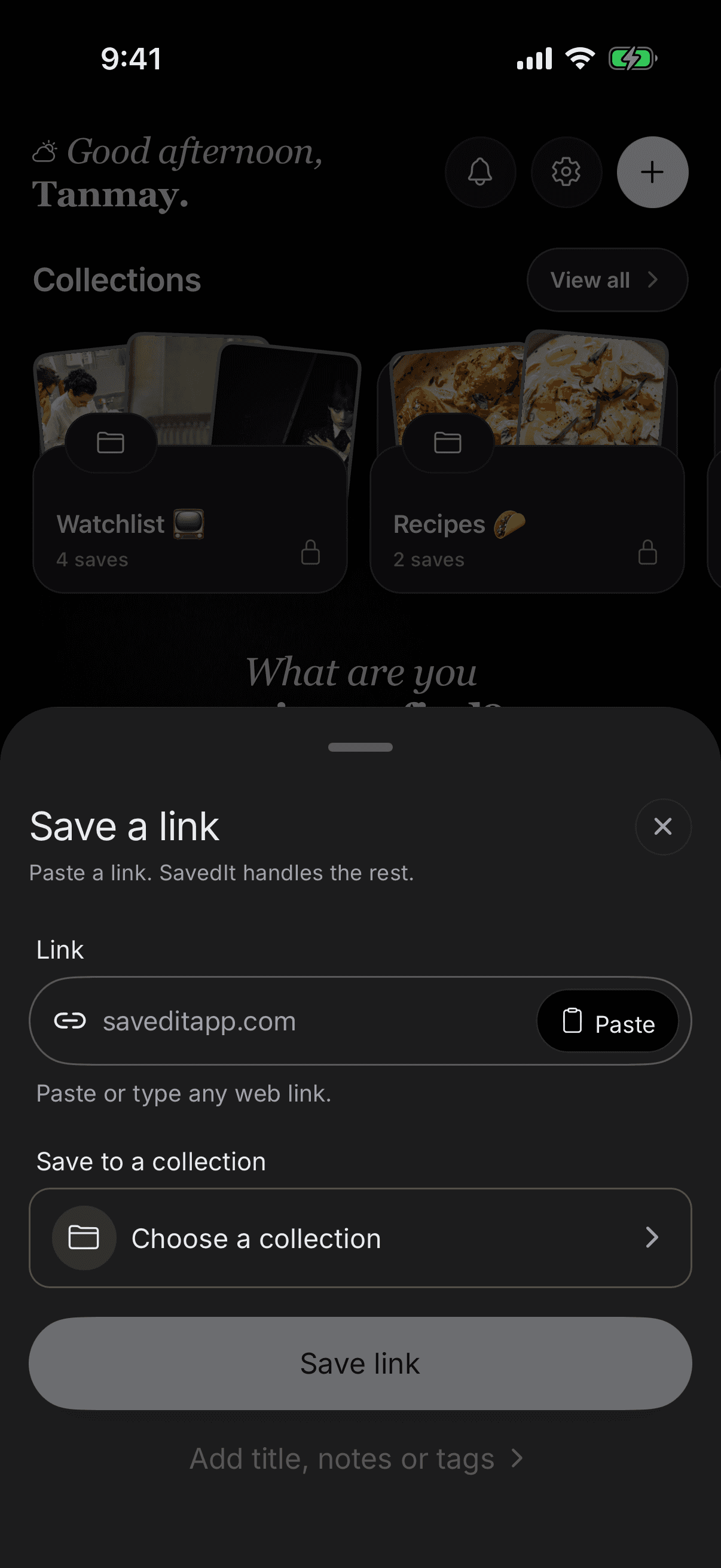
Open SavedIt, tap the plus button, and paste the link. You can choose a collection before saving it.
Save a page in Chrome or Firefox
Install the SavedIt extension from the Chrome Web Store or Firefox Add-ons and sign in. Open the page you want to keep, select SavedIt, then choose Save. Add a note, tags, or a collection before you finish.
What happens next
SavedIt keeps the link first, then may add its title, image, source, and other details in the background. A new save can look simple for a short time.
Open the save later to change its title, note, tags, or collection.