TikTok recipes
How to save TikTok recipes so you actually cook them
Short answer
Tap the bookmark on the video, then file it in a Recipes collection under Favorites. TikTok won't write the recipe down, so share the video to SavedIt and it writes the ingredients and numbered steps from the caption onto the save.
Updated October 27, 2026 2 min read
Save a recipe in TikTok
Favorite the video
Tap Bookmark icon.
Tap the bookmark on the right side of the video. It goes straight to Favorites.
Make a Recipes collection
Tap Profile, then Favorites, then Collections, then Create collection.
Name it Recipes, then add the video to it. One collection for dinners and one for baking keeps the pile short enough to scroll.
Check the caption before you cook
Most creators put the recipe in the caption. Tap the caption to open all of it before you trust the video alone.
Write the ingredients down now
If the recipe is only spoken, play it again with the sound on and type the amounts into Notes. The video won't hand you a list later.
Why TikTok recipes get lost
- No ingredient list
- TikTok has no recipe format. The amounts are in the caption, or said out loud, or both, or neither.
- The comments say "recipe?"
- When a caption has no recipe, the comments fill with people asking for it. You end up hunting through replies at the stove.
- No search in Favorites
- You can't type "gochujang noodles" and find the video. You scroll a grid of thumbnails and play the ones that look right.
- Collections are manual
- TikTok never sorts a video into Recipes for you. Whatever you didn't file is in Videos with everything else you saved.
Save the recipe, not just the video
Share a TikTok recipe to SavedIt and it keeps the link and writes the recipe down, so you can cook from the save instead of rewatching the video.
Share the TikTok
Tap Share, then SavedIt.
You stay in TikTok while it saves. Pick a collection like Weeknight first if you want one.
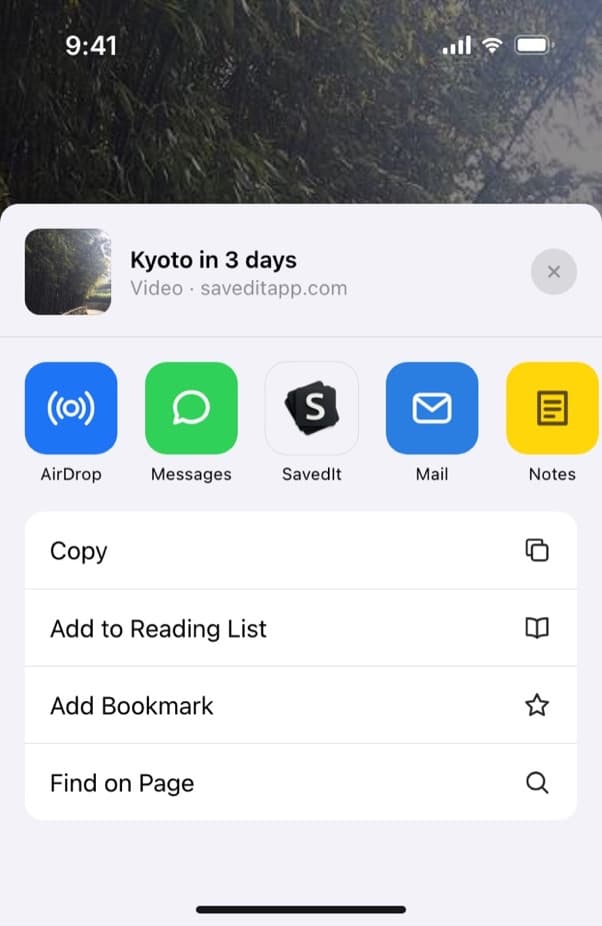
Share the recipe video to SavedIt. Read the recipe on the save
SavedIt reads the caption and pulls out the ingredients in two columns and the numbered steps, plus serves and time when the post says them.
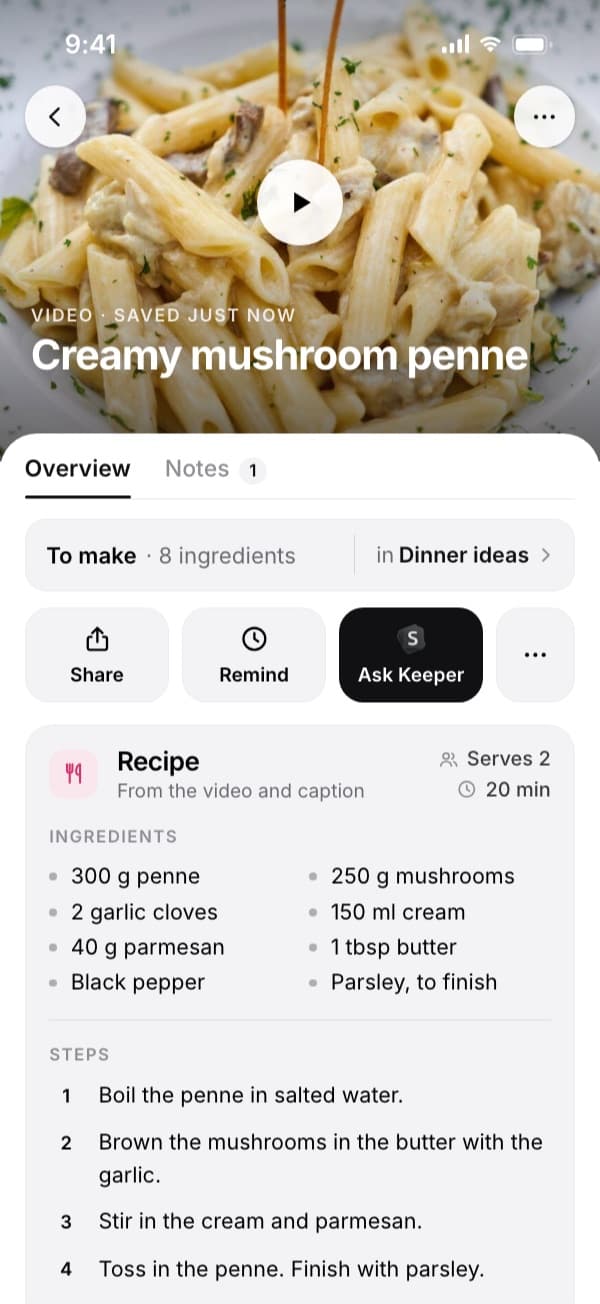
The ingredients and the steps, written out on the save. Find it by the dish
Type "the gochujang noodles" or one ingredient and the save comes up, with the recipe on it.
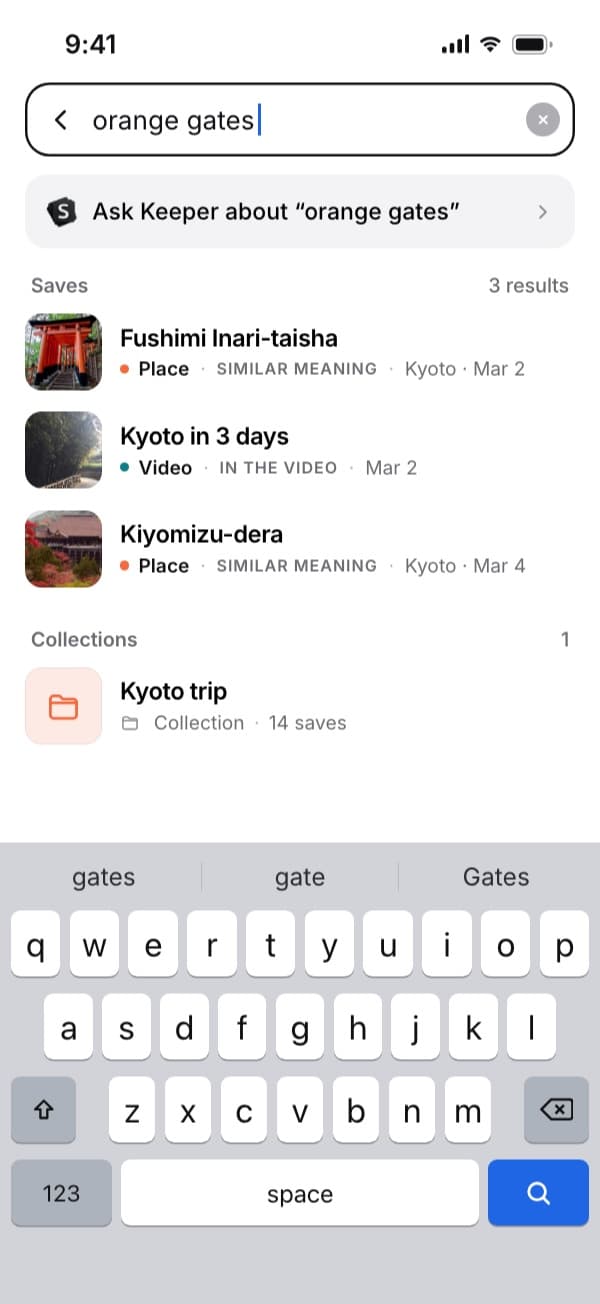
Search works on what you remember, here "orange gates" finding a Kyoto video. Ask Keeper what you need
Ask Keeper "what do I need for the penne?" It answers from the recipe you saved and shows which save it used.
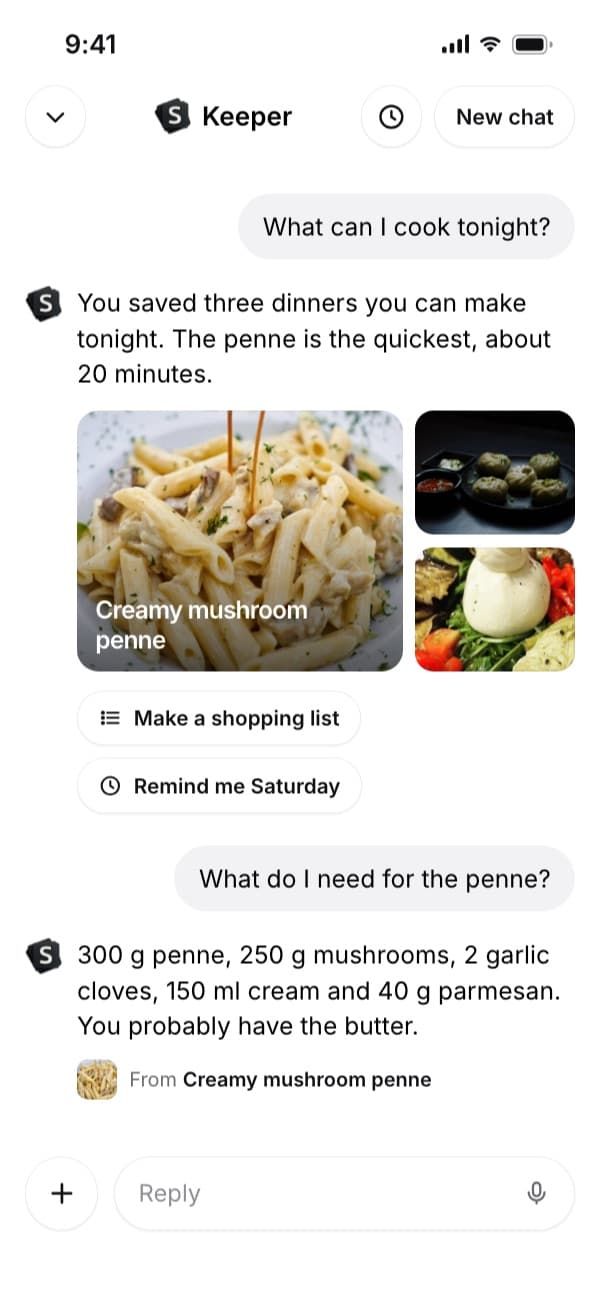
Keeper answers from your saved recipe.
Questions people ask
How do I save a recipe from TikTok?
Tap the bookmark on the video to put it in Favorites, then add it to a Recipes collection. To get the ingredients written out, share the video to SavedIt.
Where is the recipe in a TikTok?
Usually in the caption, sometimes only in the voiceover. TikTok has no ingredient list, so open the full caption first.
Do Instagram and YouTube recipes work the same way?
Yes. Share the post or video to SavedIt from any of those apps and it writes the recipe on the save.
Is SavedIt free?
Saving and keyword search are free. Search by meaning has a monthly allowance on the free plan, and Plus makes it unlimited.
More guides
Free on iPhone and Android
Stop rewatching a video to find the amounts
Share it to SavedIt and the recipe is on the save.