Recipes
Where are my saved recipes? Find them, then keep them in one place
Short answer
They're in the app you saved them from: Saved on Instagram, Favorites on TikTok, your boards on Pinterest, Recipe Box in NYT Cooking, MyRecipes.com for Allrecipes, and Bookmarks in Safari or Chrome. Check them in that order, then share the keepers to one place.
Updated October 27, 2026 3 min read
Where each app keeps your saved recipes
Instagram
Tap Profile, then Menu, then Saved.
Look in All posts first. A recipe you filed in a collection still shows there too.
TikTok
Tap Profile, then Favorites.
Every video you tapped the bookmark on is under Favorites, with any collections you made.
Pinterest
Tap Profile, then Saved, then Board.
Your profile shows your saved Pins and boards. Open the board you filed the recipe in.
NYT Cooking
Tap Recipe Box.
In the app, Recipe Box is in the bottom bar. On the web it's Your Recipe Box in the top right. Saved Recipes, your folders and the Grocery List are all inside, with a search box.
Allrecipes
Tap MyRecipes.com, then Log in.
Allrecipes saves now live on MyRecipes, the shared recipe box for Allrecipes, Simply Recipes, EatingWell, Food & Wine and Southern Living. Sign in with your Allrecipes account and they're there.
Safari or Chrome bookmarks
Tap Safari: Show Bookmarks, then Chrome: More, Bookmarks.
In Safari on iPhone, open a start page and tap Show Bookmarks; recent bookmarks run across the top, newest on the left. In Chrome, tap the three dots, then Bookmarks.
Why your recipes are hard to find
- Recipe Box only takes NYT recipes
- NYT Cooking says recipes hosted outside NYT Cooking can't be saved to your Recipe Box. Full access needs a Cooking or All Access subscription.Source: NYT Help Center
- Allrecipes moved your saves
- Allrecipes moved saved recipes and collections to MyRecipes, which also saves recipes from its sister sites. Sign in at MyRecipes.com with your Allrecipes account to see them.Source: Allrecipes/MyRecipes FAQ
- No search on Instagram or TikTok
- Instagram Saved and TikTok Favorites have no search box. You scroll thumbnails until you spot the one you want.
- Six places, zero overlap
- Each list only holds what you saved in that app, so the lemon pasta is in one of six places and nothing looks across them.
Keep every recipe in one list you can search
Share a recipe from any of those apps or sites to SavedIt. It keeps the link and writes the ingredients and numbered steps on the save when the post or page has them.
Share from wherever you found it
Tap Share, then SavedIt.
A Reel, a TikTok, a recipe site in Safari: same two taps. For a Pin, open the recipe site it points to and share that page.
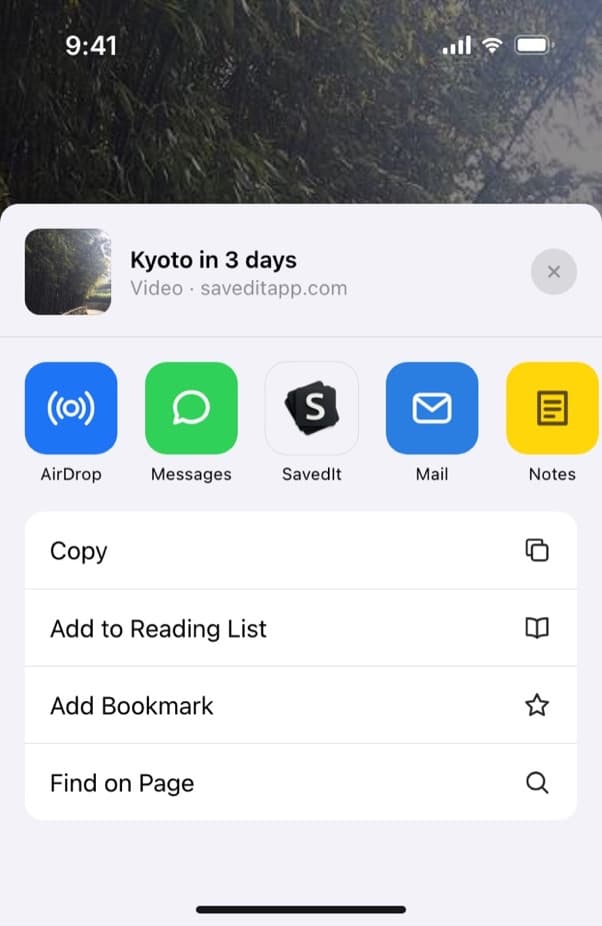
Share the recipe from the app or browser you found it in. Get the recipe written out
SavedIt reads the caption or the recipe page and pulls out the ingredients in two columns and the numbered steps, plus serves and time when the post says them. A paywalled page, like an NYT recipe without a subscription, may only give it the title.
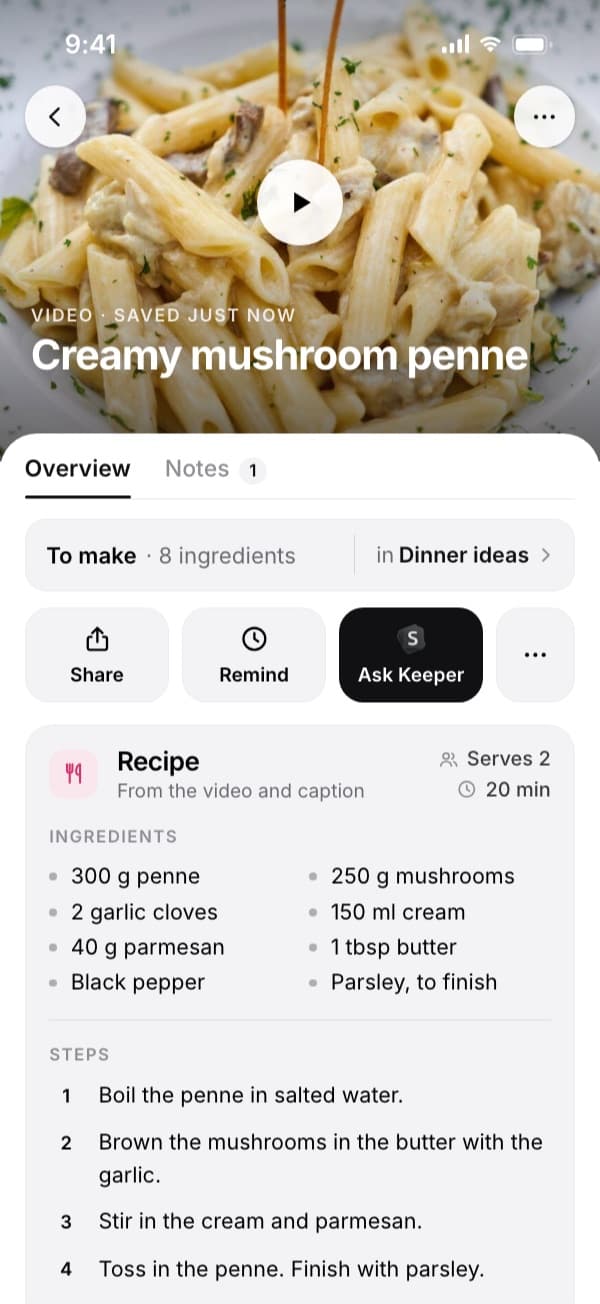
A saved video becomes a recipe you can cook from. Find it by the dish
Type "penne" or "mushroom" and it comes up, whether it came from TikTok or a food blog. When the exact words don't match, one tap searches by meaning and finds "that creamy pasta".
Sort them your way
Make collections like Weeknight, Baking or Make again. One recipe can sit in several.
Questions people ask
How do I see my saved recipes on NYT Cooking?
Tap Recipe Box in the bottom bar of the NYT Cooking app, or select Your Recipe Box in the top right on the web. It has a search box and your folders.
Where did my Allrecipes saved recipes go?
To MyRecipes.com. Sign in with the account you used on Allrecipes and your saved recipes are there.
How do I save my recipes in one place?
Share each one to a single app as you find it. SavedIt takes recipes from Instagram, TikTok, YouTube and recipe sites and writes the ingredients and steps on the save when the post or page has them.
Can I save NYT Cooking recipes to SavedIt?
You can save the link, and it sits with your other recipes. Keep using Recipe Box for NYT recipes, since the full recipe is behind the subscription.
More guides
Free on iPhone and Android
Stop checking six apps for one recipe
Share the next one to SavedIt and find it by the dish.