
SavedIt / Guides / Watch price
How to watch the price of something you saved
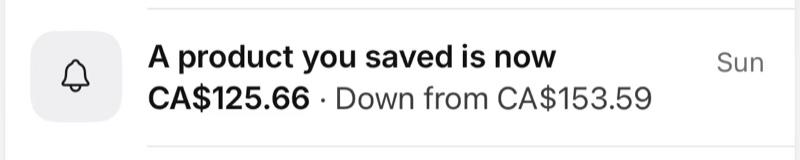
Chrome tracks a product you bookmark, and Google and Amazon have their own price tools, in the countries they list. For a product you saved anywhere, SavedIt (our app) watches the page if it can read the price, checks about once a day and tells you when it moves 1% or more. Free watches 1 product.
Checked in Google Shopping Help, Google Chrome Help, Amazon's news pages, Google's blog, 9to5Google, the Chrome Web Store and Honey's Help Center on November 27, 2026. SavedIt's own part comes from how Watch price works in the app.
How do you watch a price with the tools you already have?
Google, Chrome and Amazon each watch prices, in the countries they list. Here's where each one is and what it needs. Using SavedIt? Its Watch price steps are at the end.
On Google: tap Track price
Tap Google, then Product, then Track price.
On a product in Google Search or the Google app, tap Track price. Pick the size or colour, and a target price if you want one. You get a phone notification and an email when it drops. It works in the US, Canada, Australia, Japan and India.Source 1
In Chrome: bookmark the page
Tap Bookmark, then Shopping list.
On a computer, bookmark the product page. Chrome puts it in your Shopping list folder, with Track price on if Chrome can track it. You need to live in one of the same five countries, be signed in to Chrome, sync your tabs and history, and turn on Make searches and browsing better.Source 2
On Amazon: open the price history
On a product page, click the price history link next to the price to see 30, 90 or 365 days. It's in the US, UK, Canada, India, Japan, Germany, France, Italy and Spain.Source 3
What do price trackers do, and what don't they?
- A price history tells you if a deal is real
- Amazon says its price history helps you see whether a deal is lower than a product's recent price. Google's help says prices are dynamic and subject to change.Source 3,Source 1
- Google may alert you without asking
- Based on your Google activity, you may get price drop notifications for products you only showed interest in.Source 1
- Chrome compares sellers
- Chrome's price notifications include more than one seller, and Shopping Insights shows a product's price history and range.Source 2
- Google's Universal Cart is new, in the US
- Announced in May 2026, it began rolling out in the US on October 15, 2026, in Search and the Gemini app. It watches what's in your cart for price drops and restocks.Source 5,Source 6
- Keepa and camelcamelcamel watch Amazon only
- Keepa covers 10 Amazon stores, Amazon.ca among them, with price charts and alerts below your target price. camelcamelcamel's Camelizer covers Amazon in the US, Canada, Europe and Australia, and emails you when a price drops.Source 7,Source 8
- Honey's Droplist leaves out shipping and tax
- Droplist emails you when a price drops by the percentage you pick, on many shops but not every one. Shipping, tax and other costs aren't counted in the drop.Source 9
Our read
Look at the price history before you buy. Amazon shows up to a year of it and Chrome shows a range, so you can tell a real drop from a sale sticker.Source 3,Source 2
Our read
For alerts, use the tool that sits where you shop: Amazon's for Amazon, Google's or Chrome's where they work. For a product you saved from somewhere else, watch the page itself.
Things that help
Our advice, from the facts above.
In Canada, the US, Australia, Japan or India? Tap Track price on Google, or bookmark the page in Chrome.Source 1,Source 2
Buying on Amazon? Open the price history link and look at 90 or 365 days.Source 3
Add shipping and tax yourself before you call a drop a deal.Source 9
Getting Google price alerts you didn't ask for? Google sends some based on your Google activity.Source 1
Questions people ask
- How do I watch the price of something I saved?
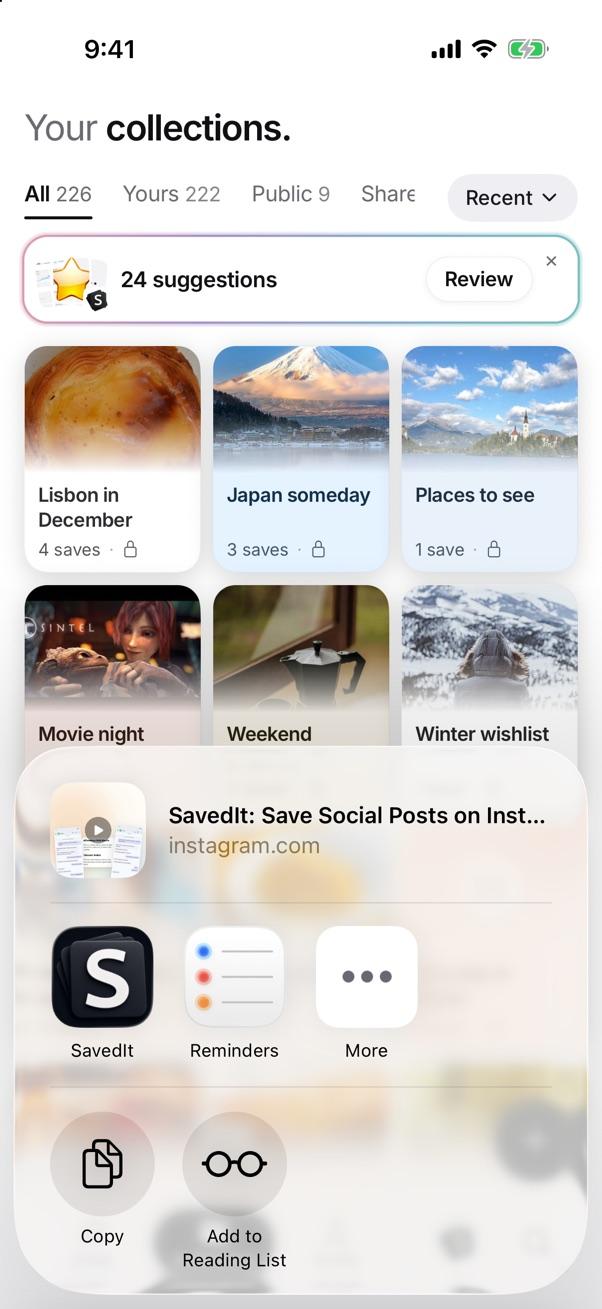
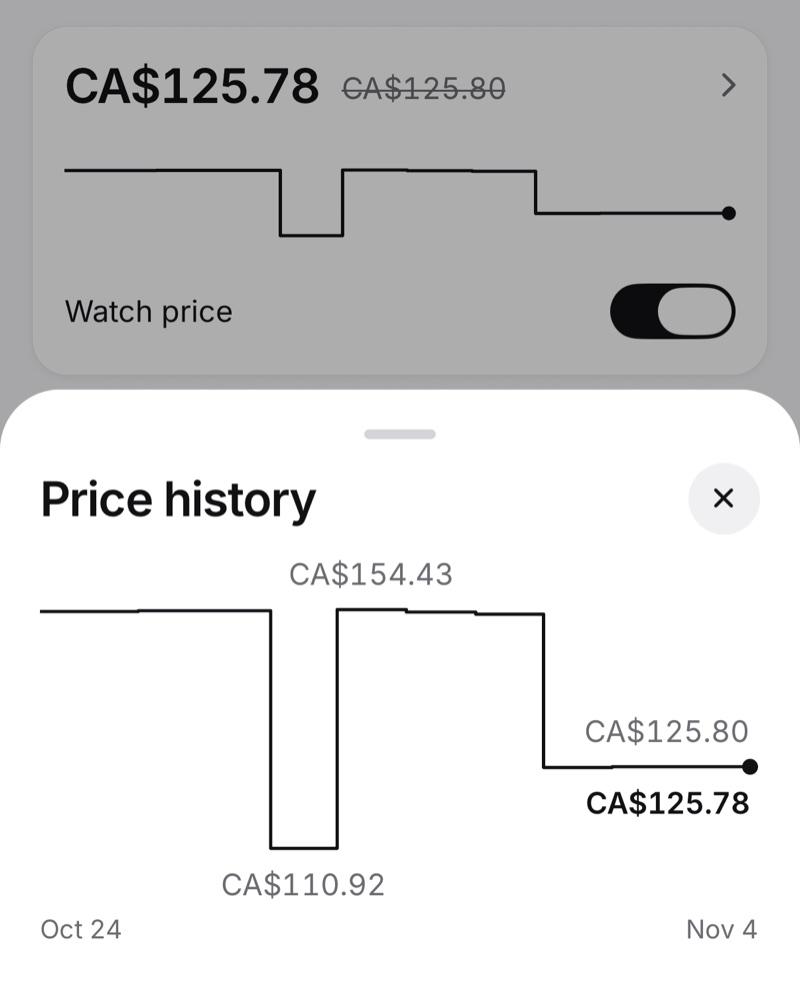
- In SavedIt (our app), open the save and turn on Watch price on its price card. It reads the price about once a day and sends a notification when it moves by 1% or more. In Chrome on a computer, a bookmarked product page goes to your Shopping list with Track price on.Source 2
- Is Watch price free?
- Yes for 1 product. In SavedIt (our app), Free can watch 1 product at a time, and Plus can watch 25.
- Why doesn't my save have a price card?
- The card appears when SavedIt (our app) has read a price from the page. A link to an article, a post or a page that doesn't show a price has none. If you're on an older version of SavedIt, update it.
- Will SavedIt tell me when something goes on sale?
- It tells you when the price of a product you watch moves, up or down. It doesn't know about sales, and it can't say whether a shop will lower a price.
- Does SavedIt find the lowest price?
- No. It shows only the prices it has read for the product you saved, not prices at other shops.
- When should I turn on Watch price?
- When you save a product you want to buy. In SavedIt (our app), price history starts the day you turn it on, so when a sale comes you have earlier prices to compare with. Free watches 1 product at a time.
Sources
Numbered as the guide cites them.
- 1
Google Shopping Help. “About price tracking on Google.” Read November 27, 2026. support.google.com (opens in a new tab)
- 2
Google Chrome Help. “Shopping insights and price tracking in Chrome.” Read November 27, 2026. support.google.com (opens in a new tab)
- 3
Amazon. “What is Amazon's price history feature and how does it work?” Updated November 16, 2026. aboutamazon.com (opens in a new tab)
- 4
Amazon. “Amazon Rufus: Amazon's AI shopping assistant gets smarter and more personal.” November 18, 2025. aboutamazon.com (opens in a new tab)
- 5
Google. “Introducing the Universal Cart and more ways to help you shop.” May 19, 2026. blog.google (opens in a new tab)
- 6
9to5Google. “Google rolling out Universal Cart that lets you shop the web and find deals with Gemini, Search.” October 15, 2026. 9to5google.com (opens in a new tab)
- 7
Chrome Web Store. “Keepa: Amazon Price Tracker.” Updated November 16, 2026. chromewebstore.google.com (opens in a new tab)
- 8
Chrome Web Store. “The Camelizer.” Updated June 7, 2024. chromewebstore.google.com (opens in a new tab)
- 9
Honey Help Center. “What is Droplist?” Updated July 17, 2023. help.joinhoney.com (opens in a new tab)