How to save Instagram posts, and find them again
Short answer
Tap the bookmark icon under the post. Press and hold it to save straight into a collection, and on a Reel tap the three dots, then Save.
Updated October 27, 2026 2 min read
Save it in Instagram
Save a post
Tap Bookmark icon.
The bookmark sits under the photo, on the right. It fills in once the post is saved. On instagram.com it's in the same spot.
Save it into a collection
Tap Hold the bookmark, then Choose a collection.
Press and hold the bookmark instead of tapping it. Pick a collection like Recipes or Gift ideas, or make a new one right there.
Save a Reel
Tap More, then Save.
On a Reel, tap the three dots, then Save. If your app shows a bookmark on the Reel, tapping it does the same. It lands in Saved with your posts.
File posts you already saved
Tap Saved, then +, then Name it, then Pick posts.
In Saved, tap + in the top right, name the collection and tick the saved posts that belong in it.
Unsave
Tap the filled bookmark again. The icon empties and the post leaves Saved.
What a save on Instagram is
- Private by default
- Only you see what you saved, and the person who posted it can't tell you saved it.Source: Instagram Help
- A bookmark, not a copy
- Saving keeps a pointer to the post inside Instagram. If the creator deletes or archives it, it's gone from your Saved list too.
- Collections can be shared
- Everyone in a collaborative collection can add and remove posts.Source: Instagram Help
- Saved has no search
- There's no box to type a word into. You scroll the grid until you spot the post.
Instagram Saved vs SavedIt
| SavedIt | ||
|---|---|---|
| Built into Instagram | Included | Not included |
| Private saves | Included | Included |
| Collections | Included | Included |
| Shared collections | Included | Included |
| Save from other apps | Not included | Included |
| Reads short videos | Not included | 10 a month |
Save it where you can search it
SavedIt keeps the link to the post and what it reads from the caption, not a copy of the photo or video. That's enough to find it again by what you remember.
Share it to SavedIt
Tap Paper plane, then Share, then SavedIt.
On a post or Reel, tap the paper plane, then Share, then SavedIt. You stay in Instagram.
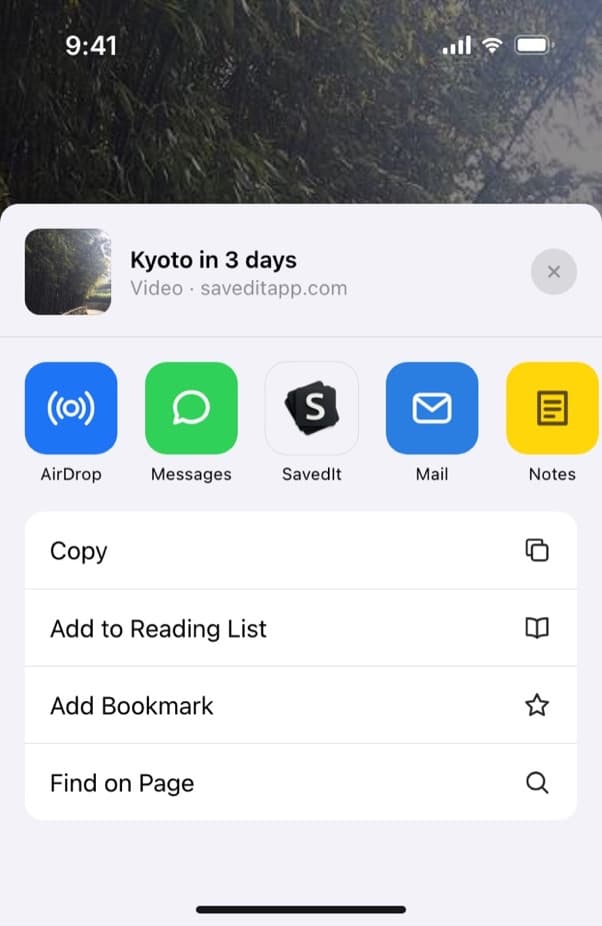
SavedIt sits in the row of apps on the share sheet. Write down why
Add a note before it saves: "Mom's birthday", "try with tofu", "hotel for June". On iPhone you can pick a collection on the same screen.
Find it by what you remember
Type "rooftop bar Lisbon" or "that linen shirt". No match on the words? One tap searches by meaning.
Questions people ask
Where do saved Instagram posts go?
To Saved: open your profile, tap the menu in the top right, then Saved. Everything is under All posts, and filed posts also show in their collection.
Does saving an Instagram post put it in my camera roll?
No. A save stays inside your Instagram account. SavedIt works the same way: it keeps the link and what the post says, not a copy.
Does someone know if I save their post?
No. Instagram doesn't tell them, and only you can see your saved posts.
How do I make a new collection on Instagram?
Press and hold the bookmark on any post and create one as you save. Or open Saved, tap + in the top right, name it and pick posts you already saved.
More guides
Free on iPhone and Android
The next post you save, find it in seconds
Share it to SavedIt with a note on why you kept it.