Wishlists
Wishlist app: keep one list from every shop and post
Short answer
Use the shop's own list if you only buy from one shop: Your Lists on Amazon, Favorites on Etsy. For one wishlist across every shop and post, share each product link to a SavedIt collection and invite family to it.
Updated October 27, 2026 2 min read
The wishlists shops already give you
Amazon: make a list
Tap Account & Lists, then Your Lists, then Create a List.
Name it Birthday or Kitchen. You can make as many lists as you want.
Amazon: add to it
Tap Product page, then Add to List.
Add to List sits on every product page. Skip picking a list and the item goes to your default one.
Amazon: share it
Tap Your Lists, then Invite or Share, then View only / View and edit.
View only lets anyone with the link see the list. View and edit lets the people you invite add and remove items.
Etsy: favorite it
Tap Heart, then Add to Collection.
Tap the heart on the listing photo. In the banner that pops up, tap Add to Collection to file it in a list like Gifts for Dad.
Where shop wishlists stop
- One shop each
- Your Amazon list lives on Amazon and your Etsy favorites live on Etsy. The lamp from a small shop's site and the jacket from an Instagram post have no list to go in.
- Sharing changes the list
- Share a list that was set to Private and Amazon switches it to Shared. View and edit lets the people you invite add and remove items.Source: Amazon Customer Service
- Some items won't add
- Amazon won't put out-of-stock products, out-of-print books, items without a release date or pharmacy items on a list.Source: Amazon Customer Service
- Favorites can vanish
- An Etsy favorite disappears when the seller removes the listing or closes the shop. Sold-out items stay.Source: Etsy Help
One wishlist from every shop, shared with family
SavedIt keeps the product link, with the page's title and picture when the shop provides them, whatever shop or post it came from, in a collection you can share.
Share the product to SavedIt
Tap Share, then SavedIt.
From a shop's app, a product page in Safari or Chrome, or an Instagram post. Add a note like "size M, the green one" before it saves.
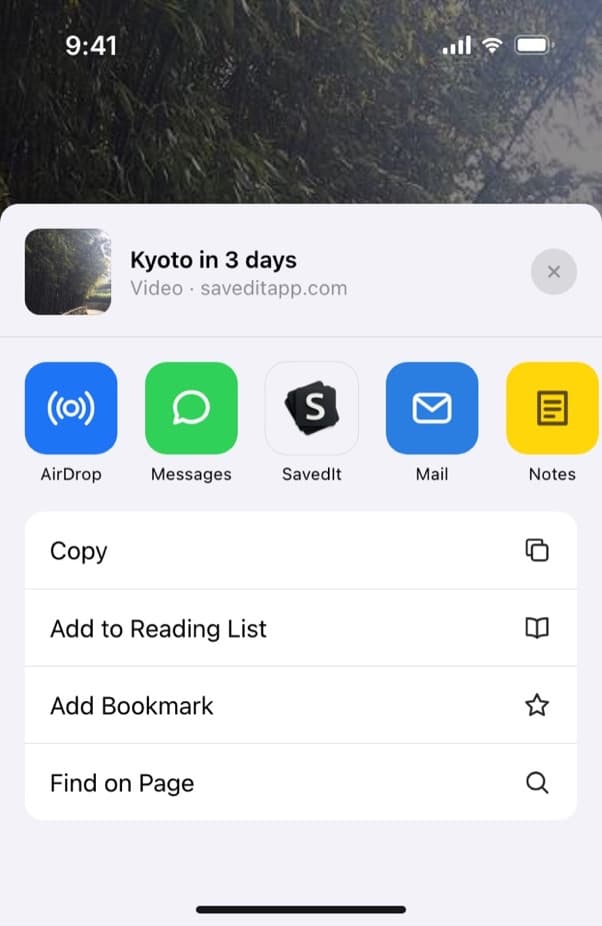
Share a product page from any shop to SavedIt. Put it in a wishlist collection
Make a collection for each list: My birthday, Kids' Christmas, Apartment. One save can sit in several, so the lamp can be on Apartment and My birthday at once.
Invite family
Tap Collection, then People, then Invite people.
Open the collection, tap People, then Invite people, and add them by email or @username. Pick Can view so they can browse it, or Can edit so they can add their own finds. Or send a link that anyone can open to view it.
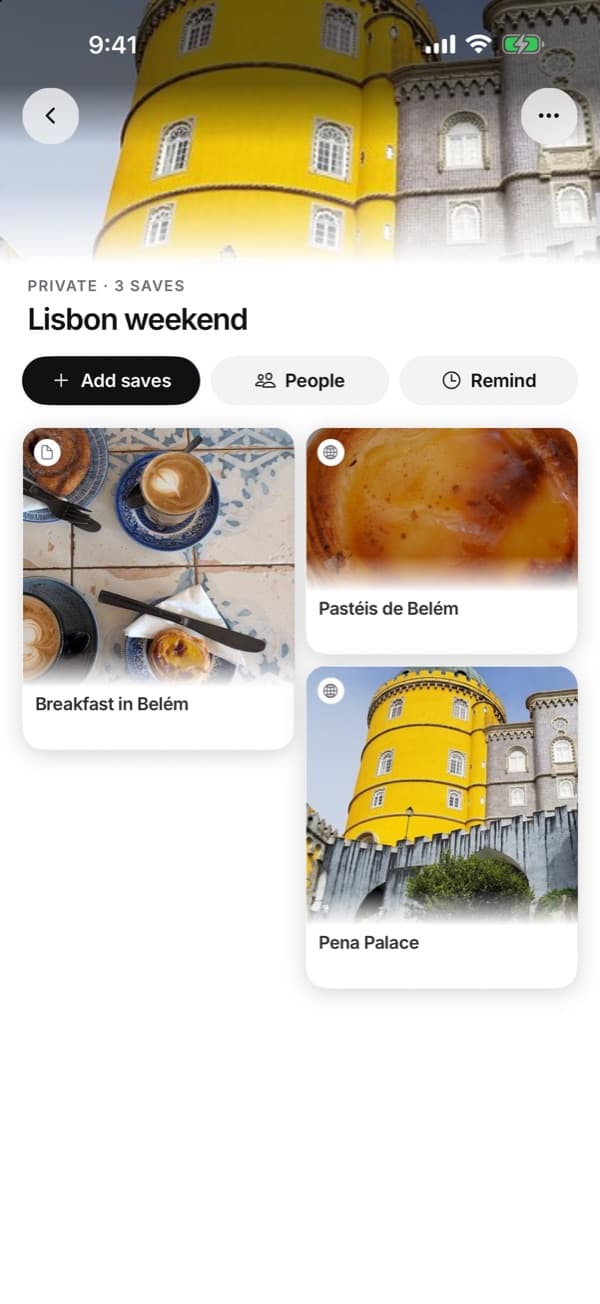
Every collection has a People button for inviting others. Talk it over on the save
People in a shared collection can like a save and comment on it, so "which color?" goes right under the product.
Questions people ask
Is there a wishlist app that works with any store?
SavedIt takes a product link from any shop with a web page, plus posts from Instagram and TikTok. Amazon lists and Etsy favorites only hold their own shop's items.
Does SavedIt track prices or tell me when something goes on sale?
No. A save shows no price. Open the link to see today's price.
Can family mark a gift as bought?
SavedIt has no gift-claiming button. People in a shared collection can comment on the save instead, but everyone in the collection sees the comments, you included. To keep a surprise, have the gift-givers talk somewhere else.
Is a wishlist app free?
Amazon lists and Etsy favorites are free. In SavedIt, saving, collections and sharing a collection with family are free.
More guides
Free on iPhone and Android
Send family one list, not six links
Save the things you want to a collection and invite them to it.