Account
Your account and data
Use the same account across devices, export your saves, or delete your account.
Updated October 7, 2026
Use your library across devices
Sign in with the same SavedIt account on your phone, Chrome, Firefox, and the web. If a device looks empty, check the email or sign-in method before saving anything again.
If phone notifications do not arrive
Check the email on the main SavedIt Settings screen. Each phone must be signed in to the account you want notifications for.
Open Settings → Notifications to check permission on this phone and your notification choices. If permission is off, allow notifications in your phone settings, then return to SavedIt.
SavedIt handles notification setup automatically. If it says setup could not finish, check your connection and choose Try again.
Export your saves
On the web, choose Export my data (CSV). On iPhone or Android, open Settings > Export your data. The latest mobile update opens a CSV file. If you still get JSON, fully close and reopen SavedIt; the update may take another restart to apply.
Both files include saved links and details, collection membership, and accepted import history. Download links expire after one hour. Reminders, comments, votes, images, and webpage copies are not included.
If the export fails, email contact.savedit@gmail.com with your device and the error message. Do not include your password or private links.
Restore a deleted save
A deleted save stays in Recently deleted for 30 days. Open Settings, then Your library, then Recently deleted, and choose Restore. After 30 days, or if you choose Delete now, it is permanently deleted.
Schedule deletion and keep a recovery window
SavedIt signs you out and schedules deletion. To keep your account, sign back in within 14 days and choose Cancel deletion.
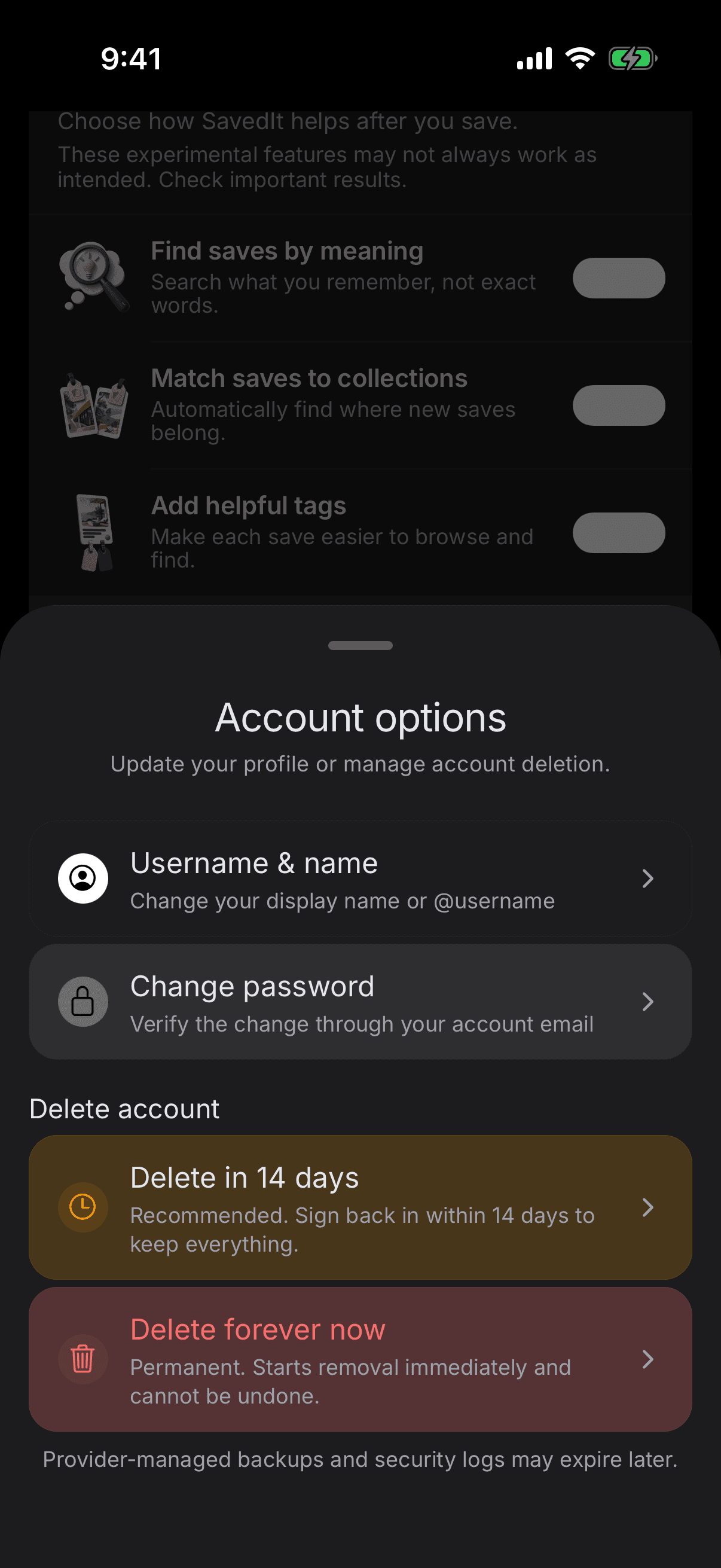
Delete your account immediately
This starts permanent deletion immediately and cannot be undone. SavedIt asks for your password before it begins.
Deleting SavedIt does not cancel a subscription managed by Apple or Google. Cancel that subscription in the store first if you have one.
Need account help
Email contact.savedit@gmail.com from the address connected to your SavedIt account. Never include your password or an MCP access key.