Share
Share saves and collections
Choose who can see a collection, work together, and control a public link.
Updated September 20, 2026
Start with a private collection
Your saves and collections are private unless you choose to share them. Invite specific people to a save or collection, or create an unlisted public link for a save or manual collection.
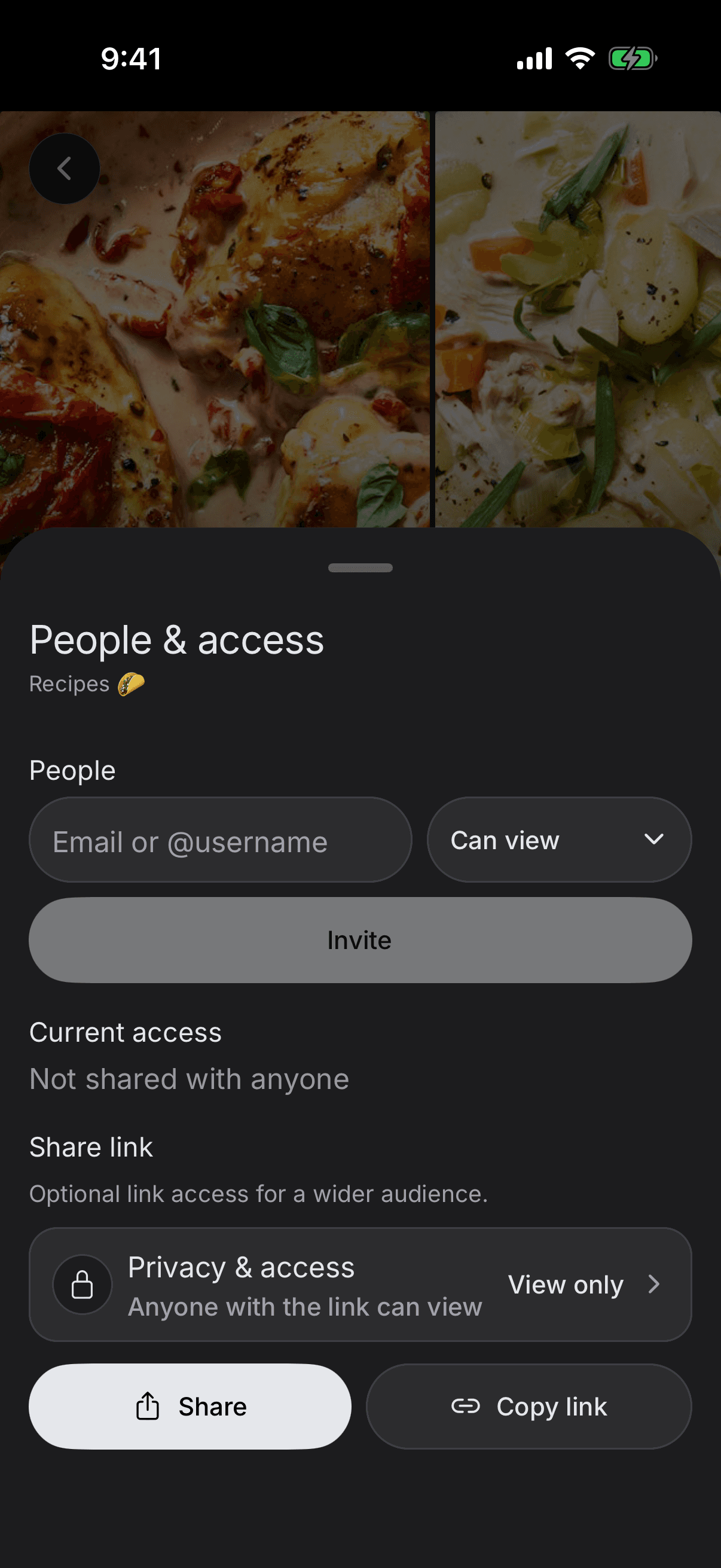
Invite people to work together
- Can view lets someone open the shared collection and its items.
- Can edit also lets them help manage the collection's contents.
- Only the owner can manage people, change public visibility, or delete the collection.
Discuss items with shared members
When a manual collection is shared with another SavedIt member, the owner and accepted members can vote on an item and talk about it in comments. A vote works like a simple like, but it stays tied to that item inside that collection.
Edit or delete your own comment. The collection owner can also remove a comment from the collection.
Create or turn off a public link
Anyone with an active public link can view it and pass the link along. A signed-in visitor can save an item or copy a public collection into their own private library.
A visitor who only has the public link cannot vote, comment, or edit. They must be invited to the shared collection first.
Public links are unlisted. They are not placed in a SavedIt public directory or normal search results.
Know what stays private
Public pages do not show your email, private notes, tags, reminders, collaborator list, or account details. Turning off the public link stops the page. Copies that other people already saved remain in their libraries.