

TikTok
How to save TikTok videos to Favorites or your phone
Short answer
Press and hold the video to add it to your Favorites. To put it on your phone, tap Share, then Save video, if the creator allows downloads.
Updated November 3, 2026 2 min read
Save it in TikTok
Keep it in Favorites
Tap Press and hold, then Favorites.
Press and hold the video and add it to your Favorites.
Put it in a collection
Tap Profile, then Favorites, then Collections.
Collections sort your Favorites into groups you name, like Recipes or Workouts.
Save it to your phone
Tap Share, then Save video.
The video goes onto your phone, so it plays without a connection. No Save video button means downloads are off for that video.
What TikTok says about saving
- Downloads are the creator's call
- Save video only shows on posts whose creator allows downloads. Each creator turns it on or off in Settings and privacy, Privacy, Downloads.Source: TikTok Help Center
- Private and under-16 accounts stay off
- Their downloads setting is off and can't be turned on, so their videos can't go to your phone.Source: TikTok Help Center
- A saved file stays saved
- If a creator turns downloads off later, the videos people already saved stay on their phones.Source: TikTok Help Center
- Collections can be shared
- You can build a Shared Collection with a friend. You both have to follow each other, and both accounts have to be over 16.Source: TikTok Newsroom
Favorites, your phone or SavedIt
| Favorites | On your phone | SavedIt | |
|---|---|---|---|
| Built into TikTok | Included | Included | Not included |
| Any public video | Included | If allowed | Included |
| Plays offline | Not included | Included | Not included |
| Uses no phone storage | Included | Not included | Included |
| Reads short videos | Not included | Not included | 10 a month |
Find it again by what's in it
SavedIt doesn't download the video. It keeps the link and writes down what the video shows, so you find it by the dish, the product or the place.
Share it to SavedIt
Tap Share, then SavedIt.
Tap Share on the video, then SavedIt. You stay in TikTok while it saves.
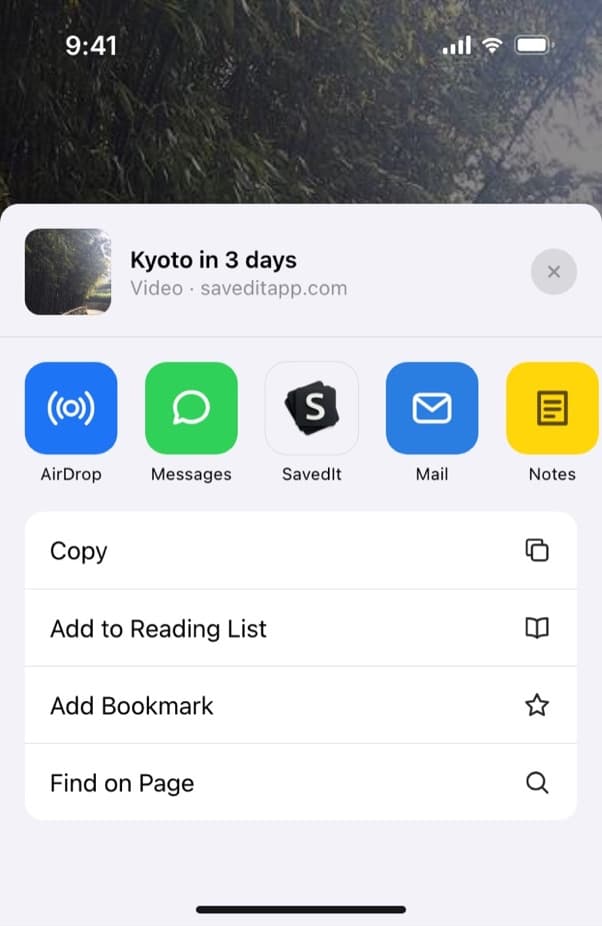
SavedIt sits in the row of apps on the share sheet. Add why you kept it
Type a note before it saves: "try this weekend", "gift for Sam". On iPhone you can pick a collection on the same screen.
SavedIt reads it
Each video gets a title and its key points. Pulling out the recipe, the place or the product is 10 a month on Free.
Search for what you remember
Type "lemon pasta" or the name of the shop. No match on the words? One tap searches by meaning.
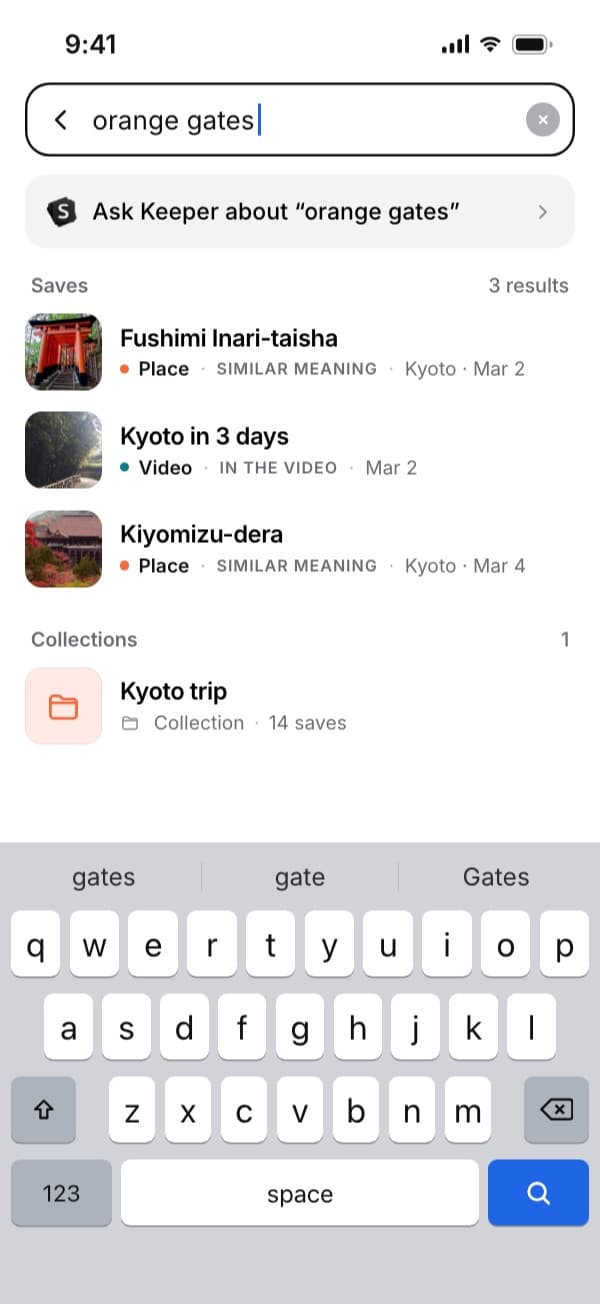
Here "orange gates" finds the Kyoto video by what's said in it.
Questions people ask
Where do saved TikTok videos go?
Favorites keeps them inside TikTok: open your profile and tap Favorites. Videos you saved with Save video are on your phone.
Why can't I save a TikTok video to my phone?
The creator turned downloads off, or the account is private or belongs to someone under 16. You can still keep it in Favorites or share it to SavedIt.
Does SavedIt download TikTok videos?
No. It keeps the link and what it read from the video, not the file. To watch offline, use Save video in TikTok when the creator allows it.
If a creator turns downloads off later, do I lose the video?
No. Videos you saved while downloads were on stay on your phone.
More guides
Free on iPhone and Android
The next TikTok you save, find it again
Share it to SavedIt with a note on why you kept it.