

TikTok
How to see liked videos on TikTok
Short answer
Open your profile and tap the heart icon in the row of tabs under your bio. That's your Liked videos tab, with the videos you've liked in one grid.
Updated November 2, 2026 5 min read
See your liked videos in TikTok
The steps are the same in the TikTok app on iPhone and Android. Your privacy setting only changes what other people see. You always see your own likes.
Open your profile
Tap Profile.
Tap Profile at the bottom of the screen. You land on your own videos.
Tap the heart tab
Tap Profile, then Liked videos (heart).
The heart sits in the row of tabs under your bio, in the same row as Favorites, the bookmark icon. Tap it and your liked videos fill the grid. Tap any cover to play it.
Remove a like
Open the video and tap the Like button on the side again. The like is gone, and the video leaves your Liked videos tab.
Choose who can see your likes
Tap Profile, then Menu, then Settings and privacy, then Privacy, then Liked videos.
Pick Everyone, Followers or Only you. Everyone is offered on public accounts and Followers on private ones. New accounts start with liked videos hidden, so only you see them until you change it.
Look at someone else's likes
Open their profile and tap the heart tab. You see their liked videos only if they chose Everyone, or chose Followers on a private account that has approved you as a follower. Otherwise their likes stay hidden from you.
What the Liked videos tab can't do
- No search
- You can't type a word and find a liked video. Not a word from the caption, not the creator, not the song. You scroll the grid and play the covers that look right.
- No folders
- Every like lands in one grid with no folders. Collections exist only in Favorites, for videos you save.Source: TikTok Newsroom
- Likes shape your For You feed
- TikTok counts the videos you like when it picks what to show you next. Liking a video tells TikTok to show you more like it.Source: TikTok Help Center
- A creator can take a video away
- Creators can limit who can watch a post, or delete it. Either way, you can't watch it from your Liked videos tab anymore.Source: TikTok Help Center
- Not interested is the opposite signal
- To see fewer videos like one you don't enjoy, press and hold on it or tap Share, then tap Not interested. TikTok shows you fewer posts like it.Source: TikTok Help Center
- Liking too fast gets paused
- If you like a lot of videos very quickly, TikTok can stop you and show an alert. Its help page says to wait 24 hours, then try again.Source: TikTok Help Center
Sort the keepers out of a long list
Your Liked videos tab holds every heart you've tapped, and you'll want only a few of them again. Pull those few out, give each one a place in SavedIt, and the rest can stay in the grid.
Share the few likes worth keeping
Tap Share, then SavedIt.
Scroll your Liked videos tab and stop at the ones you'd look for again. Play each one, tap Share and pick SavedIt. You stay in TikTok, so you can keep scrolling the grid. Add a note while it saves, like "gift idea for Sam".
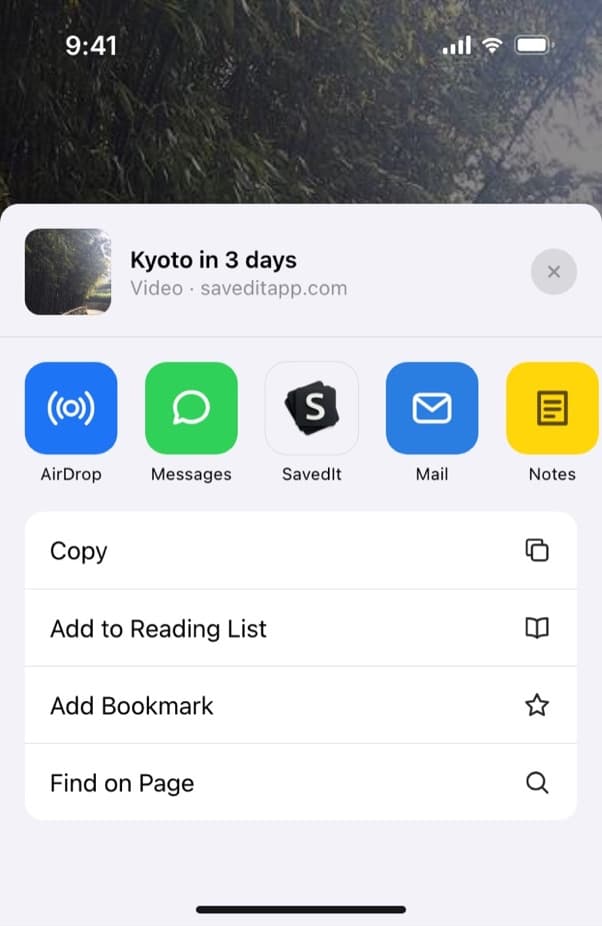
SavedIt shows up in your phone's share menu like any other app. File each one in a collection
Choose a collection as you save: Gifts, Workouts, Weekend in Austin. A video can sit in more than one collection and stays the same save in each. Your likes turn into a few short lists instead of one long grid.
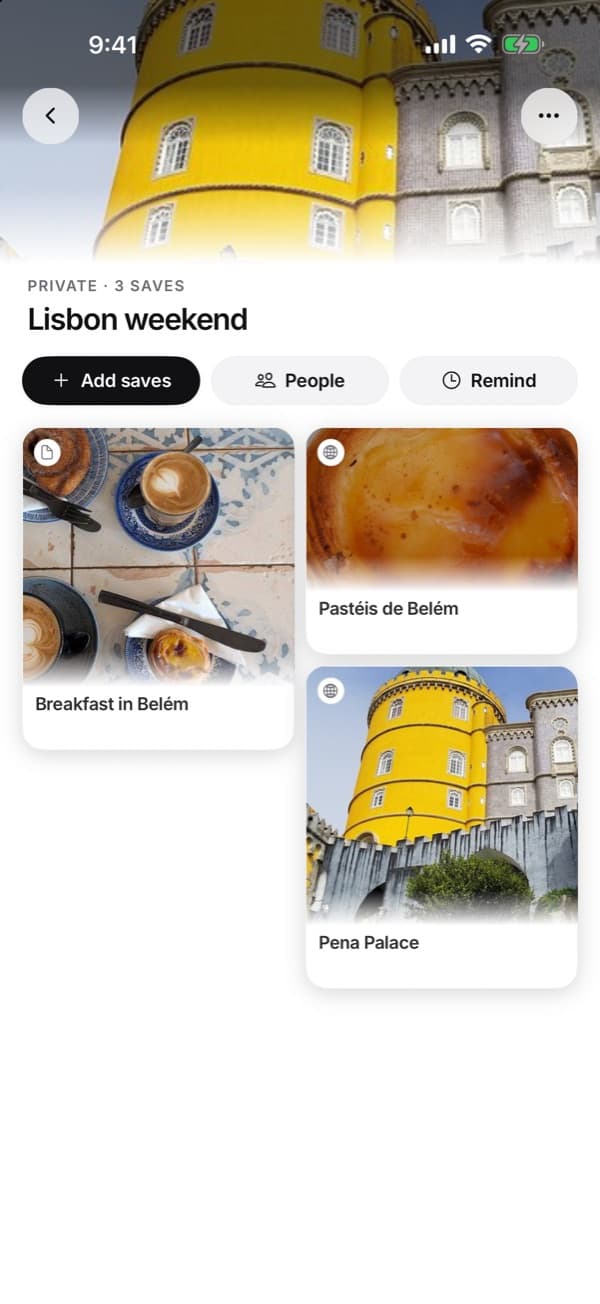
A collection is a short list you open in one tap. Search later, across every collection
Open a collection, or search everything you saved at once. Type a word you remember: the product, the dish, the city. If the words find nothing, tap Search by meaning and describe it, like "the lamp that clips onto a shelf". Word search is free. Free accounts get a number of meaning searches each month, and Plus has no limit.
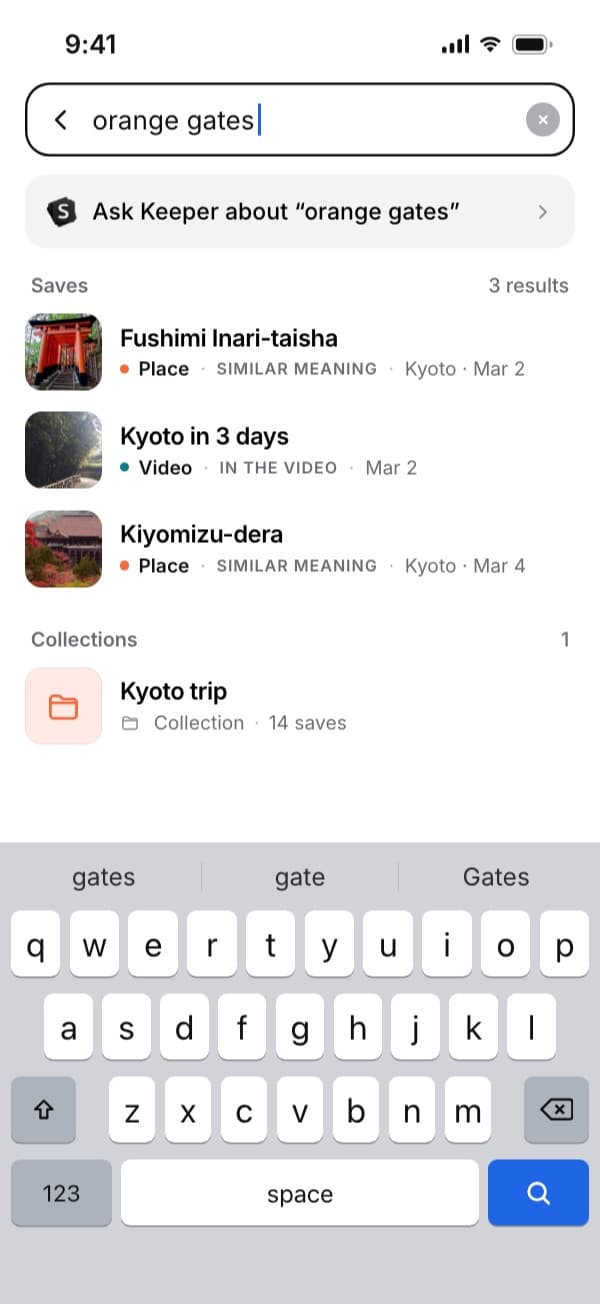
One search covers all your saves. Here "orange gates" finds a Kyoto video. Tap through to TikTok
Every save keeps its link. One tap opens the video in TikTok, with the creator's comments and the full sound. SavedIt keeps the link, never a downloaded copy.
Questions people ask
How do I like a video on TikTok?
Tap the Like button on the side of the video, or double-tap the video. Tap the Like button again to remove your like.
Why did a video disappear from my Liked videos tab?
The creator deleted it, limited who can watch it, or made their account private, or TikTok removed it for breaking its Community Guidelines. Tapping the heart on a video you liked also removes the like.
Can people see what I like on TikTok?
Only if you let them. New accounts keep liked videos hidden. To check or change yours, use the Liked videos setting in step 4 and pick Only you to keep them to yourself. Your own Liked videos tab stays the same. For teens, a parent using Family Pairing can decide who sees their liked videos.
Does a private account hide my likes?
A private account limits likes to followers you approve, but only if you set Liked videos to Followers. New accounts keep liked videos hidden until you change it. Accounts for teens under 18 start private when they sign up.
Why won't my liked videos load?
TikTok's help page suggests four fixes when you can't like a video or your liked videos won't show: switch between Wi-Fi and mobile data, clear TikTok's cache, restart the app and your phone, and update TikTok to the latest version.
How do I see someone else's liked videos on TikTok?
Tap the heart tab on their profile. Step 5 above explains when it shows.
What's the difference between Liked and Favorites on TikTok?
Liked is the heart: one tap that tells TikTok you enjoyed a video and want more like it. Favorites is the bookmark: a list you save to on purpose, with collections to file videos into. Neither one has a search box.
Can you search your liked videos on TikTok?
No, you scroll the grid. Videos you share to SavedIt can be searched by any word you remember.
Can I move all my liked TikToks into SavedIt at once?
No. SavedIt doesn't import TikTok likes. Open the liked videos you want to keep and share each one to SavedIt. It takes a few seconds per video, and you stay in TikTok.
What's the quickest way to save my old liked videos?
Open your Liked videos tab and start with the covers you recognize. Play each one, tap Share, then SavedIt, and type a few words in the note about why it mattered. You don't need every like, only the ones you'd look for again. The note gives you one more word to search by later.
Does SavedIt download TikToks?
No. It keeps the link and what it read from the post. Tap the save and the video opens in TikTok.
More guides
Free on iPhone and Android
Turn a long list of likes into a few short ones
Save the keepers to SavedIt, file them, and search them by what you remember.