

Travel
How to save travel spots from TikTok and Reels
Short answer
TikTok and Instagram save the video, not the place: Favorites and Saved have no map, so first tap the video's location tag if it has one. When the place is only said out loud or shown on screen, write it down or use an app that reads the video and pins each place, with one collection per trip.
Updated November 18, 2026 4 min read
What changed: Checked every TikTok and Instagram step against their help pages, added the location tag check, and said what each free plan covers.
Get the place out of the video first
Do this while the video is in front of you. It takes a minute and saves replaying it later.
Instagram: tap the location tag
Tap Location tag on the Reel, then Instagram map.
If the creator tagged a place, its name shows on the post. Tap it and Instagram opens its map at that place, with other posts from there. No tag means Instagram doesn't know the place.
TikTok: tap the tagged place
Tap Tagged location on the video.
In some regions creators can tag a place on a TikTok. Tap it to open that place. TikTok's help says tags aren't offered everywhere, and some places can't be tagged.
No tag? Read before you scroll on
Pause on any words on screen, open the caption, then check the pinned comment, where creators often answer "where is this?". Write the name next to the city, because two cafes can share a name.
Save the video into a trip
Tap TikTok: Favorite button, then Profile, then Favorites.
On TikTok, tap the Favorite button under the comment button, then keep the trip's videos in one collection. On Instagram, tap Options (three dots) on a Reel, then Save, and make a trip collection under Profile, Menu, Saved, New collection.
What TikTok and Instagram saves can't do for a trip
- TikTok Favorites are a private list
- Only you can see what you favorite. TikTok's help page doesn't describe a map, a search, or the places in a video for your Favorites.Source: TikTok Support: favoriting content
- Plan with a friend on TikTok: follow each other first
- Since December 2025 you can start a shared collection with a friend, but only when you both follow each other, and only on accounts over 16.Source: TikTok Newsroom, December 2025
- Instagram's map shows tagged places only
- A location tag puts a post on Instagram's map. A place that is only said in a Reel, or shown in text on screen, isn't on it, and Instagram's map has nothing from TikTok.Source: Instagram Help: posts from the same location
- One video, five places, one save
- A "5 spots in Lisbon" video counts as one save in both apps. To find the third spot you replay the video.
Turn travel videos into a list and a map with SavedIt
SavedIt keeps the link to the video and reads what's in it. For a travel video that means the places, each with a pin. Free reads 12 videos a month and looks up places on 30 saves a month; Plus reads 500 and looks up 150.
Share the video to SavedIt
Tap Share, then SavedIt.
On the TikTok or Reel, tap Share, then SavedIt, and pick the trip's collection. You stay in the video while it saves. TikToks and Reels can go in the same trip.
It reads the places from the video
SavedIt reads what's said in the video, or the words on screen when nobody speaks, and pulls out each place it names, with its kind: food and drink, things to do, shops or stays.
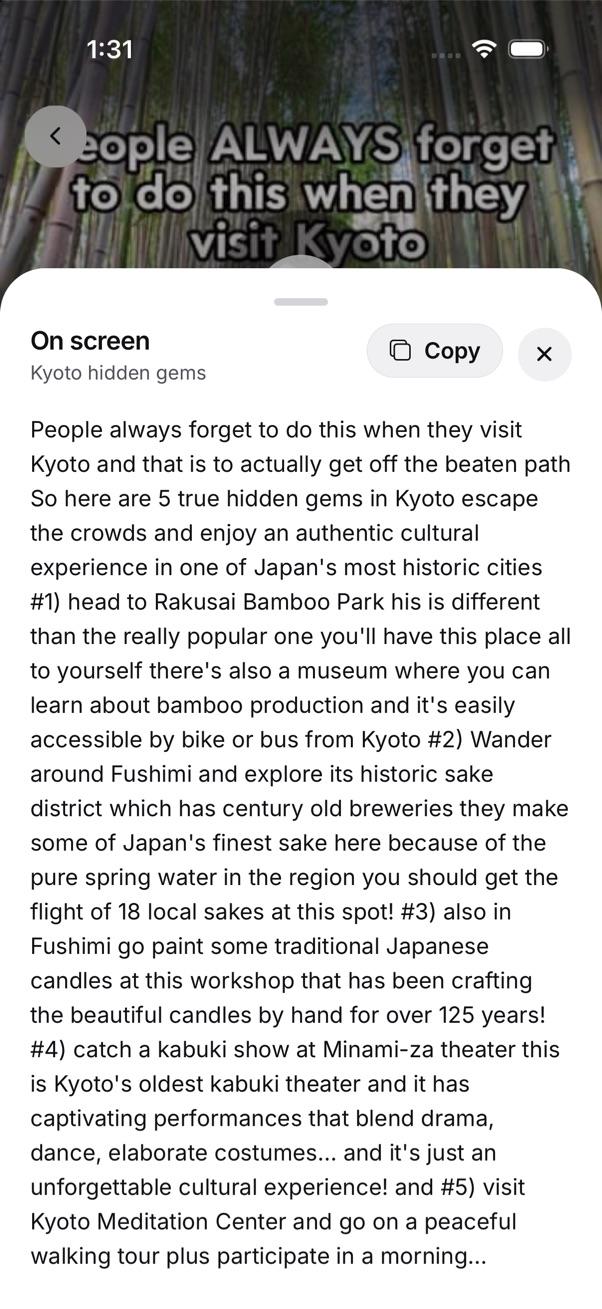
A Kyoto video names five places on screen. SavedIt reads them for you. See the whole trip on one map
Tap Collection, then Full map.
Open the trip's collection and tap Full map: every place from its saves on one map, with a list under it. Check each pin before you go: a name that is only spoken can be misheard, or match a place with the same name. A collection's map is free. Plus adds one map of every place you've saved.
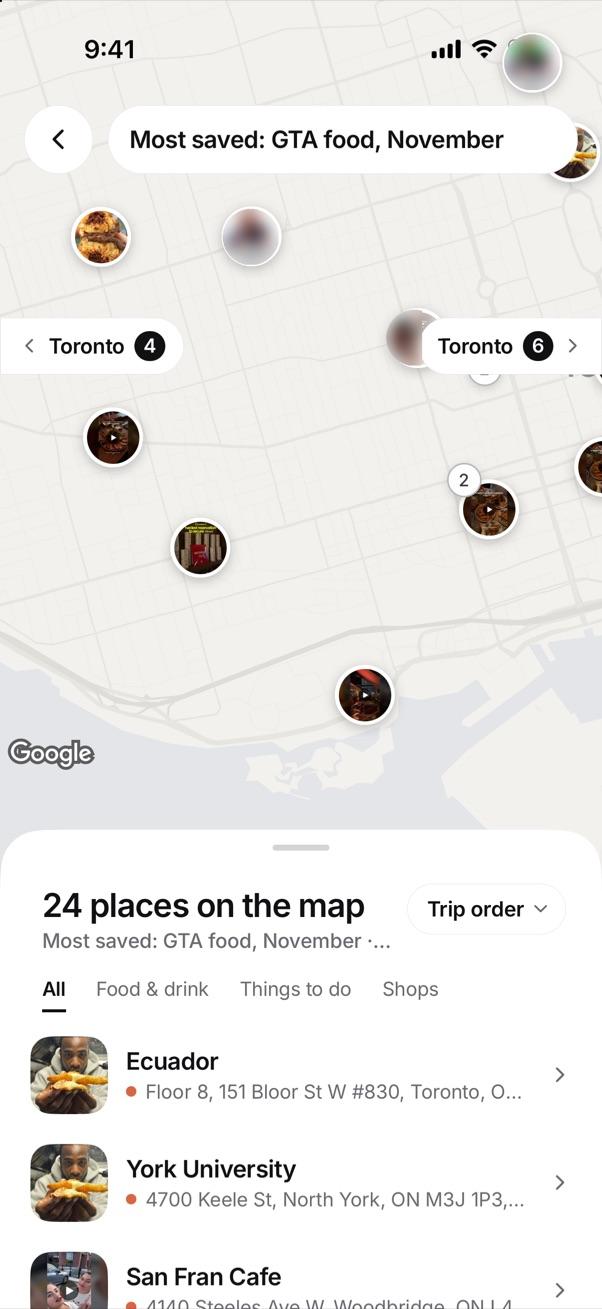
One collection, one map. Each pin is a place from a save. Plan it with friends
Invite people to the trip's collection. Can edit lets them add their own finds; Can view lets them look, like and comment on each save. They don't need to follow you anywhere.
Find "the temple video" later
Type what you remember, like "the temple with the orange gates". SavedIt finds it by meaning, even when those words aren't in the caption.
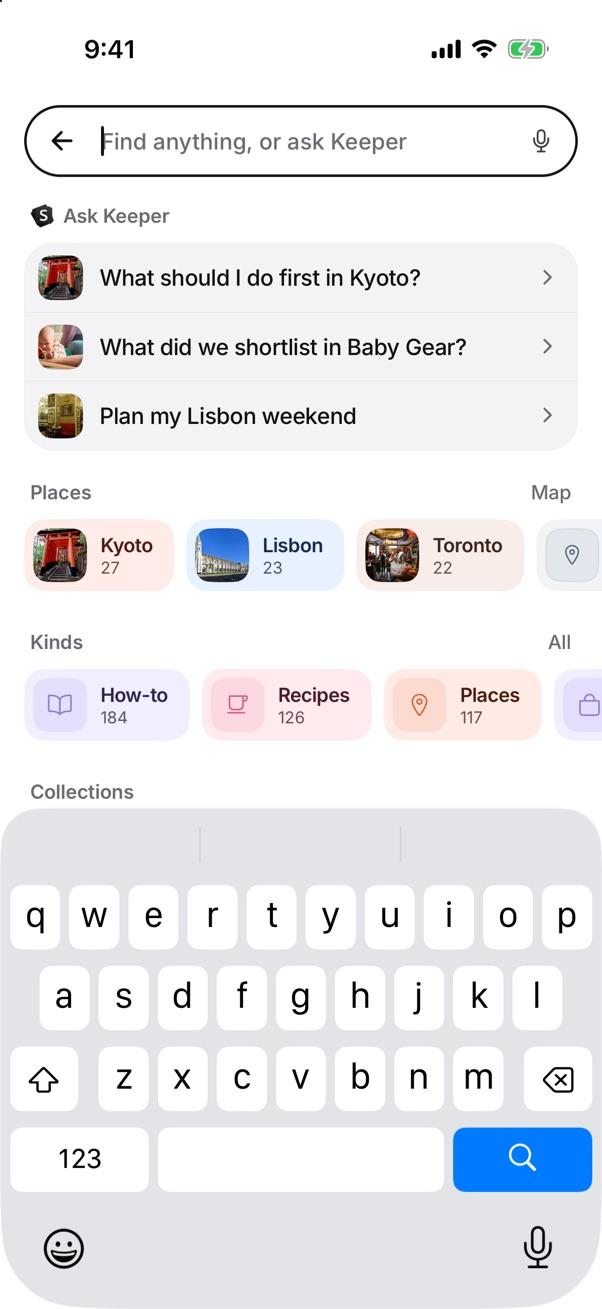
Search by what you remember.
Questions people ask
How do I find where a TikTok was filmed?
Look for a tagged place on the video and tap it. With no tag, check the words on screen, the caption and the pinned comment. An app that reads the video, like SavedIt, can pull out a place that is only said out loud.
Can I put TikToks and Reels in the same trip?
Not inside TikTok or Instagram: each keeps its own saves. In SavedIt, share both to the same collection and they sit on one map.
What can't SavedIt do for a trip?
It doesn't plan your days or route you between places, and it keeps the link, not the video. If a video never names a place, out loud or on screen, there's nothing for it to find.
Is the map free?
Yes for each save's place and for each collection's map. Free reads 12 videos a month and looks up places on 30 saves (Plus 500 and 150). SavedIt Plus adds one map of every place you've saved, with filters like Food & drink and Stays.
Can my friends add their own finds to the trip?
Yes. Invite them to the collection with Can edit, and they can add saves to it.
More guides
- Save Instagram, TikTok, YouTube, Reddit and X posts in one place
- Where are my saved TikToks, and how do I search them?
- How to sort and find saved Reels on Instagram
- Where are saved posts on Instagram? Find them and search them
Free on iPhone and Android
Stop replaying videos for the name
Save your travel videos and keep the places.