YouTube
Where are saved videos on YouTube? Watch later and playlists
Short answer
Tap the You tab, then Watch later or one of your playlists. On a computer, open the menu and select You.
Updated October 27, 2026 2 min read
Find them on YouTube
Open the You tab
Tap You, then Watch later.
In the app, the You tab lists your playlists, Watch later included. On a computer, open the menu, select You, then find Watch later.
Save a video
Tap More, then Save.
Under the video, tap More, then Save, then choose Watch later or a playlist.
Save a Short
Tap More, then Save to playlist.
On a Short, tap More, then Save to playlist, and choose or create one.
Make a playlist for each topic
Tap Save, then New playlist.
Name it, choose who can see it, and tap Create. Playlists you save from other people show up on the You tab too.
What YouTube saving can't do
- 5,000 videos per playlist
- A playlist, Watch later included, holds up to 5,000 videos. Past that, it stops being a place to keep things.
- Some videos can't be saved
- YouTube won't let you add a video marked made for kids to a playlist, Watch later included.Source: YouTube Help
- A title is all you get
- A saved video is a thumbnail and a title. You don't see why you saved it or what it covered without watching again.
- Playlists are manual
- You pick the playlist when you save. A video dropped into Watch later stays there until you move it yourself.
Skim it before you rewatch it
SavedIt keeps the link to the video, writes down what is in it, and finds it later from a description. YouTube videos sit in the same library as your Reels, TikToks and articles.
Share the video to SavedIt
Tap Share, then SavedIt.
Under the video, tap Share, then SavedIt. You stay in YouTube while it saves.
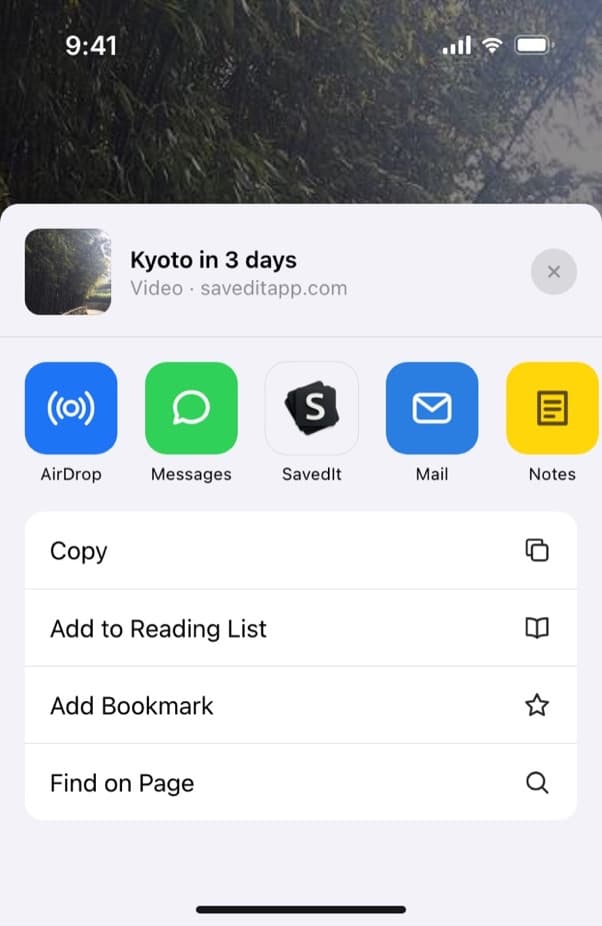
Share a YouTube video to SavedIt. Read the key points
SavedIt writes the key points, so you can check what a video covered before you rewatch it.
Search by what it covered
Type "that video about sleep and caffeine". If the title says something else, one tap searches by meaning and finds it.
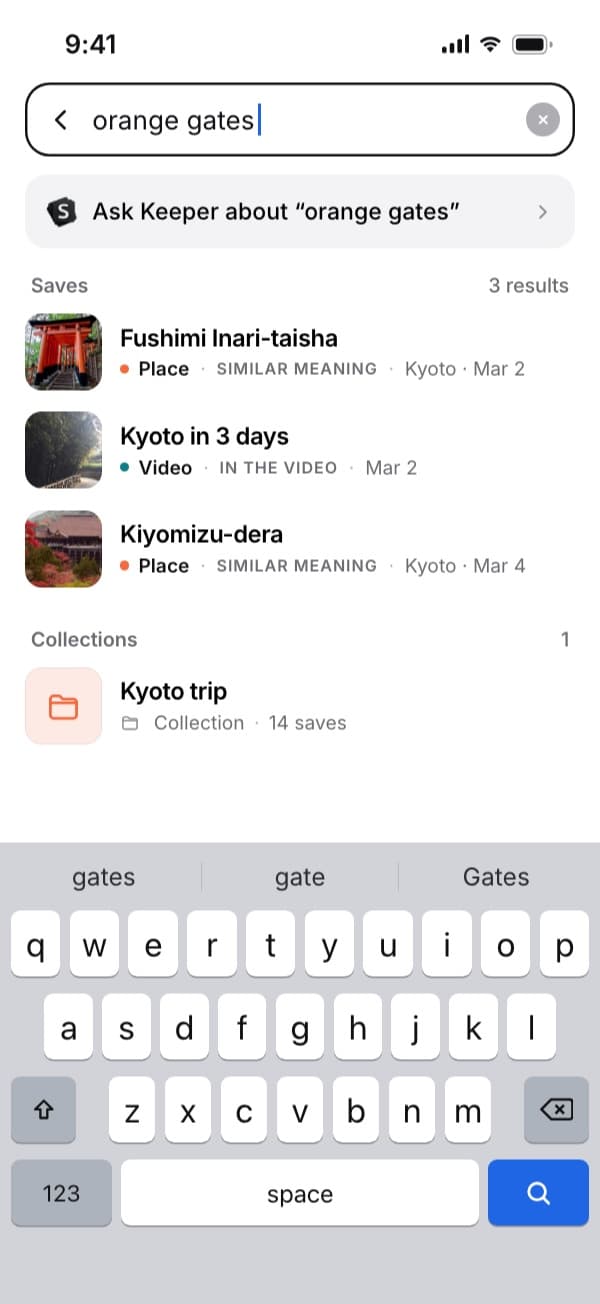
Here "orange gates" finds the Kyoto video by what's said in it. Plus searches by meaning without a monthly limit. Open the video on YouTube
Every save keeps its link. One tap takes you back to the video on YouTube.
Questions people ask
Where are my saved videos on YouTube?
Tap the You tab and open Watch later or a playlist. On a computer, open the menu and select You.
How many videos can a YouTube playlist hold?
Up to 5,000 videos, and that includes Watch later.
Why can't I save a video to a playlist?
Videos marked made for kids can't be added to a playlist.
How do I save a YouTube Short?
Tap More, then Save to playlist, and choose or create a playlist.
Can SavedIt import my Watch later list?
No. SavedIt has no YouTube import, so you share the videos you want to keep.
More guides
Free on iPhone and Android
Find the video you saved
Save it to SavedIt and find it by what it was about.