Where are saved posts on Facebook, and how do I search them?
Short answer
In the Facebook app, tap Menu, then Saved. On a computer, go to facebook.com/saved. Videos you marked Watch Later are in the same place.
Updated October 27, 2026 2 min read
Find them in Facebook
Open Saved on your phone
Tap Menu, then Saved.
Tap the three lines, then Saved. Posts, Reels and Watch Later videos you saved are all in this list.
Or open it on a computer
Tap facebook.com/saved.
The address takes you straight there. Pick a category in the left menu, or click a saved item to open it.
Filter by what it is
Tap Filter icon, then Reels, Photos or Products.
On a computer, the filter icon at the top of Saved narrows the list to one kind of save, such as Reels, Photos or Products.
Put saves into collections
A collection groups saved items around a topic, like Recipes or Gift ideas. Facebook also suggests collections. Saves you never filed stay in the main list.
What Facebook Saved can't do
- No keyword search in Saved
- You can filter by kind and open a collection, but you can't type a word and find a saved post by its text.
- Watch Later is buried in Saved
- Videos you marked Watch Later are in Saved as well, so they get buried with everything else.Source: Facebook Help
- Suggested collections aren't yours
- Facebook suggests collections, but a suggestion isn't filing. A save you never sorted is one more item in a long list.
- The export is a data file
- Export your information includes Saved Items and Collection, as a file for your records. It isn't a library you can search.Source: Facebook Help
Search every save by what you remember
SavedIt keeps the link and what it reads from the post, then finds it later from a few words you remember. Facebook posts, Reels and videos land in the same library as everything else.
Share the post to SavedIt
Tap Share, then SavedIt.
Tap Share under a Facebook post, Reel or video, open the phone's share sheet from there, then pick SavedIt. You stay in your feed, and you can add a note while it saves.
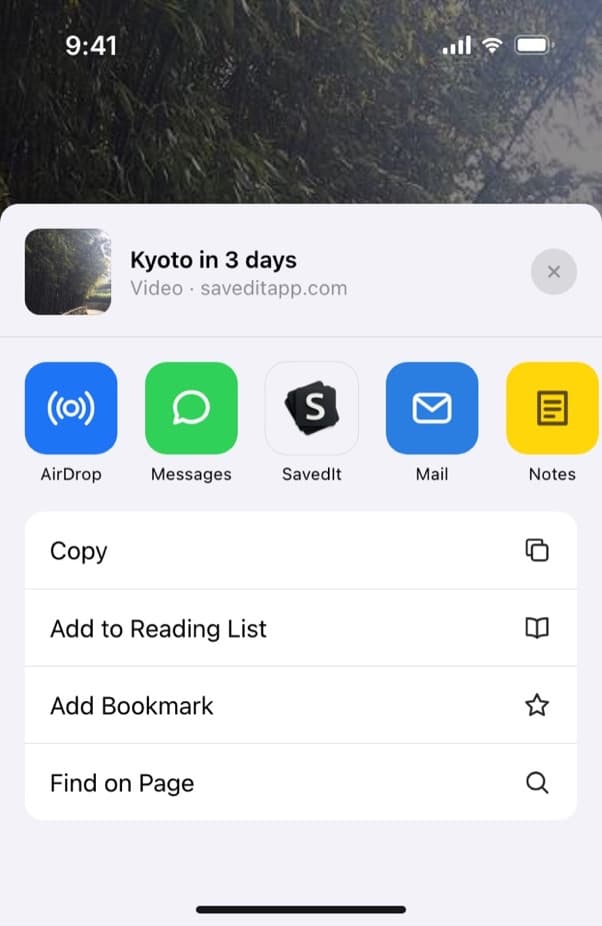
Share a Facebook post to SavedIt from the share sheet. Let SavedIt read it
SavedIt reads the post and writes a title, the reason you would want it, and the key points. You skim the save instead of reopening Facebook.
Search the way you remember it
Type "couch giveaway" or "the cake from that Reel". No match on the words? One tap searches by meaning and finds the post.
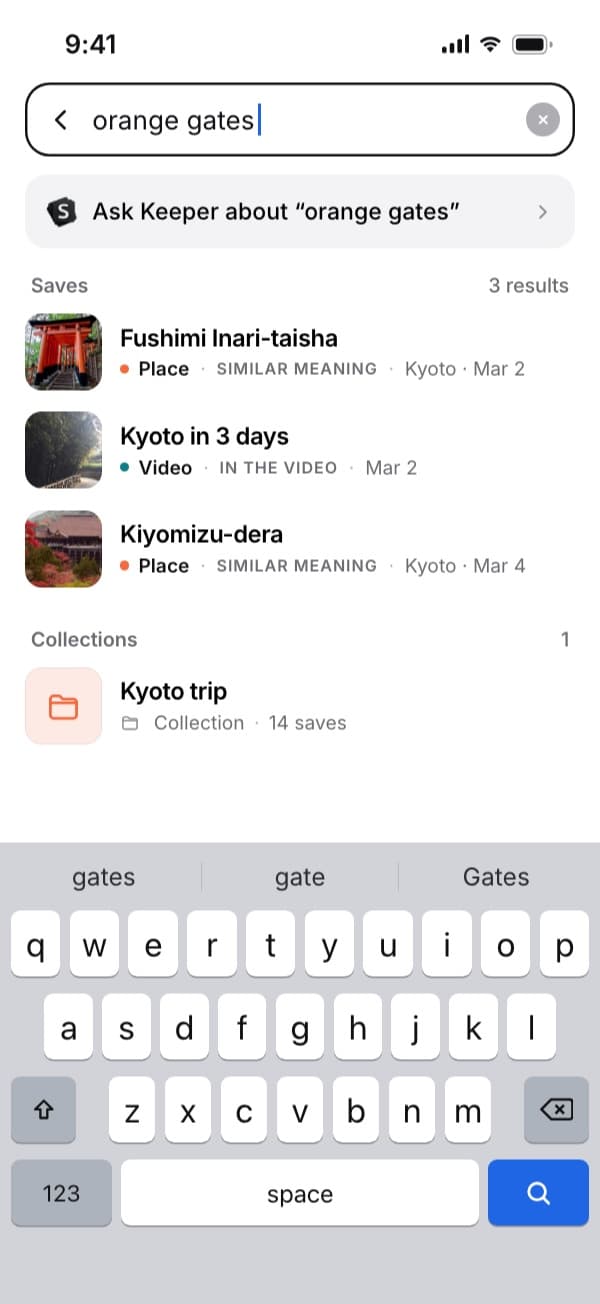
Here "orange gates" finds the Kyoto video by what's said in it. Plus searches by meaning without a monthly limit. Open the original any time
Every save keeps its link. One tap takes you back to the post on Facebook.
Questions people ask
Where are my saved posts on the Facebook app?
Tap Menu (the three lines), then Saved. Saved Reels, photos, links and Watch Later videos are all in that list.
Can I search my saved posts on Facebook?
Not by keyword. On a computer you can filter by category and open a collection. To find a post by a word you remember, save it to SavedIt as well.
Where did my Facebook Watch Later videos go?
In Saved, with everything else you saved.
Can I download my saved items from Facebook?
Yes. Facebook's Export your information tool includes Saved Items and Collection, as a data file.
More guides
Free on iPhone and Android
Facebook Saved, with a search box
Save it to SavedIt and find it by what you remember.