

How to find a Reel on Instagram you saw before
Short answer
Start in Watch history: open your profile, tap the menu, then Your activity and Watch history. If it isn't there, check Likes, then Saved, then the chat it was shared in.
Updated November 2, 2026 5 min read
Where to look in Instagram, fastest first
Work down the list. Each place matches something you did with the Reel: watched it, liked it, saved it or sent it. If all you have is the song, that works too. These steps are for the Instagram app, and the menus are the same on iPhone and Android. Where a computer works too, the step says so.
Check Watch history
Tap Profile, then Menu, then Your activity, then Watch history.
Watch history lists the Reels you watched, including ones you never liked or saved. To narrow it down by date or account, or to remove Reels from it, see our Instagram watch history guide.
Check your Likes
Tap Profile, then Menu, then Your activity, then Likes.
If you tapped the heart, it's here. Likes sits under Interactions and shows the 300 most recent posts and Reels you liked. On a computer, click Menu in the bottom left, then Your activity, Interactions and Likes.
Check Saved
Tap Profile, then Menu, then Saved.
Saved holds every post and Reel you saved, plus the collections you made. It has no search box, so you scroll and look for the cover. On a computer, click your profile picture, then Saved.
Check your comments and reposts
Tap Profile, then Menu, then Your activity, then Comments.
Left a comment on it? Comments, under Interactions, lists the comments you made on other people's posts and Reels. If you reposted it, it's in the Reposts tab on your profile.
Open the chat it was shared in
Sent it to a friend, or a friend sent it to you? Open your messages, find that chat and scroll back to the day it was shared. If you locked the chat, pull down on your inbox and tap Locked chats.
Follow the song
Tap Audio name.
If you remember the song or sound, open any Reel that uses it and tap the audio name at the bottom. The audio page shows other Reels made with that sound. No Reel handy? Search the song's name and tap Audio under the search bar.
Search Instagram by keyword
Tap Search, then Reels.
Type what the Reel was about, like "one pan orzo" or "Lisbon rooftop bar", then tap Reels under the search bar to see only Reels. Looked up the creator or the song before? Tap the search bar, then See All, or open Your activity, then Recent searches.
Go to the creator's profile
Tap Creator's profile, then Reels.
Remember who posted it? Open their profile and tap the Reels tab. Their Reels sit apart from their photos and carousels, so there's less to scroll.
What each place can and can't do
- Watch history is for Reels
- Instagram added it in October 2025 so you can get back to Reels you watched but never saved or liked. It sits in Your activity.Source: Adam Mosseri on Instagram
- Likes keeps only your latest 300
- A Reel you liked before your 300 most recent isn't in the list. Our guide to Instagram liked posts covers what else drops out of Likes.Source: Instagram Help Center
- Saved is private
- Only you can see what you saved, and the account that posted it can't tell you saved it.Source: Instagram Help Center
- Search takes keywords
- You can search Instagram with keywords to find photos and videos, accounts, audio, tags and places. In the app you can then filter to Reels. It searches all of Instagram, not only what you watched.Source: Instagram Help Center
- Songs have their own page
- When a Reel uses licensed music, Instagram adds it to the audio page for that song.Source: Instagram Help Center
- Recent searches are kept
- Instagram keeps the accounts, audio, hashtags, tags and places you searched. In the app, tap the search bar, then See All, or open Your activity, then Recent searches.Source: Instagram Help Center
- Reposts get their own tab
- When you repost a public Reel, it goes to a Reposts tab on your profile. You can also find your reposts in Your activity.Source: Instagram Help Center
Next time, save it and find it by what you remember
SavedIt keeps the link to each Reel and what it reads from it. Later you find it by a word you remember or by describing it, not by the day you watched it.
Share the Reel to SavedIt
Tap Paper plane, then Share, then SavedIt.
You stay in Instagram while it saves. Add a note while you're there, like "for Sam's birthday", so you remember why you kept it.
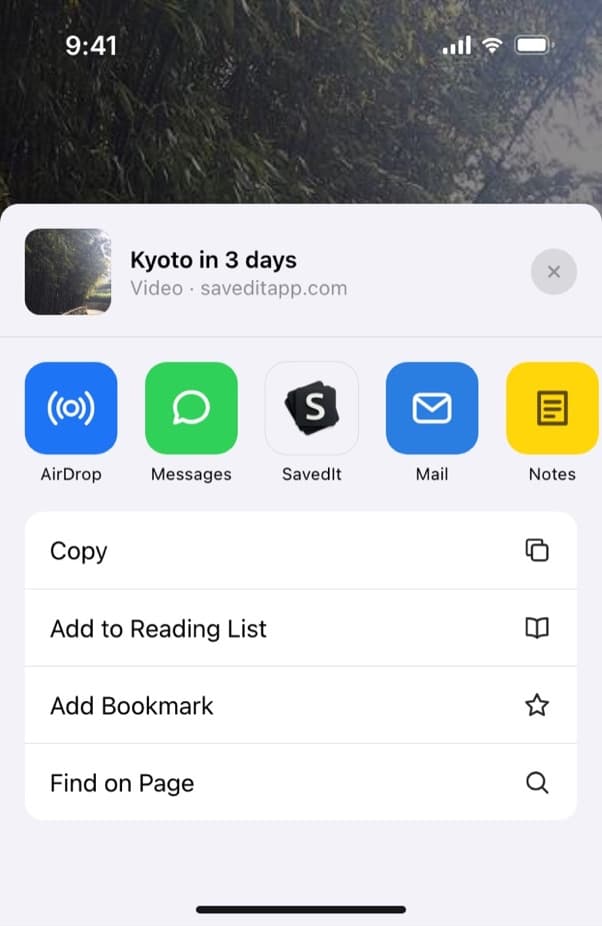
Share a Reel to SavedIt without leaving Instagram. Drop it in a collection
Pick a collection while you save, or add it later. One Reel can sit in more than one collection, like Recipes and Weeknight dinners.
Search the way you remember it
Type any word you remember: the dish, the city, a word from the caption. Words find nothing? Tap Search by meaning and describe it, like "the pasta with lemon and chili". Word search is free. Free accounts get some meaning searches each month, and Plus has no limit.
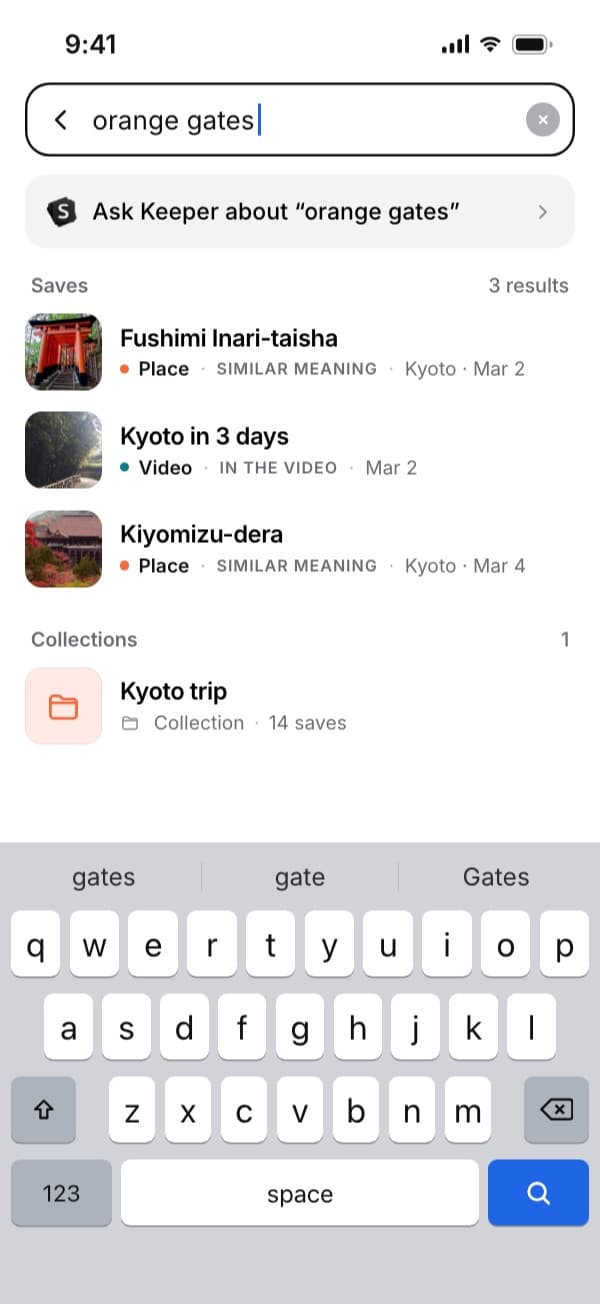
Here "orange gates" finds the Kyoto video by what it's about. Open the original in one tap
Every save keeps its link, so one tap opens the Reel in Instagram with its sound and comments. SavedIt keeps the link, not a downloaded copy.
Questions people ask
What if the Reel was deleted?
Once an account deletes a post, you won't be able to see it, even in your Likes. Check the creator's Reels tab in case they posted it again.
Can I find a Reel on a computer?
Partly. On instagram.com you can check Likes (Menu, Your activity, Interactions, Likes) and Saved (your profile picture, then Saved). Watch history and the Reels filter in Search are in the Instagram app.
How do I find a Reel someone sent me?
Open your messages, pick the chat with that person and scroll back to the day they sent it. Search Instagram for the creator if you remember the name.
Can I find a Reel if I only remember what happened in it?
Search Instagram for the words you'd use to describe it, like "dog on a skateboard", then tap Reels below the search bar. Search covers all of Instagram, so add the place or the creator's name if you know it.
Can I find a Reel by its song?
Yes. Tap the audio name on any Reel with that song to open its audio page, or search the song and tap Audio. The page shows Reels made with that sound.
Can I search my saved Reels on Instagram?
No. Saved has no search box, so you scroll. In SavedIt you type a word you remember, or describe the Reel and search by meaning.
More guides
Free on iPhone and Android
Keep the next Reel where you can search it
Share it to SavedIt and find it later by what you remember.