


A save is missing
Most missing saves are in one of three places: a different account, Recently deleted, or still waiting to finish on your phone.
Check them in that order. A deleted save can be restored for 30 days.
Updated October 19, 2026
Check the account
Open Settings: your email shows on the Account row. If it isn't the account you saved with, sign out and sign in the way you did the first time, with Apple, Google or your email.
Look in Recently deleted
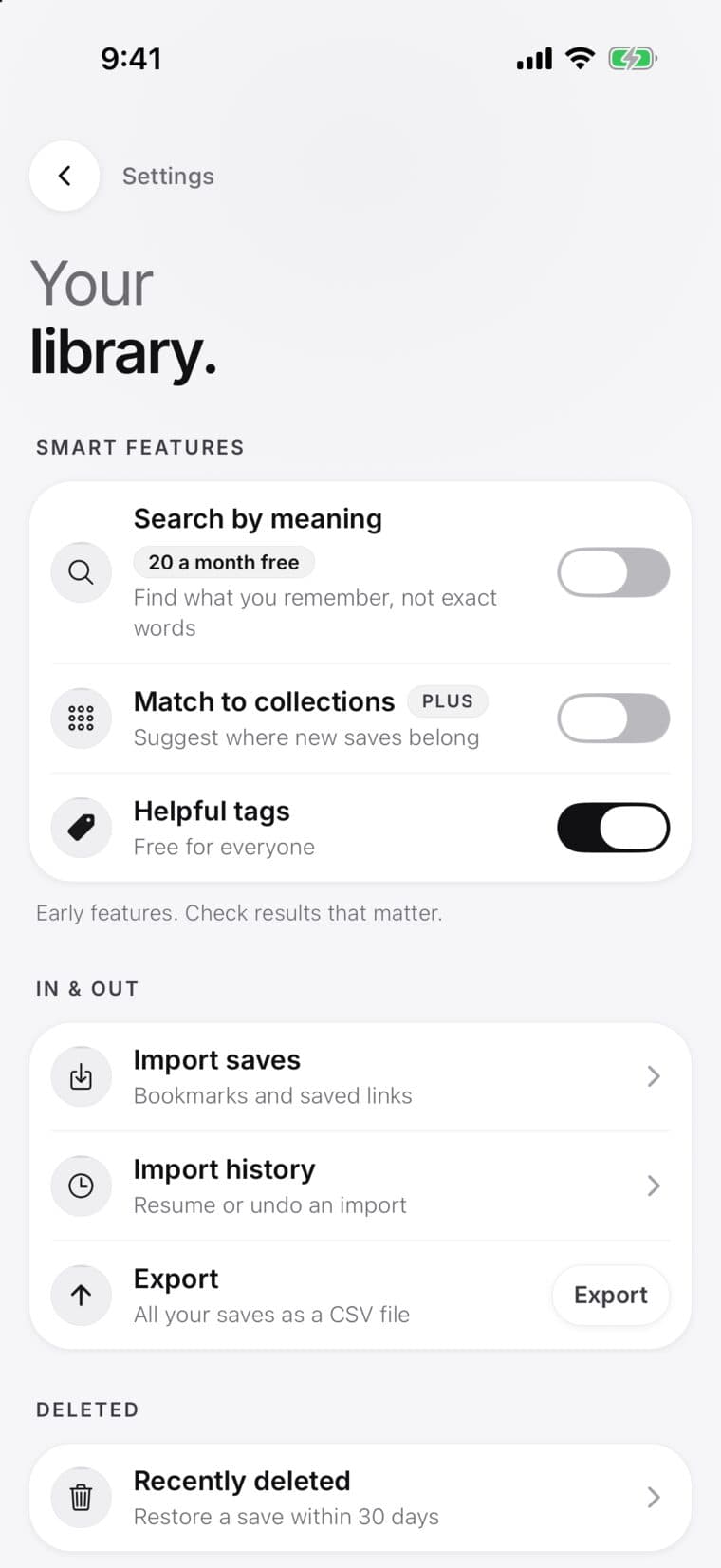
- Open Settings, then Library, then Recently deleted.
- Find the save and tap Restore.
Deleted saves wait there for 30 days, then they're removed for good.
It's still waiting to finish
A line above the tabs like 2 saves pending means those saves haven't reached your library yet, often because there was no signal. Open SavedIt with a connection and they finish.
If it says a save needs attention, tap it and choose Retry now. On the web, a banner on your dashboard says how many saves are waiting: choose Retry now there.
Search doesn't find it
- Try one clear word from the title or the site, or describe it and tap Search by meaning.
- Remove filters, or choose Any time.
- Open Library and check its filters too.
Other reasons
- It was in a shared collection: saves other people added belong to them. If they delete one, or you're removed from the collection, you won't see it anymore.
- You undid an import: Undo import takes out the saves that import added.
- It was an example: once you've saved 5 of your own, Library lists only your saves. Use the Examples filter to see the examples.
Still missing
Email contact@saveditapp.com from the address on your SavedIt account. Tell us roughly when you saved it and where from, with the link if you have it.