Safari
How to organize and search Safari bookmarks on iPhone and Mac
Short answer
On iPhone, open Safari's bookmarks and touch and hold one to edit, move or delete it; tap More, then New Folder, to make a folder. On a Mac, choose Bookmarks, then Edit Bookmarks, and search with the field at the top of the bookmarks sidebar.
Updated October 27, 2026 3 min read
Organize them in Safari
Open your bookmarks on iPhone
Tap Safari, then Show Bookmarks.
Open a start page and tap Show Bookmarks. With the Bottom or Top tab layout, the button sits in the toolbar. Recent bookmarks and Reading List items run across the top, newest on the left.
Move, rename or delete one
Tap Touch and hold, then Edit, then Location.
Touch and hold a bookmark, tap Edit, change the name or tap below Location to pick a folder, then Save. Touch and hold, then Delete, removes it.
Make folders and reorder
Tap More, then New Folder.
Tap More, then New Folder, name it and Save. To reorder, tap More, then Select Bookmarks, and drag.
Edit them on a Mac
Tap Bookmarks, then Edit Bookmarks.
There, or in the bookmarks sidebar, Control-click a bookmark or folder to rename it, edit its address, move it or start a new folder. To search, open the bookmarks sidebar with Control-Command-1 and type the bookmark's name in the field at the top.
Turn on iCloud sync
Tap Settings, then Your name, then iCloud, then See All, then Safari.
Turn Safari on here, and in iCloud settings on your Mac, with the same Apple Account. Your Mac bookmarks then show on your iPhone.
What Safari bookmarks can't do
- Search looks for the name
- Apple's instructions are to type the bookmark's name in the search field. Remember the topic but not the title, and you're back to opening folders.Source: Apple Support
- Folders are the only filing
- A bookmark sits in one folder. There are no tags, so a recipe that is also a dinner-party idea lives in one place or the other.
- Topics need Apple Intelligence
- Safari groups related bookmarks and Reading List items into suggested topics only with Apple Intelligence (iPhone 15 Pro, iPhone 16 or later), and only once three or more are related.Source: Apple Support
- The export is a .zip
- On a current Mac, Safari exports bookmarks inside a .zip file that isn't encrypted. Apple says to delete it once you've imported it somewhere else.Source: Apple Support
Search your Safari bookmarks by what you remember
Export the bookmarks from your Mac once, import the file into SavedIt, then save new pages from Safari on your iPhone with the share sheet.
Export from Safari on a Mac
Tap File, then Export Browsing Data to File, then Bookmarks.
Tick Bookmarks, click Download and save the .zip. Open it: the bookmarks are the HTML file inside. Older Safari uses File, Export, Bookmarks and saves Safari Bookmarks.html.
Import it into SavedIt
Tap +, then Import saves, then Safari, then Choose export file.
Tap Safari under From to see the export steps in the app. Choose the HTML file, check the plan, then tap Import. You can undo the whole import from Import history.
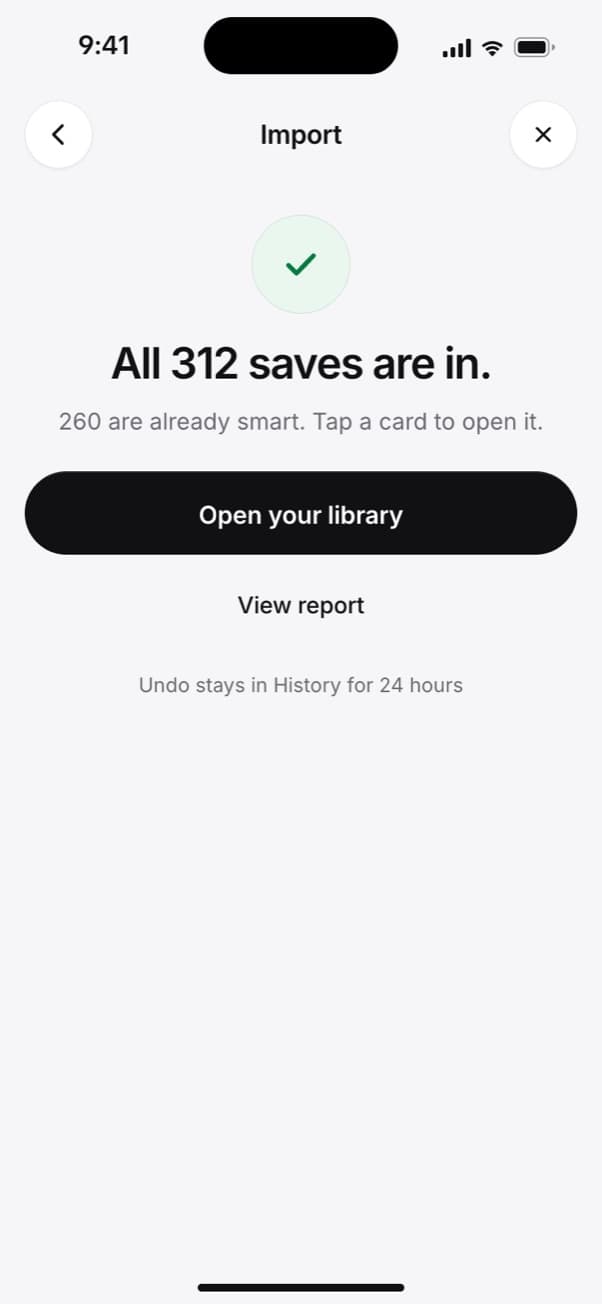
The import is done, and Undo stays in History for 24 hours. Save new pages from Safari on iPhone
Tap Page Menu, then Share, then SavedIt.
With the Bottom or Top tab layout, tap Share in the toolbar instead. Add a note about why while it saves, like "bakery for Saturday".
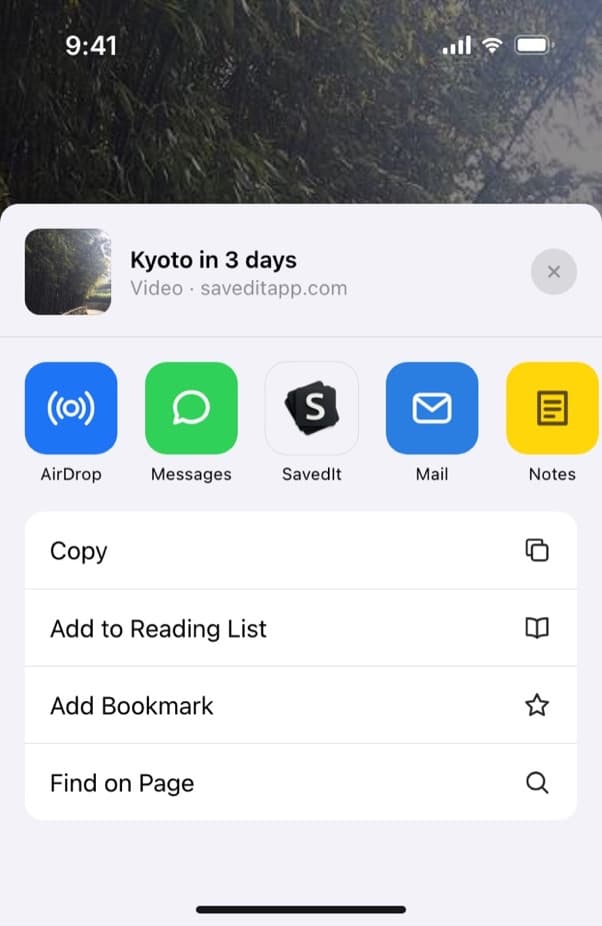
SavedIt sits in the row of apps in Safari's share sheet. Find it without the title
Type any word from the title, your note or a tag. No match? One tap searches by meaning, so "the Lisbon bakery list" still finds it.
Questions people ask
How do I edit bookmarks in Safari on iPhone?
Open your bookmarks, touch and hold the one you want, and tap Edit. Change the name or the folder under Location, then tap Save.
How do I search Safari bookmarks on a Mac?
Open the bookmarks sidebar with Control-Command-1 and type the bookmark's name in the search field at the top.
Why don't my Mac bookmarks show on my iPhone?
Safari has to be on in iCloud on both, with the same Apple Account. On iPhone: Settings, your name, iCloud, See All, then Safari.
How do I export Safari bookmarks?
On a Mac, choose File, Export Browsing Data to File, tick Bookmarks and click Download. Safari saves a .zip with the bookmarks as an HTML file inside.
More guides
Free on iPhone and Android
Save from Safari, find it by what you remember
Share a page from Safari on your iPhone and add a note while it saves.