X
How to find and search your X bookmarks
Short answer
Open the profile menu (or the sidebar on a computer), tap Bookmarks, then use the search box at the top. It matches the exact words in the post.
Updated October 27, 2026 2 min read
Find and search them in X
Open Bookmarks
Tap Profile menu, then Bookmarks.
On the web, Bookmarks is in the left sidebar. In the app, open the profile menu and tap Bookmarks.
Use the search box
Tap Bookmarks, then Search bookmarks.
Type a word and X lists the bookmarks that contain it. The search box is on the web and on iPhone.
Sort them into folders
Bookmark folders need X Premium. You bookmark a post first, then add it to a folder. Folders are private, and taking a post out of a folder keeps the bookmark.
What X Bookmarks can and can't do
- Search needs the exact word
- X's search finds the words the post used. If you remember the idea but not the wording, it comes back empty.
- Folders are a Premium feature
- Without Premium, every bookmark sits in one list. With it, you file them by hand.Source: X Premium
- No date or author filter
- Search matches keywords only. You can't narrow your bookmarks by date or by who wrote the post.
Search by meaning, across X and everything else
X's search is good at exact words. SavedIt adds search by meaning, and it searches your X posts together with the Reels, TikToks, videos and articles you saved.
Save a post as you read it
Tap Share, then SavedIt.
On any post, tap Share, then SavedIt. You stay in your timeline while it saves.
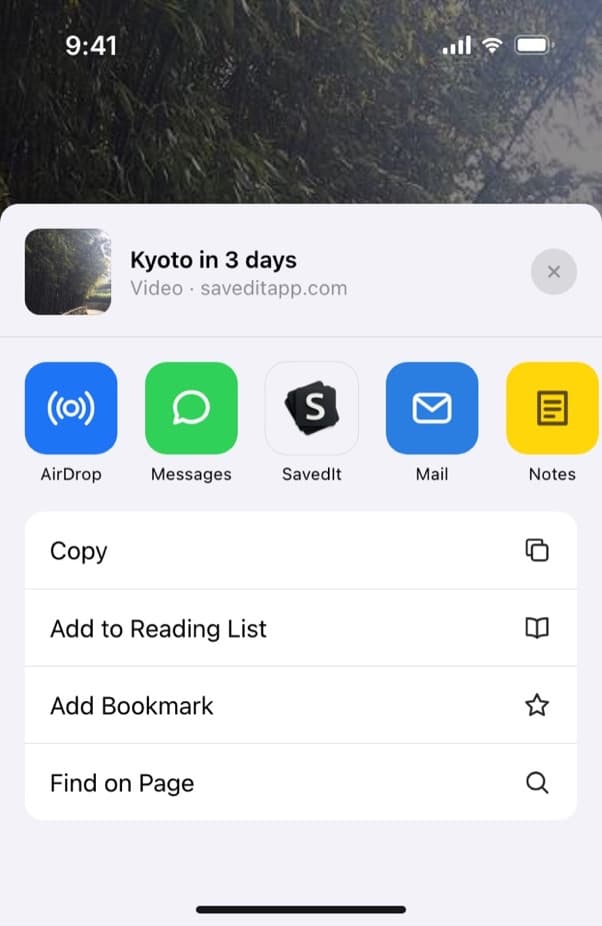
Share an X post to SavedIt. Skim the key points
SavedIt reads the post and writes the key points, so a long post becomes a few lines you can scan before you decide to reopen it.
Search by what you remember
Type the exact words and SavedIt finds them first. No match? One tap searches by meaning, so "that thread about cold emails" still finds it.
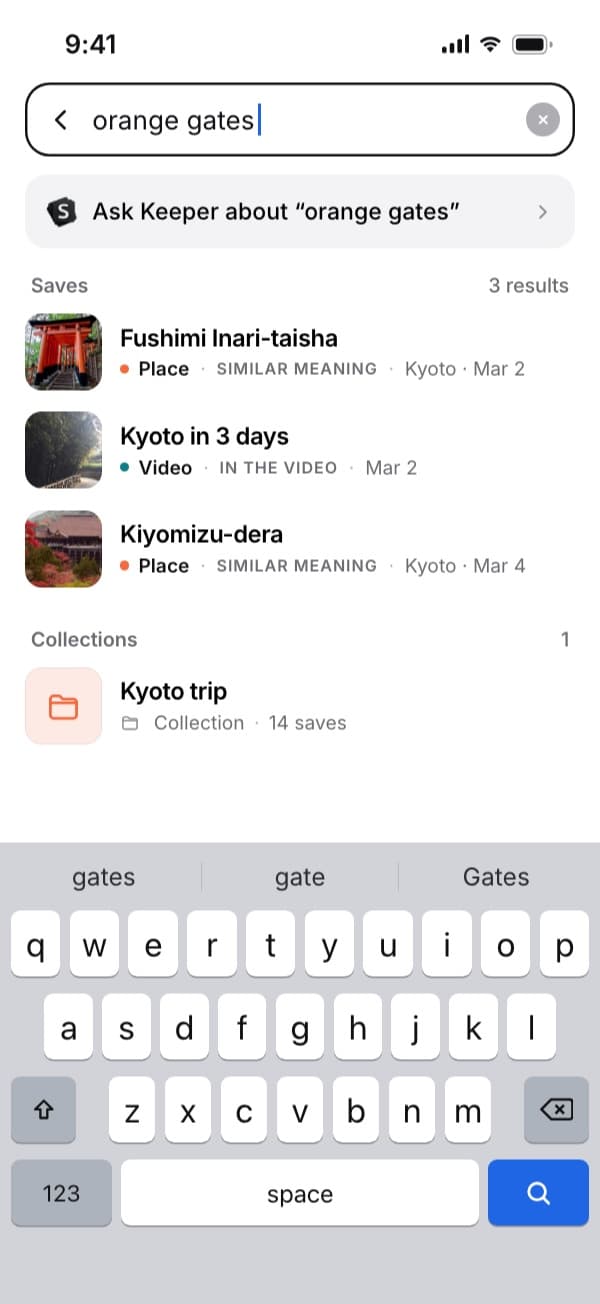
Here "orange gates" finds the Kyoto video by what's said in it. Plus searches by meaning without a monthly limit.
Questions people ask
Where are my bookmarks on X?
Open the profile menu and tap Bookmarks. On a computer it is in the left sidebar.
Can you search your bookmarks on X?
Yes, on the web and on iPhone. Type a word in the search box on the Bookmarks page. It matches exact words, not meaning.
Do I need X Premium to organize bookmarks?
For folders, yes. X's help page lists Bookmark folders as a Premium feature.
More guides
Free on iPhone and Android
Find the post you bookmarked on X
Save it to SavedIt and search by what you remember.