

X
Where are my likes on X? How to see your liked posts
Short answer
On iPhone, tap your profile picture, then History and Likes. On Android and x.com, open your profile and tap Likes, or look for History in the menu if that tab is gone.
Updated November 6, 2026 5 min read
See your likes in X
X (formerly Twitter) is moving Likes off your profile and into a new History page. It started on iPhone in May 2026 and is rolling out in stages, so where your likes are depends on your phone and your account.
On iPhone, open History
Tap Profile picture, then History, then Likes.
Tap your profile picture in the top left to open the side menu, then tap History. It took the place of Bookmarks in that menu and has four tabs: Bookmarks, Likes, Videos and Articles. Tap Likes and scroll down for older ones.
On Android and the web, check your profile
Tap Profile, then Likes.
In the Android app, open your profile. On x.com, click Profile in the left sidebar. Likes is in the row of tabs under your header. Some Android and web accounts have History instead. If Likes isn't under your header, open History in the side menu or the left sidebar. iPhones that don't have History yet work like this too.
Likes tab gone and no History?
Your likes weren't deleted, and posts you liked still show a filled heart. Update the app, close it fully and open it again. X hasn't documented another place to browse likes.
Unlike a post
Tap the filled heart under the post again. The like is removed and the post leaves your Likes list.
Search all your likes in your archive
Tap Settings and privacy, then Your account, then Download an archive of your data.
Enter your password, verify with the code X sends, then request the archive. X emails you and sends a notification when it's ready, which can take a few days. Unzip it, open the data folder, then open like.js in a text editor and search it with Ctrl+F (Cmd+F on a Mac). Each entry has the post's text and link, but no date.
What to know about likes on X
- Your likes are private
- Since June 12, 2024, only you can see the posts you've liked. Nobody else can open your Likes list.Source: Engadget, June 2024
- The author still sees your like
- The person who wrote a post can see who liked it, and every post still shows how many likes it has.Source: Fox Business, June 2024
- History is on iPhone first
- X launched History in the iPhone app in May 2026. It replaced Bookmarks in the side menu and has four tabs: Bookmarks, Likes, Videos and Articles.Source: TechCrunch, May 2026
- Android and the web are unclear
- X hasn't announced History for Android or the web, and its help page still points to the Likes tab on your profile. Some guides say History is reaching both in stages, so check both places.Source: TechCrunch, May 2026
- No documented search in Likes
- X hasn't documented a way to search or filter your likes. You scroll until you spot it, or search the like.js file in your archive.
- Deleted posts drop out
- If the author deletes a post you liked, your like goes with it and the post leaves your Likes.Source: Circleboom, September 2026
- Your archive has the text, not the date
- Likes are in like.js in your X archive, with each post's text, ID and link. There's no date, so you can see what you liked but not when.Source: ContextBolt, October 2026
- The archive takes time
- Your email address must be confirmed before you request it. X can take a few days to prepare the file, then emails you and sends a notification in the app.Source: X Help Center
Save the ones you want to find again
Likes on X is one long list with no search. When a liked post is worth keeping, send it to SavedIt, and next time search for the part you remember.
Share the post to SavedIt
Tap Share, then SavedIt.
Tap the share icon under the post, open your phone's share menu and pick SavedIt. It works on iPhone and Android, and you stay in X while it saves. On a computer, copy the post's link, then in SavedIt on the web click +, then Save a link, and paste it.
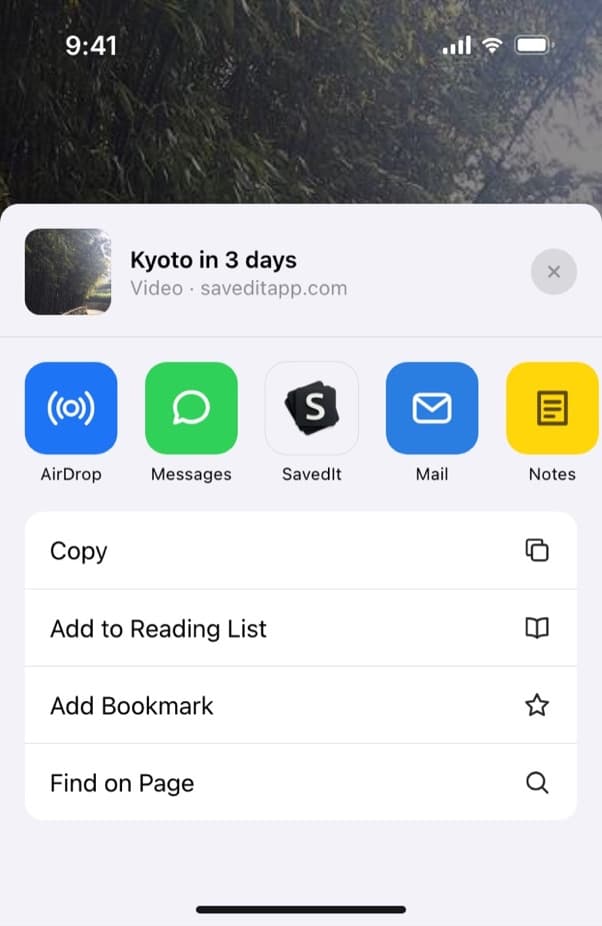
Share an X post to SavedIt. Add a note with the detail you'll remember
Before it saves, write why you kept it, like "pricing thread for the launch" or "book list from Sam". SavedIt keeps the post's words as its title and writes the key points, so a long post becomes a few lines you can scan.
Find it by what you remember
Type a word from the post or your note. If the words find nothing, tap Search by meaning and describe it, like "that thread about cold emails".
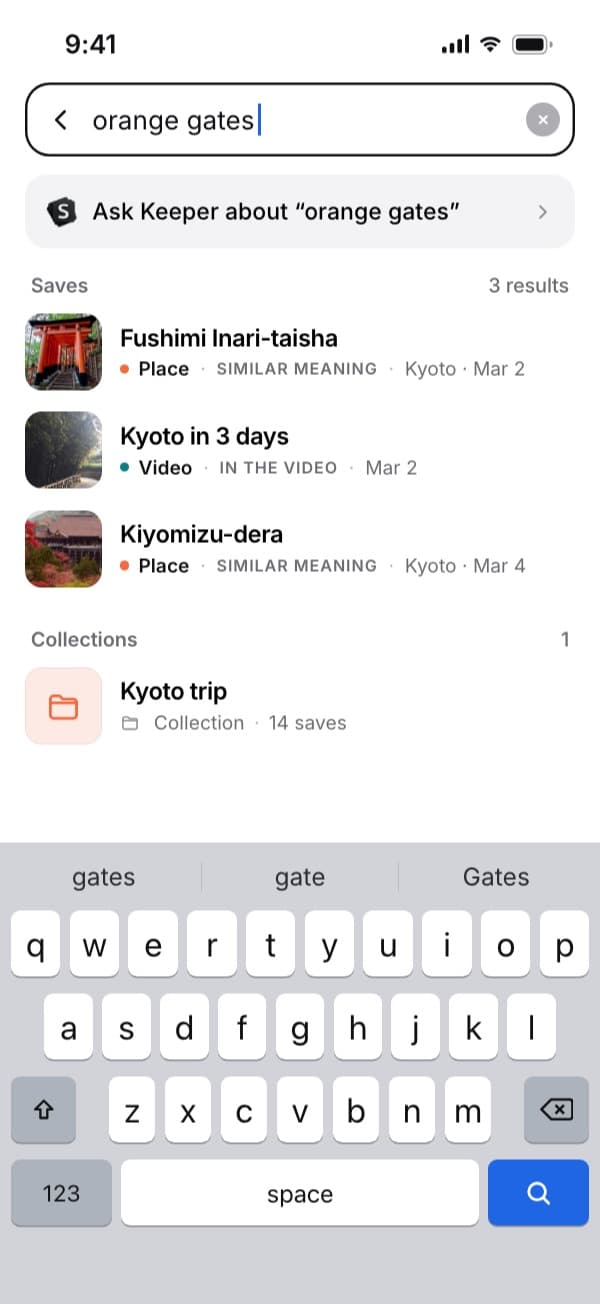
Here "orange gates" finds the Kyoto video by what's said in it. Open the original on X
Every save keeps its link, so you can go back to the post, the replies and the author. If the post is deleted later, the link stops working, and your save and note stay in SavedIt until you delete them.
Questions people ask
Where are my likes on X?
On iPhone, in History: tap your profile picture, then History, then Likes. On Android and the web, on your profile in the Likes tab, or in History if that tab is gone.
Why did my Likes tab disappear on X?
X is moving Likes from your profile into History, starting on iPhone. Look for History in the side menu. Your likes weren't deleted.
Can other people see my likes on X?
No. Likes have been private since June 2024. The author of a post can still see who liked it, and like counts are public.
Can I search my likes on X?
X hasn't documented a way. Download your archive under Settings and privacy, Your account, then search the like.js file in a text editor.
How do I see my X likes on a computer?
At x.com, click Profile in the left sidebar, then Likes. Some accounts have History in the left sidebar instead, with Likes as a tab inside it.
Why is a post missing from my likes?
The author deleted it, or you unliked it by tapping the filled heart.
Are likes and bookmarks the same on X?
No. Both are private and both live in History on iPhone. Bookmarks has a search box on the web and on iPhone, and Premium adds folders. X hasn't documented either for Likes.
Can SavedIt bring in my X likes?
No. Your likes stay in X. Open Likes and share the posts worth keeping to SavedIt, one at a time.
More guides
Free on iPhone and Android
Find a liked post again without scrolling
Share it to SavedIt, add a note, and search for it by what you remember.