


Find your way around Home
Home shows what you saved lately, newest first, under Recently saved. Tap Library at the end of that row to see every save.
As you save more, Home adds Places and By kind, which stacks your saves into recipes, places, products and more.
Updated October 19, 2026
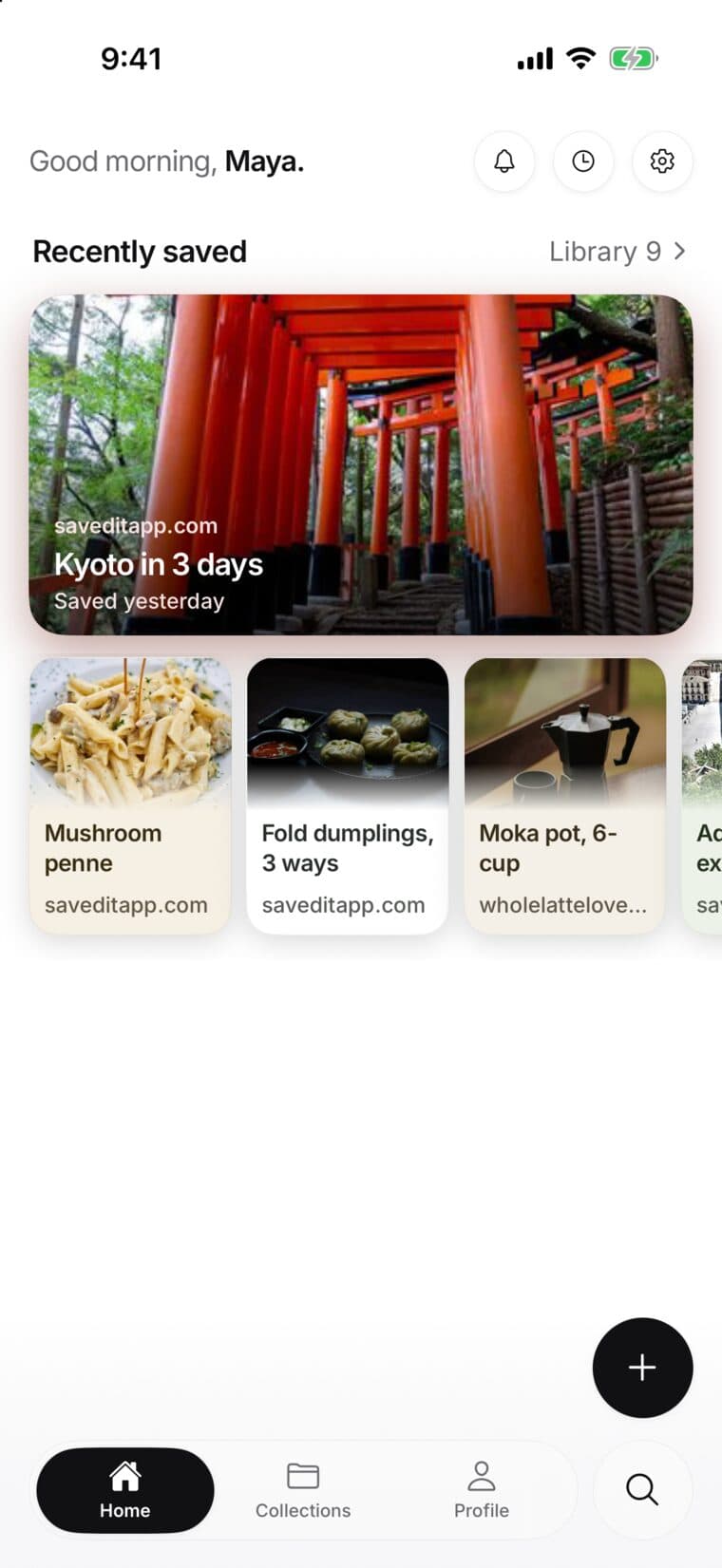
Recently saved
Your newest save is the big card at the top, and the next ones sit beside it. Tap one to open it.
Library sits at the end of the title row, with your number of saves once you have more than a few. Tap it to see every save, with filters.
Cards from Keeper
One card at a time sits under Recently saved: a reminder that's due, what Auto-file just filed (with Undo), something Keeper noticed in your saves, a quick question about why you saved something, or last month's recap.
Lower down, a Keeper's suggestions row appears when Keeper has collections to suggest. Tap it to review them. You can skip any card.
Places
Once your saves include places, Home shows them on a map, with their own photos as pins. Tap a city above the map to move there, or tap the map or Map to open the full Places map.
The full Places map is part of Plus. The place on each save, with Open and Directions, is free for everyone.
By kind
By kind is a row of stacks, one for each kind of thing you save, like Recipes, Places or Products, with how many you have. Swipe it sideways and tap a stack to see just those saves. All kinds opens your Library.
The keys
- The bell opens Notifications. A dot means something new, or a reminder that's due.
- The clock shows your next reminders and the saves you opened lately.
- The gear opens Settings.
- The + at the bottom saves something new: Save a link, Write a note or Say a note.
- The round magnifying glass opens Search. The Keeper key beside it opens Keeper.
- The tabs at the bottom are Home, Collections and Profile.
A brand-new account
With only a few saves, Home keeps it simple: your saves and a tip for your next one. Places and By kind fill in as you save more. New accounts also start with a few Example saves.